


Cincopa Galleries are not only highly customizable, but also easy to adjust and update on the fly without having to re-embed the gallery after changes have been made.
Removing an Asset from a Gallery does not remove it from your Cioncopa profile, only from the gallery in question. Removed files can quickly and easily be added back into a gallery if you decide to revert your changes.
Below is a step by step breakdown on how you can remove assets from an existing gallery (works with both embedded and non-embedded galleries).
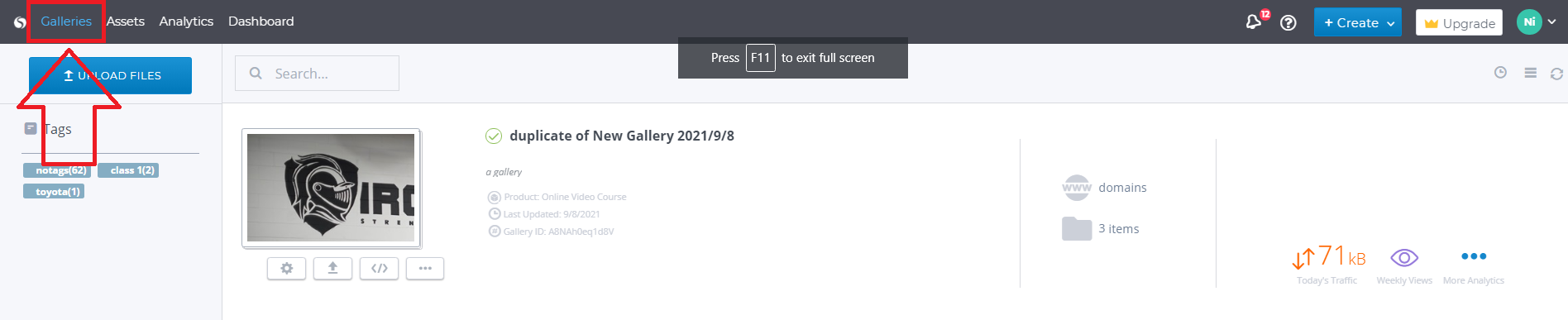
- Navigate to the ‘Galleries‘ page of your Cincopa Profile
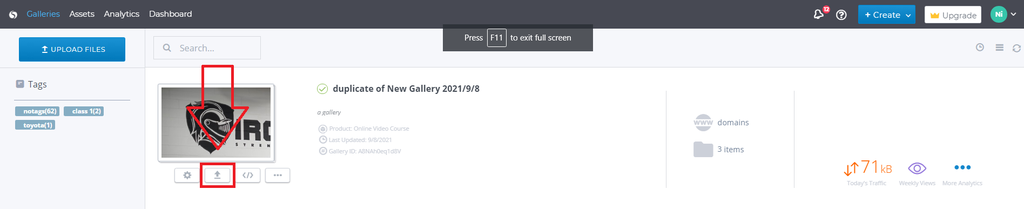
2. Select the ‘Manage and Upload Files’ option directly below the gallery thumbnail.
Use the Trashcan icon to the left of the asset thumbnail to remove said item from the gallery.

The changes are saved automatically.
The gallery is now ready.
Note: there is no need to re-embed the gallery, the changes will be reflected after the cache is refreshed (usually 5-10 Minutes)