Plugins and Integrations

Setting up Cincopa For HubSpot video integration

HubSpot is a suite of popular marketing tools for driving more leads and better engagement. See how Cincopa Superpowers HubSpot with video.

With the Cincopa For HubSpot Video Integration, there's nothing your marketing team cant do.

Here are just a taste of what you can expect:

Including:

  • Video lead generation (new HubSpot contact creation)
  • Smart Segmentation based on viewing behavior
  • Video Heatmap (understand how a contact interacted with your video content on the deepest level)
  • Video Automation workflows & Lead scoring
  • Contact Timeline - User level video activity

Note: Available HubSpot features depend on your HubSpot subscription.

First, some directions to help you orientate:

Before you start, make sure you can sign in to your HubSpot account.

Not a Cincopa User? Get in touch
Let's Start Integrating!

To set up your Cincopa video HubSpot integration, complete the following steps

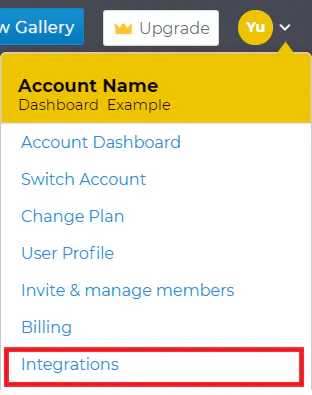
2. Once you are logged in, click on the profile icon in the top-right corner of the home page and then select Integrations

3. Click on the 'Browse All Available Integrations' button

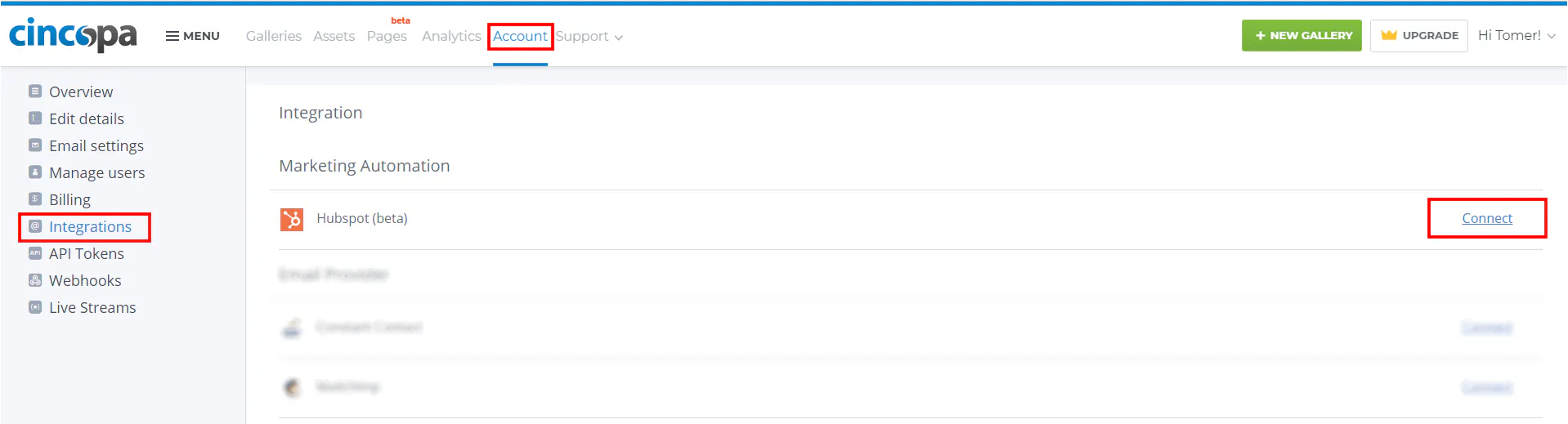
4. Go to the HubSpot row and press on the Connect link

Setting up Cincopa For HubSpot video integration

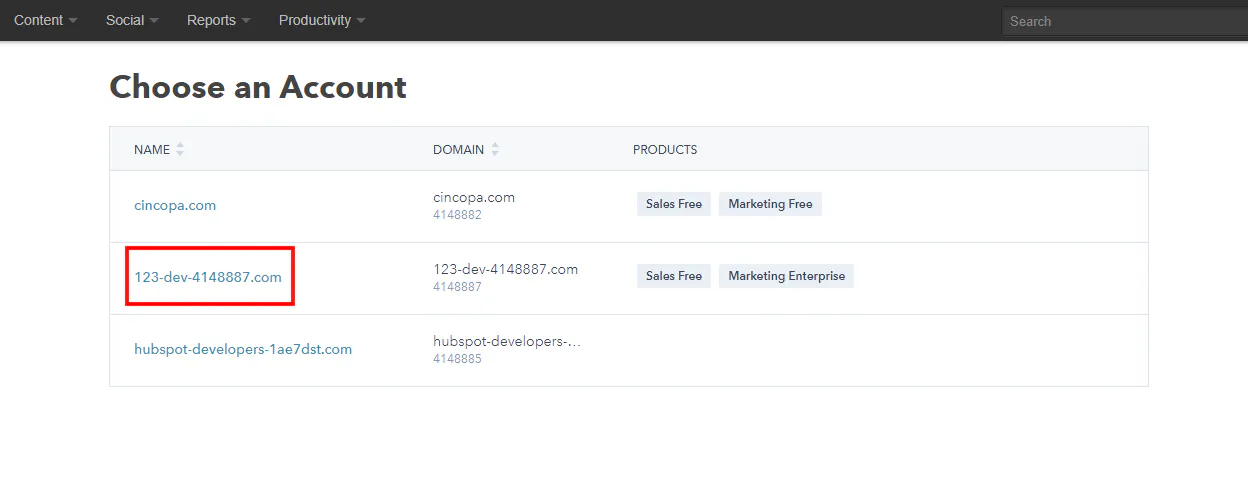
5. You will be taken to the HubSpot login page. Enter your HubSpot credentials and log in.

Note: In case you are using multiple HubSpot accounts (you're an agency or developer ah?), select the account you wish to integrate with.

Setting up Cincopa For HubSpot video integration

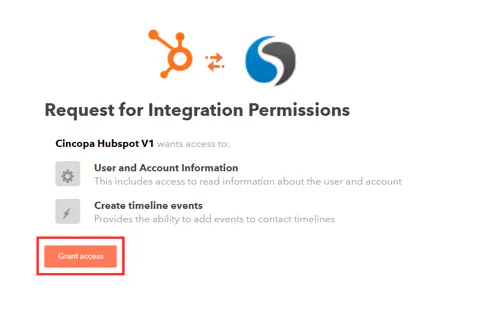
6. Grant access to complete the process.

Setting up Cincopa For HubSpot video integration

Once you complete you can see HubSpot under active Integrations.

Grant Access To cincopa

To fully utilize Hubspot integration please read the following articles:

Setting up Cincopa For HubSpot video integration