Help users solve technical problems before they open a ticket
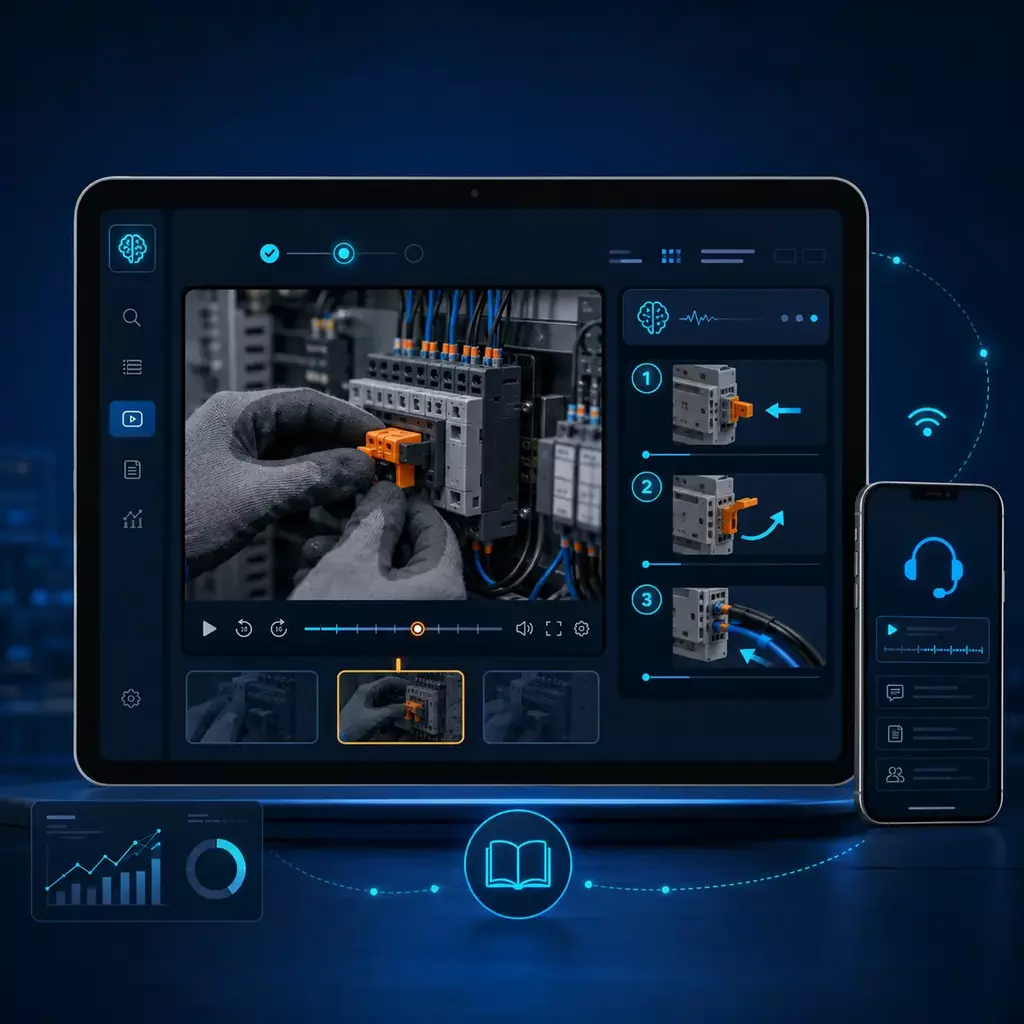
Turn troubleshooting videos and support documents into direct answers, step-by-step guidance, and links to the exact moment that shows the fix.
- Answer across the library
- Show the exact fix
- Reveal recurring gaps
Support breaks down when users cannot reach the answer fast enough
Support moments are different, but the operational problem is the same: the answer exists somewhere, yet it is still too hard to retrieve and act on in the moment.
Physical support needs speed
When someone is standing in front of equipment, they need the right procedure immediately - not a long search across disconnected pages and media.
Software support needs speed too
When someone is stuck inside a workflow, they need the right fix immediately - not a long search across disconnected help articles, clips, and docs.
Support gets overloaded
The same installation, troubleshooting, and how-to questions keep coming back because the answer exists, but it is still hard to surface in the moment.
Flat libraries become graveyards
A growing pile of videos does not fix support. Without AI retrieval and structure, support libraries become hard to browse and even harder to use under pressure.
Videos and docs stay disconnected
Support content often lives across multiple tools and page types. Cincopa creates an on-demand support layer that connects those assets into one usable troubleshooting experience.
Structure, distribution, resolution, and reach in one support system
Support knowledge is not useful just because it exists. It has to be organized for the issue, embedded where the issue happens, ready to answer across the full library, and available in the channels where users already ask for help.
Galleries
- Group troubleshooting videos and support documents by product line, issue, component, workflow, or support topic.
- Turn scattered clips into support collections users can actually navigate.
- Reuse the same source content across support docs, training, and partner surfaces.
Pages + embeds
- Deploy support knowledge inside help centers, documentation pages, partner portals, and dedicated support destinations.
- Embed troubleshooting playlists directly inside the workflow.
- Keep support knowledge current without rebuilds.
VideoGPT + support knowledge
- Answer questions across the entire troubleshooting library, not just one video.
- Return direct answers, step-by-step guidance, and deep links to the exact moment the how-to appears.
- Use the same answer behavior across galleries, Pages, and portals so support guidance stays consistent as the rollout expands.
Meet users where they already ask for help
- Extend the same knowledge into website chat, email responses, ticketing, WhatsApp, and social support surfaces.
- Keep answers more consistent across channels.
- Start small, then expand the same support intelligence layer over time.
Answer in text. Show the fix when it matters.
Search helps users browse. VideoGPT helps users solve. Instead of hunting through titles and thumbnails, they can ask a support question, get a direct answer, and jump straight to the part that matters.
Baseline category value
For buyers first learning this category, the value is straightforward: AI can answer support questions across videos and documents, guide users step by step, and resolve more repetitive questions before a ticket is opened.
Why Cincopa is different
For buyers already familiar with AI support tools, the difference is simple: video is part of the knowledge base, so users can see the fix, not just read the answer. Explore the AI video knowledge base builder to see how support videos, documents, and grounded answers work together.
- How do I replace the MAXUM encoder?
- What firmware version fixed current stall behavior?
- How do I wire a 3-phase MAXUM operator?
- Which video shows the new restart sequence?
- Where is the workflow for this configuration issue explained?
- A direct answer in text
- Step-by-step guidance
- The exact visual step when it needs to be seen
- A jump to the exact moment in the walkthrough
Guide users before they open a ticket
A support page should not wait for users to browse every video or search every article. VideoGPT can appear as a familiar assistant on the support surface, introduce what help is available, suggest useful questions, and guide users to the right answer faster.
This keeps the page focused on support resolution while giving users a faster way to ask across troubleshooting videos, setup guides, release notes, PDFs, and embedded support collections.
Welcome before search
The assistant can open with a welcome message that explains what the support collection covers and suggests practical starter questions.
Scoped to the support surface
On a Page or embedded support environment, VideoGPT can answer from the gallery, single video, documents, and support assets connected to that destination.
Keeps the fix in context
Source links can open the right video or exact moment behind the assistant so users stay in the support page while they verify the fix.
Inline video when needed
When configured, answers can also include video moments inside the chat itself, which is useful when the support experience needs to behave like a video-aware chatbot.
One support intelligence layer across multiple channels
The support experience does not have to stop with an assistant on a documentation page. The same video and document knowledge can power support responses across multiple channels while keeping answers more consistent.
- Website chat
Answer from support knowledge on your site.
- Email responses
Support workflows can point users to the right answer and the right moment.
- Ticketing
Resolve common issues faster with knowledge-backed responses.
- WhatsApp
Bring visual self-service into mobile support conversations.
- Social support
Extend the same support knowledge into other integrated response surfaces.
This is how support content becomes a resolution engine: users get faster self-service, teams deflect more repetitive support questions, and answers stay more consistent across channels.
See what users watched, what they asked, and what support needs next
VideoGPT does not just answer support questions. It gives your team an analytics, feedback, and insight loop that turns support interactions into clear action items for content, support, and product teams.
Operational and conversational visibility
Track playback behavior across videos, pages, domains, geographies, and identity when available. Then extend that view into every VideoGPT session, including the question, answer, origin page or channel, related gallery or video, available user context, and full session history.
That means support teams can see not only what content was watched, but what users attempted to retrieve, where they struggled, and what kind of guidance they needed.
- Playback behavior
- Questions asked
- Answers returned
- Source environment
- Helpful / not helpful feedback
- Unclear, unanswered, or missing-content signals
Views, unique views, watch time, engagement, impressions, drop-off behavior, and heatmaps.
Questions asked, answers returned, source environment, related gallery or video, and full session history.
Helpful or not helpful feedback, plus review signals that show where answers or content need improvement.
Repeated questions, unresolved issues, unclear answers, missing videos or PDFs, and topics that need better explanation.
Summary views, recurring-question analysis, unclear-answer reporting, unresolved-question reporting, and content-gap signals help teams decide what to improve next.
How Chamberlain uses Cincopa for support and troubleshooting
Chamberlain is the anchor proof because it shows the support pattern this page is built around: embedded troubleshooting videos inside partner support documentation for installers and service technicians. VideoGPT extends that pattern by letting users ask across the support library and reach the exact fix faster.
- Library size~400
Videos across support and training environments.
- Device mix64%
iPhone share of the measured plays on the support surface.
- Device mix26%
Android share of the measured plays on the support surface.
- Device mix10%
Windows share of the measured plays on the support surface.
Primary proof: Chamberlain support environment
Chamberlain embeds structured galleries directly inside LiftMaster partner support documentation. Those videos help installers and technicians troubleshoot issues, understand product behavior, perform installation procedures, and diagnose equipment problems. Embedded troubleshooting playlists group related support assets by product and issue, and the mobile-heavy usage pattern makes the point-of-need support value obvious.
- Embedded support delivery inside documentation, not in a separate media destination
- Strong mobile usage from field-oriented support audiences
- Clear fit for support deflection and faster issue resolution
Secondary validation: Verily help and documentation
Verily supports the software and help-documentation side of the story. It shows the same broader pattern: structured video knowledge embedded into product help and documentation environments so users can understand workflows and resolve issues in context.
- Help-doc and product-guidance fit
- Useful validation for software and workflow-driven support
- Supports the broader cross-environment story without changing the anchor proof
Start with support. Expand later.
Once users can solve recurring issues through one working support layer, adjacent solution areas become much easier to launch.
-
Video Training Portals
For structured training environments, academies, and guided learning paths.
-
Product Education
For embedded walkthroughs, onboarding materials, feature education, and attached guides.
-
Internal Knowledge Base Software
For secure internal knowledge environments built around meetings, updates, and operational know-how.
Clear answers for teams evaluating support and troubleshooting software
Can I embed troubleshooting videos inside support docs and help centers?
Yes. This solution is designed for embedded support delivery. The strongest fit is a structured support gallery or playlist placed directly inside the page where the issue is being explained.
Can users ask questions across the entire support library?
Yes. VideoGPT can answer across the support library, not just inside one video. It can return a direct answer, step-by-step guidance, and a jump to the exact moment when the how-to is shown.
Why is video better than text-only support for complex issues?
When the task is easier to show than explain, video reduces ambiguity. Cincopa can answer from videos and documents, then guide the user to the exact visual step that matters.
Can Cincopa support responses across chat, email, ticketing systems, and messaging channels?
Yes. The support layer can extend beyond embedded chat into website chat, email response workflows, ticketing environments, WhatsApp, and other integrated support surfaces.
How does Cincopa reduce repetitive support tickets?
It makes support knowledge easier to retrieve, easier to understand, and easier to act on. Users can get the answer, see the fix, and jump directly to the right step without waiting for manual support.
Can Cincopa help resolve questions before tickets are opened?
Yes. Cincopa can help resolve more repetitive support questions before a ticket is opened by answering from trusted knowledge, showing the right step when needed, and guiding users to the exact moment that matters. More complex issues can still escalate when required.
How do support teams learn from repeated VideoGPT questions?
The analytics, feedback, and insight loop shows repeated questions, unclear answers, unresolved issues, and content gaps so teams can improve support content over time.
Is this mobile friendly for field technicians?
Yes. The player and support experience are well suited to mobile usage so technicians can access the right procedure while working on-site.
Can VideoGPT appear as an assistant on a support page?
Yes. VideoGPT can appear as a support assistant that welcomes users, suggests starter questions, answers from the relevant support videos and documents, and points users to the exact source moment.
Can users see the video inside the answer?
Yes, when configured. The answer can link users to the video in context or show video moments inline inside the assistant experience.
Can this work for regulated or compliance-sensitive environments?
Yes, especially when teams need more consistent answers, clearer source visibility, session history, and stronger oversight of what users asked and what guidance they received. For industry-specific compliance requirements, validate the exact workflow against your own standards.
Build support users can ask, watch, and solve from
Start with one support surface, one product line, or one cluster of repeated issues. That is the fastest way to prove value, deflect more repetitive support questions, lower support load, and give users a better support experience.