Live training does not scale
Teams repeat the same onboarding and workflow guidance because the reusable version is hard to structure and hard to retrieve later.
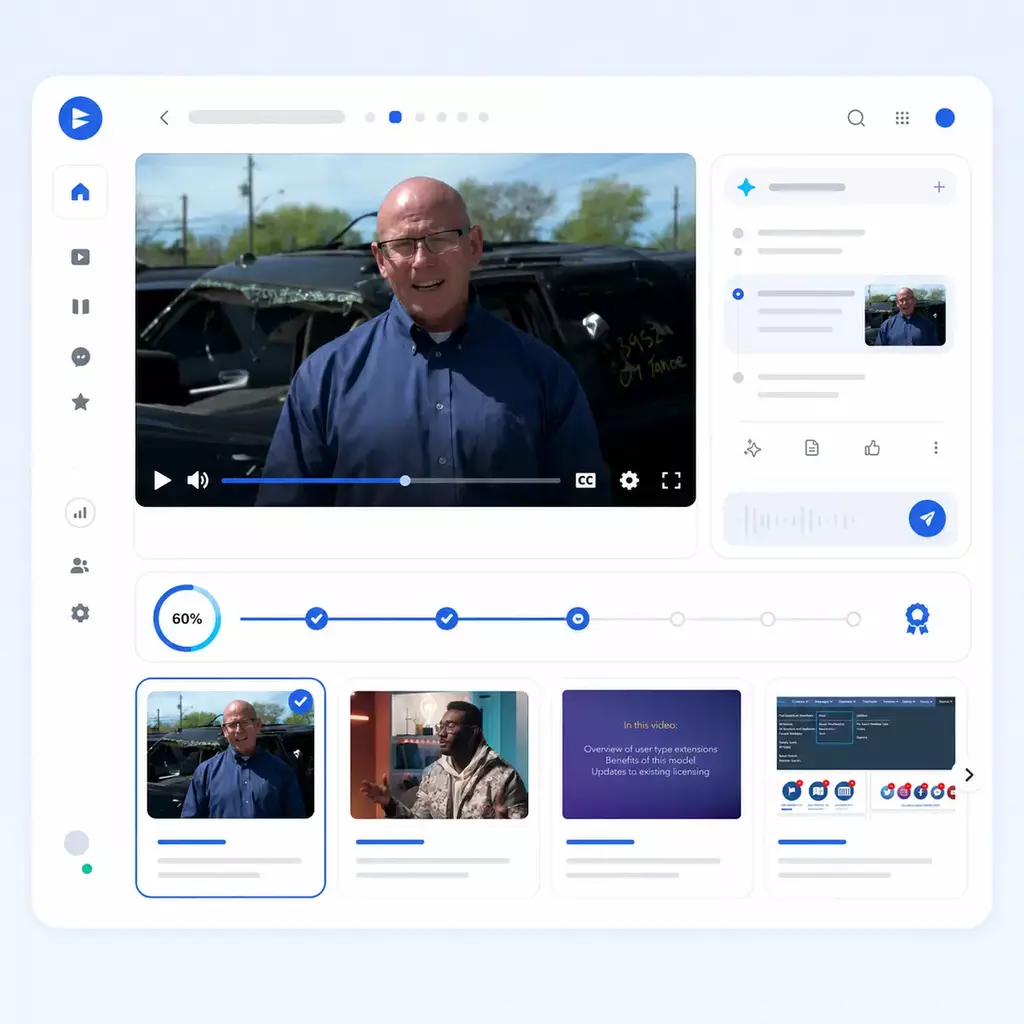
Give customers one portal to watch lessons, follow progress, ask questions across videos and documents, and jump directly to the exact part that answers them.
What this solves
Customers do not need another folder of recordings. They need a structured training environment that helps them follow the right path, search across the library, revisit a workflow quickly, and get answers without opening another support ticket.
Teams repeat the same onboarding and workflow guidance because the reusable version is hard to structure and hard to retrieve later.
Once training grows across products, modules, or roles, a flat list of videos turns into friction instead of self-service learning.
Some teams need a true academy. Others need a lighter rollout or a better video and AI layer inside the LMS they already have.
Use cases
Guide new customers through role-based onboarding without repeating the same live sessions.
Organize formal learning paths, prerequisite content, and repeatable assessment prep into one training portal.
Deliver tailored training by product area, workflow, role, or audience without duplicating the whole library.
Teach customers what changed and where to find the right workflow inside release videos and supporting guides.
Pair walkthroughs with PDFs, release notes, checklists, and reference material in the same training surface.
Turn a growing archive into a usable knowledge system that supports both guided learning and fast question-based retrieval.
Training architecture
Organize training into channels, playlists, modules, and course-style pages so the library stays navigable as it grows.
Deploy training as a standalone academy, a branded Page, or a richer embedded layer inside the LMS and environments you already use.
Combine viewer analytics, VideoGPT usage, and recurring-question insights so training owners can see where users struggle and what to improve next.
Deployment shapes
The same solution can run as a customer academy, a branded course page, or an embedded training layer. The job stays the same. The surface changes.
Best for a true customer academy with channels, watch history, analytics, optional linear learning, and VideoGPT across the portal.
Best for a lighter rollout with branded Pages, curated playlists, attached documents, and focused learning paths.
Best when the LMS already exists but the video experience still needs stronger organization, better discoverability, and better retrieval.
AI knowledge layer
This is the disruptive layer. VideoGPT helps learners retrieve answers from the training content, while analytics and insights show training, support, and product teams what users are really asking and where friction still exists. Explore the AI video knowledge base builder to see the same publish, ask, and improve workflow in one experience.
Learners can ask a question across the training library, get a relevant answer, and jump directly to the right moment in the right video.
How do I manage casework messages in IQ?
Open Casework in IQ. The explanation starts with inbox filtering and then shows how to update case status and routing.
See what users watched, how they engaged, what they asked in VideoGPT, which questions repeat, and which topics reveal training, support, or product friction.
Viewer history, engagement, watch behavior, drop-off patterns, and session-level signals across the training environment.
VideoGPT chat-session visibility across real user questions, answer paths, and topic demand inside the training library.
Surface repeated question clusters and friction themes so content owners know where the training still falls short.
Use the signal to improve the training itself, strengthen support content, and highlight places where the product experience may need work.
Customer proof
Leidos runs a public product training portal for IQ CRM with about 100 videos across roughly 6 structured channels, plus engagement visibility and VideoGPT across the experience.
Explore LeidosChamberlain validates the LMS-embedded model through technical training delivered inside the LiftMaster Training Academy using Cincopa playlists as the video layer.
Explore ChamberlainVirginia Housing shows the lighter rollout shape through playlist-based training delivered in Pages for focused program education and guided learning series.
Expand later
The cleanest first move is one academy, one certification path, or one onboarding program. Once it proves value, the same content and infrastructure can expand into adjacent solution areas.
Extend the same content into embedded, in-product education and searchable product guidance.
Reuse the academy model to train distributors, installers, resellers, or contractors.
Keep internal team knowledge and customer-facing training clearly separate, but expand into team knowledge when the time is right.
FAQ
Next step
Start with one academy, one certification path, or one onboarding program. Then expand once the training library proves value.