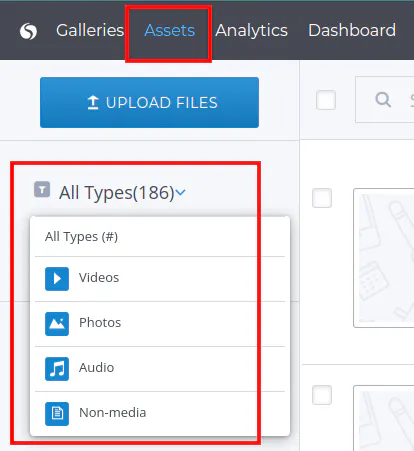
In order to view the assets at the Assets tab of certain media types follow the steps below :
Step 1 : Go to the Assets tab
- Click on the All Types from the left menu
- Select the media type to view assets of the certain type
And that's it! You have successfully changed the asset type filter!