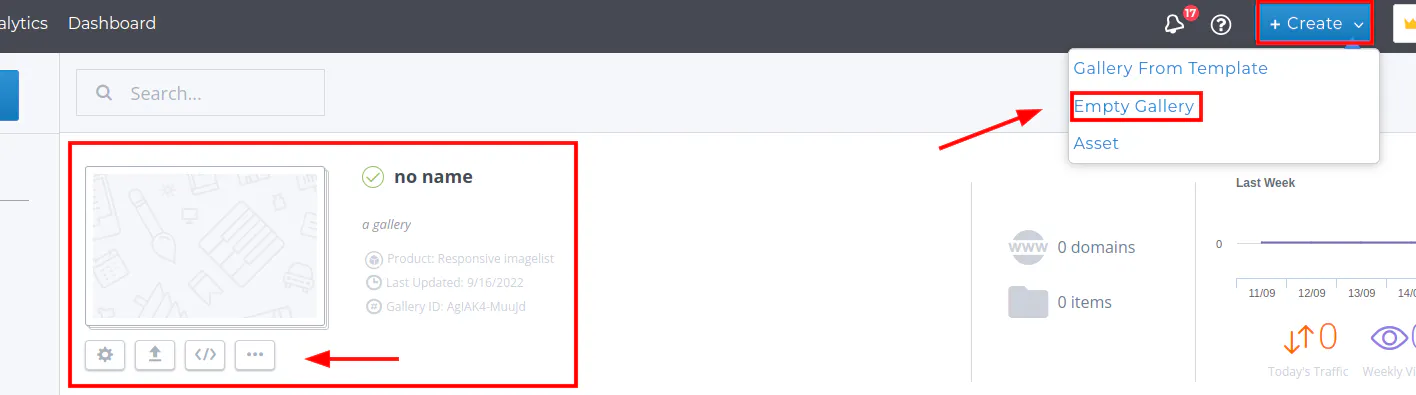
To create an empty gallery please follow the steps below:
Step 1: Click on +Create from the top right hand side menu
Step 2: Click on Empty Gallery
You did it! An empty gallery is now created. Now you can upload media assets to your gallery and change the Title/Description