QUALIFICATION GUIDE
- Choose formal training or product knowledge
- Connect LMS governance with reusable answers
- Keep guidance close to the work
Choose the learning architecture that fits the job: governed courses, point-of-need product answers, or a connected model that supports both.
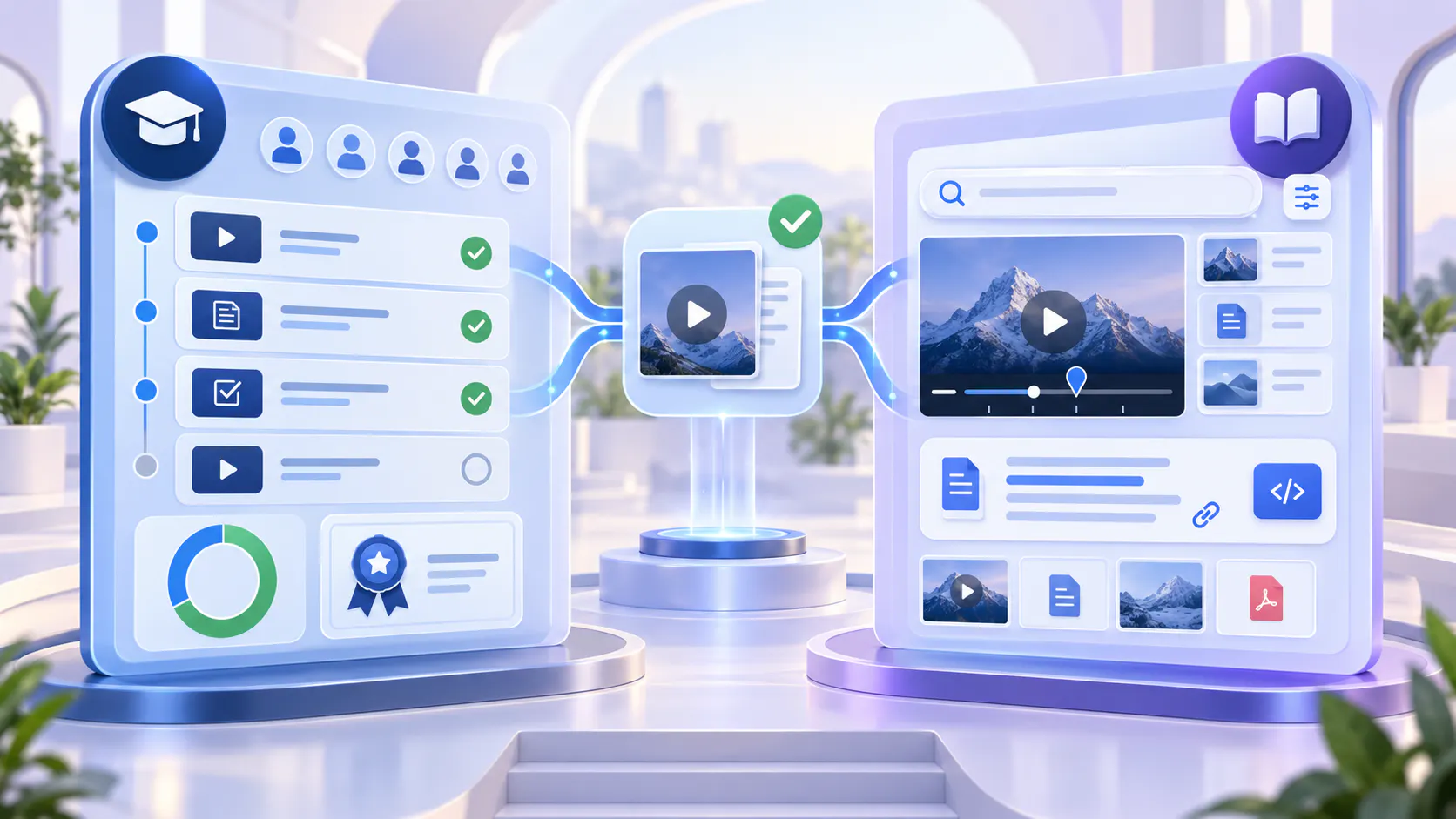
Choose an LMS when the learning program depends on formal course administration: enrollment, assigned curricula, assessments, certification, completion rules, learner records, or compliance reporting.
Choose a product education layer when users need fast, revisitable answers about a product: how to complete a workflow, what changed in a release, where to find a setting, or how to resolve a common issue. That knowledge should be easy to embed in product pages, documentation, help centers, or a dedicated education destination.
Use both when the same audience needs structured training and point-of-need support. The LMS can remain the system for formal learning administration while Cincopa organizes, delivers, and makes the video-and-document knowledge easier to navigate and retrieve.
The real question is not “Which platform has more features?” It is “Are we administering a learning program, helping users complete product work, or doing both?”
Both systems may contain videos, documents, learning paths, access controls, and analytics. From a distance, they can look similar. The difference becomes clearer when you examine the job the learner is trying to complete and the job the program owner must manage.
An LMS is typically organized around learners, courses, assignments, progress, assessments, and credentials. Product education is organized around product questions, roles, workflows, features, releases, and the places where users need help.
The same customer may need both experiences. A new administrator might complete a required certification course and later need a two-minute answer while configuring permissions. Those are related learning needs, but they are not the same delivery job.
A learning management system is the stronger fit when the organization must control, assign, measure, and document a formal learning program.
Enroll learners and place them into defined programs or cohorts.
Assign courses, modules, prerequisites, and completion deadlines.
Deliver quizzes, assessments, graded activities, or practical evaluations.
Issue certifications, credentials, or evidence of completion.
Maintain learner records and administrative reporting.
Support compliance, continuing education, or mandatory training workflows.
Manage instructors, catalogs, course rules, and formal learning operations.
These capabilities matter when completion itself has organizational meaning. The program owner needs more than evidence that someone watched a video; they need a governed record of what was assigned, completed, assessed, and approved.
Formal course structure can be too heavy for everyday product questions. A user who needs to change a setting or revisit one workflow may not want to enter a course, locate the right module, and replay a full lesson.
The answer is needed during a live product task.
The same explanation must appear in product pages, documentation, and support surfaces.
Users return for one answer rather than a complete course.
Feature and release education changes more frequently than the formal curriculum.
Product teams need reusable content organized by role, workflow, feature, or release.
A growing video archive is difficult to browse by titles and thumbnails alone.
This does not mean the LMS has failed. It means the question has moved from formal learning administration to product knowledge retrieval.
A product education layer helps users understand and apply the product without forcing every learning need into a course. It turns walkthroughs, onboarding videos, release explanations, guides, PDFs, and supporting documentation into structured knowledge that can be placed where users already work.
Organize product knowledge by role, workflow, feature, product area, or release.
Publish reusable video-and-document collections through galleries and hosted pages.
Embed education inside product pages, help centers, documentation, and customer portals.
Give users a persistent resource they can revisit after onboarding.
Connect walkthrough videos with supporting guides, release notes, and reference material.
Let users ask questions across available knowledge and reach the relevant video moment or supporting source.
Use engagement and question patterns to identify where users still struggle.
The goal is not simply to host more training videos. It is to make product knowledge structured, searchable, answerable, and reusable across the customer journey.
A product education platform should not be treated as a full LMS when the organization needs formal academic or compliance administration.
High-stakes certification with controlled testing and credential rules.
Complex course enrollment, scheduling, prerequisites, and cohort management.
Graded assessments, instructor workflows, or regulated completion records.
Formal curriculum administration across many departments or learning programs.
Detailed learner administration that must serve as the organization’s official training record.
Cincopa can support structured training experiences, course-style organization, progress visibility, and embedded delivery. When advanced learner administration or assessment governance is required, it should complement the LMS rather than be positioned as its replacement.
Use an LMS as the primary system when the organization is delivering a governed program rather than an open-ended knowledge resource.
Best used for
Programs with a defined beginning, sequence, completion requirement, and learning outcome.
Not designed to be
A fast answer layer for users who need one product instruction during their work.
Best used for
Training where the organization must verify competence, issue credentials, or maintain formal proof of completion.
Not designed to be
A substitute for approved assessment, credentialing, or regulatory controls.
Best used for
Quizzes, exams, scoring, practical evaluations, or other methods used to measure mastery.
Not designed to be
The fastest path to a two-minute workflow explanation or release answer.
Best used for
Enrollment, cohorts, due dates, prerequisites, instructor operations, transcripts, and centralized reporting.
Not designed to be
A lightweight embedded knowledge experience inside product and support surfaces.
Use a product education layer when the learner is primarily a product user who needs to understand, perform, revisit, or troubleshoot a task.
Best used for
Short, focused help that users can open while completing a task in the product.
Not designed to be
A formal record that proves a required curriculum was completed.
Best used for
The same approved knowledge delivered through help centers, documentation, product pages, customer portals, and dedicated education Pages.
Not designed to be
Complex cohort, instructor, or certification administration.
Best used for
Onboarding, walkthroughs, update education, FAQs, and supporting documents users return to after the original training moment.
Not designed to be
A one-time course experience that becomes difficult to retrieve later.
Best used for
Situations where users begin with a question and need a direct answer connected to the relevant source.
Not designed to be
A replacement for source quality, ownership, review, and current documentation.
Many mature customer education programs need both architectures. The LMS manages the formal learning journey. Cincopa strengthens how video knowledge is organized, delivered, retrieved, and reused within and beyond that journey.
Embed structured Cincopa galleries or playlists inside existing courses. The LMS continues to manage enrollment, sequence, assessments, completion, and credentials, while Cincopa provides the video experience and connected supporting documents.
Publish the same approved product explanations in a searchable gallery, Page, documentation area, or support surface. Users can return to the workflow without reopening an entire course.
Reuse the source content in the places customers already look for answers. This reduces the gap between what was taught during training and what users can retrieve later during real work.
VideoGPT can help users ask across the available videos and documents, receive a grounded response, and jump to the relevant moment or supporting source. Formal learning records remain in the LMS; product knowledge becomes easier to access wherever it is needed.
Connected model: LMS for administration and proof. Cincopa for structured video knowledge, embedded delivery, question-based retrieval, and reuse across customer-facing surfaces.
Use these questions during discovery. The answers reveal which architecture should lead and whether a connected rollout is more appropriate.
Must learners be enrolled, assigned, or grouped into cohorts?
Must they complete lessons in a controlled sequence?
Are quizzes, exams, scoring, or practical assessments required?
Must the organization issue certifications or maintain formal completion records?
Does an administrator need to manage due dates, prerequisites, instructors, and transcripts?
Do users mainly need quick answers while working in the product?
Should the same knowledge appear in documentation, help centers, product pages, and portals?
Will users revisit individual workflows long after onboarding?
Do videos and supporting documents need to be searched or asked as one knowledge collection?
Does the organization already have an LMS that needs a stronger video and retrieval layer?
If the first five questions dominate, lead with the LMS. If the next four dominate, lead with product education. If both groups matter, keep the LMS and connect it to a reusable product knowledge layer.
Best for teams that need onboarding, feature education, workflow guidance, and searchable answers without formal certification or complex learner administration. Launch through a branded Page, organized galleries, or a portal-style environment.
Best when the LMS already controls the learning program but the video experience needs better organization, discoverability, supporting documents, and retrieval. Keep formal course logic in the LMS and use Cincopa as the video knowledge layer.
Best when customers need a structured academy or role-based training destination, but the operating model does not require every advanced LMS function. Organize channels, playlists, course-style pages, progress signals, and searchable training knowledge in one environment.
Separate formal requirements from everyday product questions. Document what must be assigned, assessed, certified, revisited, embedded, or searched.
Decide where learner enrollment, completion, assessment, and credential data must live. Keep those responsibilities in the LMS when formal governance is required.
Organize videos and supporting documents by role, workflow, product area, feature, release, or customer journey.
Create focused source content that can appear in a course, documentation page, help article, product surface, gallery, or dedicated Page without duplicating the asset.
Embed Cincopa content in the LMS and link learners to a persistent product education destination for later reference.
Confirm that users can retrieve the right explanation using the language they use during onboarding, support, and real product work.
Use engagement, search behavior, recurring questions, and support demand to improve the content and identify product friction.
Begin with one onboarding program, certification path, product area, or customer role. Prove the architecture before extending it.
Learning governance. Do you need assignments, prerequisites, assessments, credentials, and official learner records?
Retrieval experience. Can a user reach one answer without navigating an entire course or replaying a long recording?
Delivery surfaces. Must the same knowledge work inside an LMS, product, website, help center, documentation, or dedicated portal?
Content reuse. Can one approved source support onboarding, feature education, support, and ongoing reference?
Video and document structure. Can related walkthroughs, PDFs, guides, and release materials stay connected?
Access and audience. Does the program need public, gated, role-based, customer-specific, or internal delivery?
Analytics and insight. Do owners need completion data, engagement signals, question patterns, or a combination?
Maintenance. Can content owners update the source once and keep its distributed uses aligned?
Buying an LMS for every content problem. A formal platform can add unnecessary friction when users mainly need fast, revisitable product answers.
Treating a video portal as a complete LMS. Do not assume that playlists and viewing analytics replace assessment governance, certification, or learner administration.
Locking reusable answers inside courses. Make high-value product explanations available after training in the surfaces users revisit.
Publishing a flat video archive. Structure knowledge by role, workflow, feature, or outcome so the library stays usable as it grows.
Duplicating the same content across systems. Reuse approved source assets through embeds and connected destinations instead of creating separate unmanaged copies.
Treating AI retrieval as course administration. Question answering can improve access to knowledge, but it does not create assessments, credentials, or formal learner records.
Measuring only completion or views. Combine formal learning signals with evidence about what users search, ask, revisit, and still struggle to complete.
FREQUENTLY ASKED QUESTIONS
Clear answers about LMS administration, product education, connected delivery, and VideoGPT.
Cincopa supports structured customer training, course-style organization, video delivery, access controls, progress and engagement visibility, and searchable knowledge. It should not be positioned as a complete replacement for an LMS when advanced assessments, certification, enrollment, or learner administration are required.
Choose an LMS when the program depends on assigned curricula, assessments, certifications, prerequisites, cohorts, formal completion records, or regulated learner administration.
Choose Cincopa when users need structured, reusable product videos and documents that can be embedded, revisited, searched, and accessed across product, documentation, support, and training surfaces.
Yes. Cincopa galleries and structured video collections can be embedded in an existing LMS while the LMS continues to manage courses, learners, assessments, and completion records.
Yes. Teams can deliver structured customer training through portal-style environments, hosted Pages, galleries, playlists, documents, access controls, analytics, and VideoGPT. The fit depends on whether formal LMS administration is required.
Customer training is often program-based and may include courses, learning paths, or certification. Product education is a persistent knowledge layer that helps users understand workflows, features, updates, and troubleshooting at the moment of need.
VideoGPT helps users ask questions across available video-and-document knowledge, receive grounded answers, and reach the relevant source or video moment. It improves retrieval; it does not replace formal assessment or learner administration.
Yes. Reusable source videos and supporting documents can be embedded in an LMS and also delivered through product pages, help centers, documentation, galleries, hosted Pages, or customer portals.
An LMS is the right foundation when learning must be assigned, assessed, certified, and administered. A product education layer is the right foundation when users need quick, embedded, revisitable answers that help them use the product successfully.
The two models do not have to compete. Keep formal learning governance in the LMS when it matters. Use Cincopa to turn product videos and supporting documents into structured, searchable knowledge that can travel across courses, product experiences, documentation, support, and dedicated training destinations.
Next step: Select one customer learning journey and label every need as formal training, point-of-need product education, or both. That qualification will show which system should lead and where the experiences should connect.
Use an LMS when formal administration matters. Use Cincopa to make product videos and supporting documents structured, searchable, and reusable across training, product, documentation, and support.