Title-only video search
What the user must do: Guess which file contains the answer, then scrub the timeline. What the knowledge layer changes: Retrieve from transcripts and move to the relevant moment.
A practical architecture for turning scattered product education into answers people can find, verify, reuse, and improve.
Most companies already have useful product knowledge. It lives in walkthrough videos, onboarding recordings, release demos, PDFs, implementation guides, help articles, and internal enablement material. The difficulty is that each format usually sits in a different place and follows a different search experience.
A customer may know the question but not the source. They should not have to guess whether the answer lives in a 40-minute webinar, a product manual, a release note, or a support page. A unified knowledge layer changes the task from finding a file to finding a trustworthy answer.
Core principle: Activate the library you already have, connect videos and documents, and use real questions to decide what to improve next.
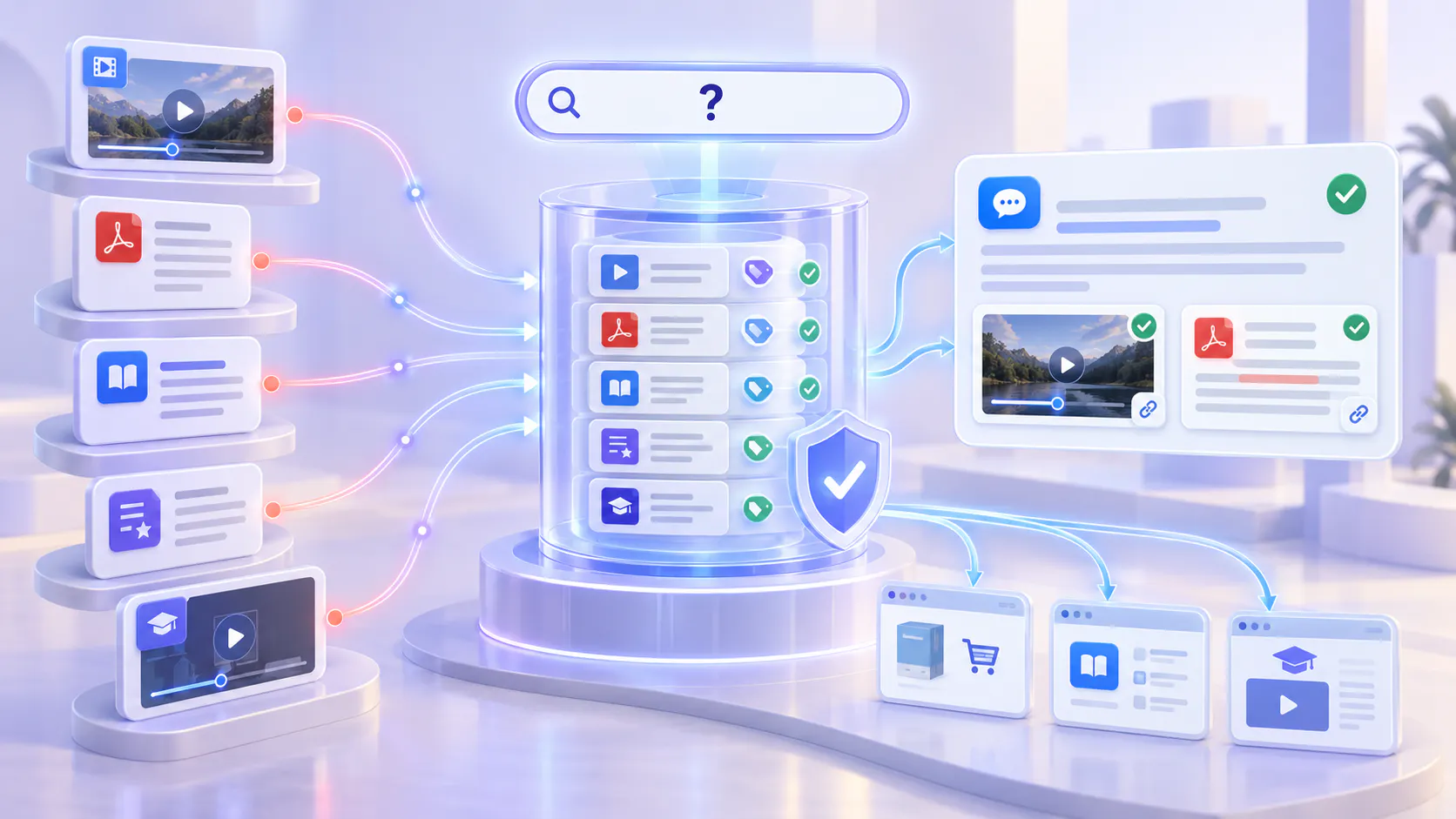
A searchable product knowledge layer is an approved collection of product videos and documents that people can query as one body of knowledge. It does not erase the distinction between a video, PDF, guide, or help article. It connects those sources so users can ask in natural language, receive a grounded response, and inspect the source that supports it.
Search inside spoken video content through transcripts and captions.
Search across related PDFs, guides, release notes, and supporting documents.
Return the answer with source context, including the relevant video moment when available.
Respect the access rules of the collection being searched.
Turn recurring questions and weak answers into a content-improvement backlog.
This is not a promise that software will organize every asset automatically. Content ownership, approval, metadata, permissions, freshness, and retirement rules still matter. The advantage is that teams can start with a useful approved collection and improve its structure based on observed demand.
SEARCH EXPERIENCE
Why separate video and document search breaks down
What the user must do: Guess which file contains the answer, then scrub the timeline. What the knowledge layer changes: Retrieve from transcripts and move to the relevant moment.
What the user must do: Search manuals separately from visual explanations. What the knowledge layer changes: Connect written guidance with the video that demonstrates it.
What the user must do: Move among a help center, LMS, drive, and video portal. What the knowledge layer changes: Expose an approved collection at the point of need.
What the user must do: Create new assets based on stakeholder guesses. What the knowledge layer changes: Use questions, weak answers, and gaps to guide the next update.
The architecture is intentionally iterative. You do not need a perfect enterprise taxonomy before launch. You do need a defined audience, an approved scope, and a way to verify what the system returns.
Activate → Structure → Embed → Ask → Answer and show → Reuse → Learn
Start with an inventory, not a production brief. Identify the videos and documents that already answer important product questions. Select one coherent pilot: a product line, onboarding journey, feature family, support topic, or partner program.
Choose material with a clear audience and business job.
Confirm that the content is accurate, approved, and still current.
Remove duplicates, obsolete releases, test recordings, and conflicting instructions.
Assign an owner who can approve updates and retirement decisions.
A smaller, dense collection is often a better pilot than a large mixed archive. The goal is to prove that users can retrieve reliable answers—not to upload everything at once.
STAGE 2
Search improves when the system has useful context. Transcripts and captions expose what was said. Titles, descriptions, categories, and metadata explain what the asset is for. Supporting documents add approved details that may not appear in the video.
Media Preview
A searchable collection creates value only when people can reach it during onboarding, troubleshooting, implementation, or daily work. Choose a publishing model that matches the user journey.
Use Galleries for reusable topic-based collections embedded in websites, product pages, support content, or documentation.
Use Pages for focused hosted destinations where an audience can browse, search, ask, and learn.
Use Tube for a portal-style experience that needs channels, workspaces, user groups, or deeper access control.
Avoid creating a new destination without a distribution plan. Link or embed the knowledge layer from the surfaces people already use, and preserve one governed source rather than copying assets into multiple unmanaged repositories.
STAGE 4
Question-based retrieval removes the need to know a filename, folder, or exact phrase. With VideoGPT, users can ask across the approved videos and documents made available in the selected environment.
Good launch prompts are specific and task-oriented: “How do I configure role-based access?”, “Which release changed the approval workflow?”, or “Where is the troubleshooting sequence for failed installation?” A short welcome message and three to five suggested questions help users understand the collection’s scope.
Media Preview
STAGE 5
A useful answer should reduce effort without hiding the evidence. The user needs the response, the supporting source, and a fast path to the exact explanation. For video, that means moving to the relevant timestamp when available; for documents, it means showing the supporting guide or file.
Media Preview
STAGE 6
One governed collection can support more than one customer moment. The same approved walkthrough and implementation guide may serve onboarding, in-product education, support, customer success, and partner enablement. Reuse should happen through controlled publishing and embedding, not uncontrolled copying.
Media Preview
Once people use the knowledge layer, their questions become a planning signal. Repeated questions can reveal onboarding friction. Weak answers can expose unclear source material. No-answer patterns can identify missing content, stale documents, or terminology mismatches.
Group questions by product area, audience, task, and journey stage.
Review unanswered or low-confidence questions with the content owner.
Decide whether the fix is a better transcript, richer metadata, an updated document, a shorter video, or new content.
Prioritize changes by frequency, customer impact, risk, and support effort.
This closes the loop: publish existing knowledge, observe demand, improve the collection, and create new material only where the evidence shows a real gap.
GOVERNANCE
Searchability makes content easier to retrieve; it does not make incorrect content correct. Treat the collection as a governed product with defined owners, boundaries, and review rules.
Media Preview
PILOT ROLLOUT
A practical pilot rollout
Begin with one journey where the cost of searching is visible and the content owner is available. A focused four-phase rollout keeps the work measurable and reversible.
STEP 1
Choose the audience, collection boundary, priority questions, owner, and success measures.
STEP 2
Review the source set, improve critical transcripts and metadata, attach supporting documents, and configure permissions.
STEP 3
Run representative questions, verify answers and source moments, document gaps, and test the escalation path.
STEP 4
Publish at the point of need, monitor questions and engagement, and hold a regular content-review cadence.
MEASUREMENT
Do not judge success only by the number of uploaded assets. Measure whether people reach reliable answers with less effort and whether the organization learns what to improve.
Media Preview
Uploading everything at once. A mixed archive can contain obsolete, duplicated, or unauthorized guidance. Start with an approved collection and expand deliberately.
Treating AI as a substitute for governance. Retrieval cannot resolve conflicting product instructions without an authority model and clear content ownership.
Hiding the source. A fluent answer is not enough. Users need visible evidence and the relevant moment or document.
Building a destination nobody visits. Embed or link the experience from the product, help center, academy, or workflow where the question occurs.
Ignoring written knowledge. Video and documents do different jobs. Combine visual demonstration with concise written steps, exceptions, and reference detail.
Measuring uploads instead of outcomes. Track answer quality, effort reduction, gaps resolved, and business impact—not library size alone.
Cincopa provides the delivery and answer layers for video-first product knowledge. Teams can organize approved video and document collections in Galleries, publish focused destinations with Pages, build portal-style environments with Tube, and use VideoGPT to ask across the available library and return answers with source context.
This complements an article-first help center or documentation system. Written pages remain useful for quick scanning, precise reference, and structured procedures. Cincopa adds a searchable visual knowledge layer for demonstrations, walkthroughs, recordings, and their supporting documents—then helps teams learn from the questions people ask.
The strongest product knowledge program does more than publish content. It makes approved knowledge easy to retrieve, easy to verify, and easier to improve. Start with the videos and documents you already trust. Structure them enough to create context. Deliver them where questions occur. Let users ask across the collection. Show the source. Reuse the knowledge responsibly. Then let real demand guide the next update.
Choose one product journey, assemble its approved video-and-document collection, and test the ten questions customers ask most often.