Publishing every recording at once.
Start with reviewed content and a defined customer problem. A smaller trusted collection is more useful than an uncontrolled archive.
A practical guide to turning existing tutorials, troubleshooting recordings, and supporting documents into answerable customer knowledge.
Customers often contact support even when the answer already exists in a video.
The problem is usually not a lack of content. The answer may be buried inside a five-minute troubleshooting recording, split across several tutorials, or stored in a document that customers do not know exists. A conventional knowledge-base search can find an article title, but it may not help someone locate a specific explanation inside a recording.
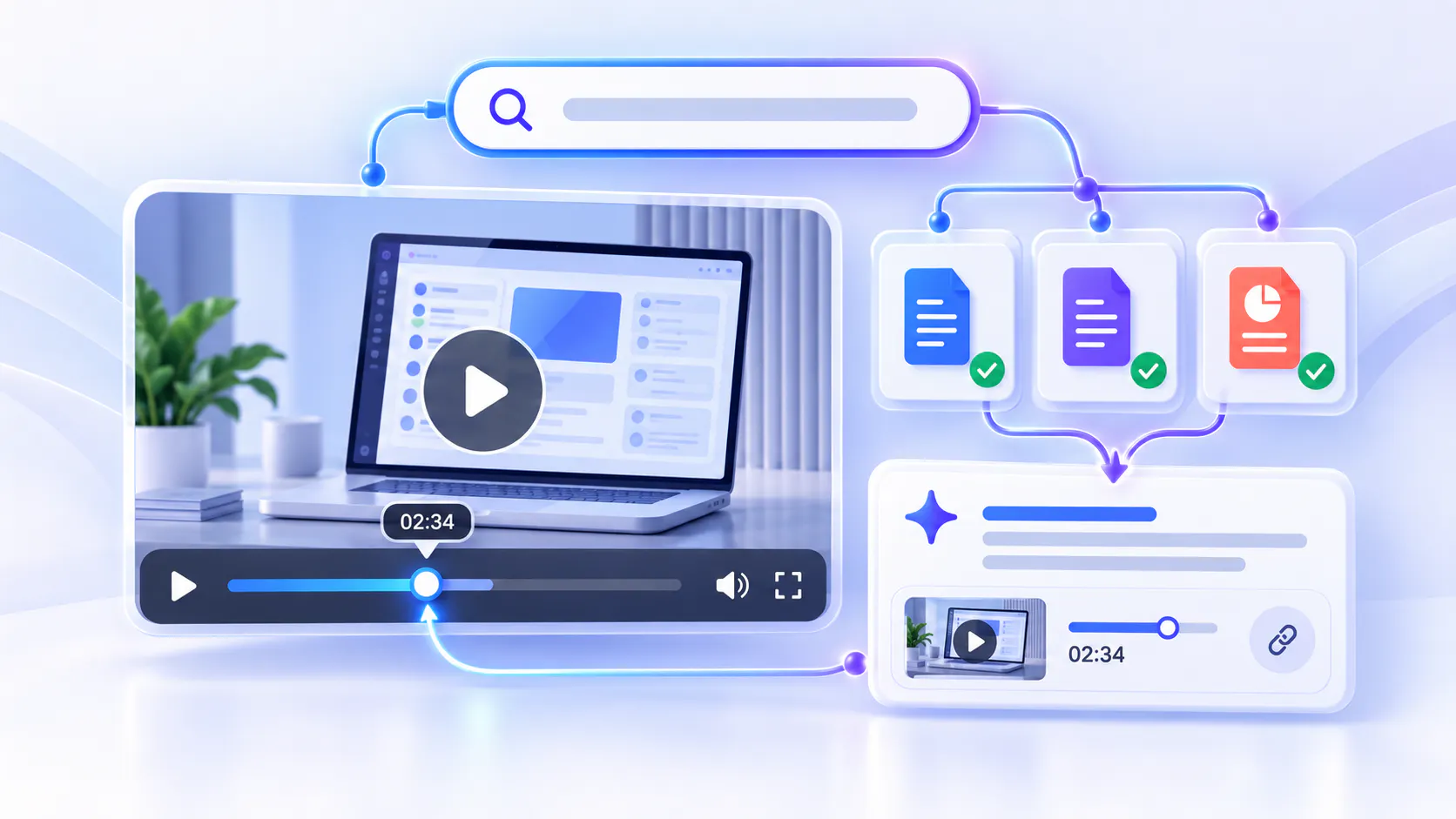
Searchable support video changes that experience. Instead of asking customers to browse playlists or scrub through timelines, it gives them a way to search or ask a natural-language question across approved support content, receive an answer grounded in that content, and move directly to the relevant moment in the right video.
This guide explains how to add that video-first resolution layer to a customer knowledge base without rebuilding the entire help center or replacing useful written documentation.
ANSWERABLE SUPPORT
Searchable support videos are tutorials, walkthroughs, demonstrations, and troubleshooting recordings whose spoken and written knowledge can be retrieved at the point of need. Their value goes beyond captions or keyword search. A useful implementation helps customers:
Media Preview
This turns video from passive help content into answerable knowledge. The objective is not to make customers watch more video. It is to shorten the time between a problem and a reliable resolution.
RETRIEVAL FRICTION
Embedding a video gallery in a help center is useful, but presentation alone does not solve retrieval. Customers may still need to guess which video contains the answer, understand internal product terminology, or scan a long recording to find a 30-second fix.
The friction becomes especially visible when:
Media Preview
Library size is not the deciding factor. Hundreds of short tutorials can be difficult to navigate, but so can two dense webinars or a handful of technical walkthroughs. The real question is whether customers can retrieve the precise knowledge inside the content when they need it.
IMPLEMENTATION GUIDE
How to add searchable video to your customer knowledge base
Use this ten-step sequence to activate existing support knowledge, test it with real customer questions, and improve it from demonstrated demand.
STEP 1 OF 10
Review support tickets, chat transcripts, search logs, community discussions, and customer-success notes. Identify questions that are asked repeatedly, take too long to explain in writing, or are easier to demonstrate on screen. These form the first self-service use cases and the evaluation set for your rollout.
STEP 2 OF 10
Inventory product tutorials, onboarding recordings, webinars, support-call clips, feature demonstrations, release walkthroughs, PDFs, and existing KB articles. Mark each item as current, outdated, restricted, duplicated, or missing. Publish-first does not mean publishing unreviewed content; it means activating useful existing knowledge before starting a full documentation rebuild.
STEP 3 OF 10
Choose one product area, support surface, device family, or high-volume issue category. A narrow pilot makes permissions, content quality, answer evaluation, and ownership easier to manage. It also gives the team a clean baseline for measuring whether customers reach answers faster.
STEP 4 OF 10
Confirm that recordings have accurate transcripts or captions. Use clear titles and descriptions, and add chapters when they help customers understand the workflow. Remove obsolete steps, protect sensitive material, and keep related supporting documents with the appropriate collection. Retrieval quality depends on the quality and scope of the approved sources.
STEP 5 OF 10
Group content by customer goal, product area, task, or troubleshooting stage—not by the internal team that created it. Cincopa Galleries can support embedded collections inside an existing help center, Pages can provide focused hosted destinations, and Tube can support a broader portal-style experience. Choose the delivery format that fits where customers already seek help.
STEP 6 OF 10
With Cincopa VideoGPT, customers can ask across the video and document knowledge available in the selected experience. Answers are grounded in source content and can guide the customer to the relevant source moment. This is a library-level experience, not simply an ask button attached to one video.
STEP 7 OF 10
A blank chat box creates uncertainty. Use a short welcome message to explain what the support collection covers and offer suggested questions based on common customer needs. AI-guided orientation helps customers understand what they can ask before they have to invent the perfect query.
STEP 8 OF 10
Embed the searchable collection in the existing help center, support article, product page, customer portal, or field workflow. Preserve the surrounding article, warnings, prerequisites, and escalation paths. Searchable video should strengthen the customer KB, not force every user into a separate destination.
STEP 9 OF 10
Run the recurring questions collected in step one, plus ambiguous wording, abbreviations, common mistakes, and follow-up questions. Verify that each answer is supported, the linked source is appropriate, and the destination moment actually demonstrates the answer. Record weak, incomplete, and unsupported results as content or configuration issues.
STEP 10 OF 10
Review what customers ask, where answers are weak, which questions repeat, and which topics produce no useful result. These signals become a practical content roadmap. Improve metadata, update a recording, attach a clearer document, or create new content only where real demand shows a gap.
PUBLISH FIRST
Traditional knowledge-base projects often begin with a large taxonomy and an ambitious writing plan. That approach is appropriate when a team’s primary job is maintaining policies, reference articles, and procedural documentation. It can, however, delay value when useful explanations already exist in recordings and supporting files.
A video-first rollout can follow a different sequence:
Media Preview
In this model, structure remains important, but it becomes the improvement path rather than the prerequisite for every launch. The support team can shorten time to knowledge now and refine the system from real customer behavior instead of guessing every future question in advance.
Cincopa is a Video Knowledge Platform for organizations whose important knowledge lives in video and multimedia. It combines the video-hosting foundation—upload, playback, captions, embeds, controlled access, and analytics—with structured delivery through Galleries, Pages, and Tube. VideoGPT adds retrieval across the approved video and document library so customers can ask questions, get grounded answers, and reach the relevant source moment.
This does not require replacing an article-first platform such as Zendesk, Document360, Confluence, Notion, Guru, or SharePoint. If maintained written policies, FAQs, and reference articles are the primary requirement, an article-first knowledge base may remain the best system of record. Cincopa can complement it by making demonstrations, training recordings, webinars, and troubleshooting videos searchable and answerable inside or alongside the existing experience.
Imagine a customer who sees an error while configuring a device. The help center already contains a setup article, three support videos, and a PDF manual. Instead of opening each asset, the customer asks, “Why does the device stop pairing after the indicator flashes twice?”
The searchable support experience returns a concise answer grounded in the approved collection, identifies the relevant troubleshooting video, and takes the customer to the moment that shows the corrective step. If the fix depends on a prerequisite, the customer can ask a follow-up question without restarting the search. The written article remains available for prerequisites and warnings; the video demonstrates the task.
That is the complementary model: articles provide maintained reference information, while searchable video helps customers understand and act on procedures that are easier to show than describe.
A video-enabled customer self-service platform should do more than place tutorials beside written help articles. It should help customers find and use the knowledge inside approved videos and documents without making them guess which asset contains the answer.
When evaluating a platform, look for the following capabilities.
Support for video and written knowledge
Customer answers rarely live in one format. A troubleshooting procedure may be demonstrated in a video, while prerequisites, specifications, warnings, or policy details remain in a written article or PDF.
The platform should support a complementary knowledge model in which written documentation remains available for maintained reference information and video provides demonstrations and explanations that are easier to show. It should not force the organization to replace a useful article-first knowledge base simply to make its support videos searchable.
Answers grounded in approved content
A customer-facing AI assistant should answer from the support content your organization has reviewed and approved. Customers should be able to understand which source supports an answer instead of receiving an unsupported response generated without clear evidence.
Evaluate whether the platform can work across the selected collection of videos and supporting documents, maintain the intended content boundaries, and guide customers back to the source used for the answer.
Navigation to the exact video moment
Finding the correct video is only part of the customer’s problem. A five-minute troubleshooting recording may contain only 30 seconds relevant to the question.
Look for a platform that can take customers to the relevant moment in the source video. Exact-moment navigation shortens time to knowledge and makes longer recordings more practical for customer support, product education, and technical troubleshooting.
Library-level questions and follow-up paths
Single-video search is useful when customers already know which recording to open. Customer self-service often requires a broader experience because the answer may be distributed across several tutorials, demonstrations, and documents.
The platform should let customers ask across the approved knowledge collection, not only the video currently playing. Welcome guidance and suggested questions can help people understand what the collection contains before they search, while follow-up questions can guide them through a multi-step issue without making them restart the journey.
Flexible deployment at the point of need
A searchable support experience is most useful when it appears where customers already look for help. Evaluate whether it can be embedded in an existing help center, support article, product page, customer portal, training environment, or field workflow.
The platform should also support the delivery format required by the use case. A focused collection may work best as an embedded gallery, a specific support topic may need a hosted page, and a broader customer-education program may require a portal-style environment.
Permissions and content boundaries
Not every support asset should be available to every audience. Some knowledge may be public, while other material is limited to customers, partners, account groups, technicians, or internal support teams.
Look for access controls that allow the organization to decide who can view each experience and which sources can be used to answer questions. Retrieval should respect the same content boundaries applied to the underlying knowledge.
Analytics that reveal knowledge gaps
Basic video analytics can show what customers watched, but a video knowledge system should also help the support team understand what customers were trying to learn.
Look for insight into repeated questions, weak answers, unanswered questions, answer feedback, and content-engagement patterns. These signals can reveal where an existing recording needs to be updated, where supporting documentation is unclear, or where new content is genuinely required.
This creates a practical improvement loop:
1. Activate the support videos and documents you already have.
2. Let customers ask questions across the approved collection.
3. Identify repeated questions, weak answers, and missing knowledge.
4. Improve or create content based on demonstrated customer demand.
Fit with the existing knowledge stack
The right platform should strengthen the systems already responsible for customer support and written documentation. If your organization relies on an article-first knowledge base for policies, FAQs, and maintained reference content, the video platform should complement that environment with video-first retrieval and delivery.
Cincopa fits this model as a Video Knowledge Platform. It provides the video-hosting foundation and structured delivery through Galleries, Pages, and Tube, while VideoGPT makes approved video and document collections answerable. Customers can ask questions across the available knowledge, receive grounded answers, and navigate to the relevant source moment without requiring the organization to rebuild its entire customer knowledge base.
GOVERNANCE
Media Preview
AI retrieval should help customers reach approved knowledge; it should not turn unreviewed recordings into authoritative policy. For sensitive or high-impact instructions, preserve human review and clear source ownership.
MEASUREMENT
Do not measure success only through video views. The stronger question is whether customers resolve problems with less effort and whether the support team learns what knowledge to improve. Useful measures include:
Media Preview
Compare results with the baseline from the same topic before rollout. Ticket deflection is valuable, but it should be interpreted with answer quality and customer outcomes. A lower ticket count is not a success if customers abandon the journey without resolving the issue.
AVOID THESE PITFALLS
Start with reviewed content and a defined customer problem. A smaller trusted collection is more useful than an uncontrolled archive.
Retrieval cannot repair inaccurate instructions, missing context, poor audio, or obsolete product steps. Use weak answers as signals for targeted improvement.
Customers still need scannable prerequisites, warnings, specifications, and policy language. Choose the format that best communicates each part of the answer.
Embed or link the searchable experience where customers already look for help, and keep the transition between articles, videos, and escalation paths clear.
Question patterns, product releases, and changing procedures require ongoing review. Assign responsibility before launch.
Your customers may not need another video. They may need a faster way to find the answer already contained in the videos and documents you have.
Start with one support problem, activate the approved library around it, and make that knowledge searchable at the point of need. Then use real questions to guide what you update or create next. That is how support video becomes a practical customer-resolution layer rather than a passive content archive.
Explore Cincopa Support & Troubleshooting and VideoGPT to build searchable, grounded customer self-service across your existing video and document knowledge.