The Psychology Behind Video Learning Retention

Video can support long-term retention when it combines relevant narration and visuals, manages cognitive load, and gives learners opportunities to retrieve and revisit ideas. Simply pressing play is not enough. Clear structure, active practice, spaced review, and an easy path back to the right moment matter more than the medium alone.

This guide explains the psychology behind video learning retention and shows how chapters, searchable transcripts, and optional AI-assisted retrieval can help people return to what they need without rewatching an entire lesson.

Written by Simi. Originally published August 30, 2025. Updated September 28, 2026.

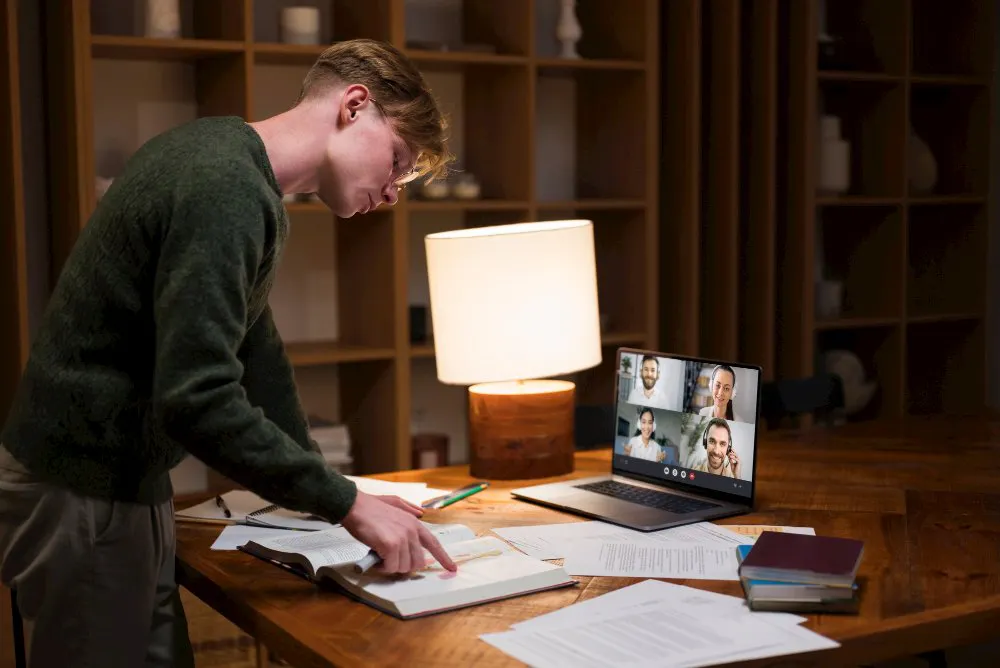
Learner reviewing course notes during an online video lesson

What video learning retention means

Video learning retention is the ability to remember, explain, or apply knowledge after watching a video. It is not the same as starting a video, finishing it, or spending a certain number of minutes in the player.

Memory usually weakens when learners do not retrieve or use new information. This is often described as the forgetting curve, although there is no single decline that applies to every learner or subject. Prior knowledge, relevance, complexity, practice, and the learning environment all affect what people retain.

Video can help because it can demonstrate a process while explaining it. It can also let learners pause, replay, and revisit difficult steps. Those advantages only matter when the video is designed around the learner’s task.

Why video can help learners remember

Dual coding connects words and visuals

Allan Paivio’s dual coding theory describes verbal and nonverbal systems that can form connected representations in memory.

A narrated animation of the water cycle, for example, can show evaporation while explaining what is happening. The image and explanation reinforce the same idea. This is more useful than adding decorative motion that competes for attention.

The practical lesson is simple: every visual should help explain, demonstrate, organize, or recall the concept being taught.

Multimedia design must manage cognitive load

Working memory has limited capacity. A video can overload it when narration, graphics, music, labels, and movement all compete at once.

Research on multimedia learning supports several useful design principles:

  • Remove material that does not serve the learning objective.
  • Signal the most important step with a highlight, label, or visual cue.
  • Synchronize narration with the action it describes.
  • Divide complex explanations into learner-controlled segments.
  • Use a conversational voice when it fits the audience and subject.

If the narration says, “The piston moves upward,” show that movement at the same time. Do not make learners hold one part of the explanation in memory while waiting for the matching visual.

Social and emotional cues can support attention

A human voice, relevant example, or realistic scenario can make instruction feel more direct and meaningful. Stories can also provide context that helps learners organize information.

These elements should support the lesson rather than decorate it. Showing a presenter’s face does not automatically improve learning, and an emotional story can become a distraction if it is unrelated to the objective.

For procedural learning, watching an expert perform a task can be especially useful when the steps are explicit and learners are later asked to practice them.

Two colleagues recording an instructional discussion beside a laptop
A conversational presentation can support connection when the presenter and example serve the lesson.

Six practical ways to improve video learning retention

1. Match narration to the visual

Use diagrams, screen recordings, demonstrations, and close-ups when they clarify what the learner should understand or do.

Avoid reading dense on-screen text word for word. Explain the concept while showing the relevant object, interface, or movement.

2. Segment by concept and add chapters

There is no universal ideal length for a learning video. A five-minute explanation can be too long if it covers several unrelated ideas, while a longer walkthrough can work when it is clearly structured.

Give each video one main objective. For longer material, add chapters at meaningful topic changes so learners can pause, review, and return to a specific section.

3. Provide captions and searchable transcripts

Captions improve access for people who are deaf or hard of hearing, watching without sound, learning in another language, or working in a noisy environment.

A transcript also gives learners another way to scan and revisit the material. When transcripts are searchable, a learner can locate a concept without guessing which video contains it.

Captions and transcripts should complement the video, not force every learner to process identical narration and dense on-screen text at the same time.

4. Use retrieval questions and scenarios

Passive rewatching can feel familiar without producing durable learning. Retrieval requires the learner to bring the information back to mind.

Add short pause points where learners answer a question, predict the next step, explain a concept, or choose what they would do in a realistic situation. A software lesson might ask learners to identify the next control before showing the answer.

Relevant scenarios also help learners connect an abstract explanation to the situation in which they will use it.

5. Space review over time

One long session is rarely the best way to build durable knowledge. Give learners opportunities to revisit important concepts after time has passed.

Spaced review may include a follow-up question, a short refresher video, a practice task, or a direct link back to the section that explains a difficult step. The important part is not merely replaying content. Learners should retrieve, apply, or check what they remember.

6. Ask learners to explain or perform

Teaching a concept to someone else exposes gaps in understanding. So does performing the task without following the demonstration step by step.

After a video, ask learners to summarize the process, demonstrate it, solve a related problem, or explain why each step matters. This provides stronger evidence of learning than completion alone.

Make video knowledge easy to retrieve later

Good instruction helps a learner understand something today. A useful knowledge environment also helps that person find it again next week.

For internal software training, a secure knowledge environment can keep employee walkthroughs, process videos, release explanations, and supporting documents usable after the original session ends.

Chapters create useful landmarks

Chapters divide long videos into recognizable topics. They help learners move directly to the section they need and make later review less demanding.

A chapter should describe the actual task or concept, such as “Configure user permissions,” rather than use a vague label such as “Part 3.”

Transcripts make knowledge searchable

Searchable transcripts turn spoken explanations into retrievable text. Descriptive titles, metadata, captions, and supporting documents add more context.

Together, these elements make AI video search and conventional search more useful across a growing training library.

Exact-moment links reduce rewatching

A learner often needs one answer inside a 30-minute lesson. Sending that person to the beginning creates unnecessary friction.

An exact-moment link can open the relevant explanation or demonstration directly. This supports review and point-of-need performance, although reaching the answer faster should not be confused with proving long-term memory.

VideoGPT can be an optional answer layer

Teams can use chapters, transcripts, search, and structured Galleries without adding AI.

When a library becomes difficult to navigate, VideoGPT can be added as an optional layer. Users can ask questions across approved videos and supporting documents, receive an answer grounded in those sources, and jump to the relevant video moment.

VideoGPT does not replace instruction, practice, or assessment. Its role is to reduce the effort required to find and revisit the source knowledge.

The Leidos customer example shows how product education, structured training, and controlled internal knowledge can share the same video foundation while serving different audiences.

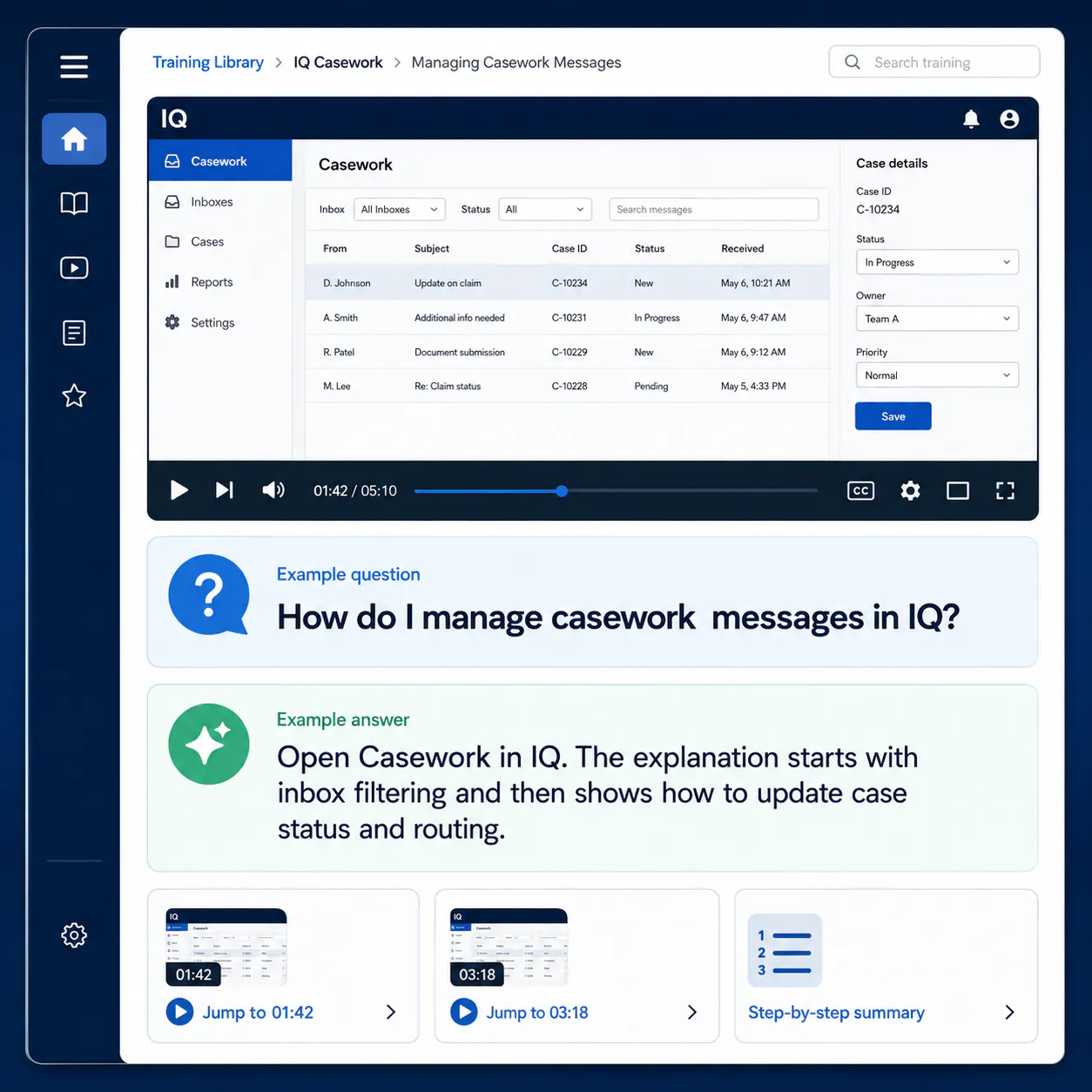
Video training portal question with a grounded answer and exact-moment jumps
Optional VideoGPT retrieval can connect a question to a grounded answer and the relevant source moment.

What video analytics can and cannot tell you

Video Analytics can show behavioral signals such as:

  • Plays and unique viewers
  • Watch time and completion
  • Drop-off points
  • Skipped sections
  • Rewatched moments
  • Viewer-level timelines and heatmaps, where available

These signals help teams identify where attention changes, but they require interpretation.

A replayed section may be important, confusing, or both. A viewer who leaves early may have disengaged, or may have found the only answer needed. Completion does not prove understanding.

To measure retention, combine viewing behavior with knowledge checks, delayed recall, task completion, fewer repeated mistakes, support outcomes, or on-the-job performance.

Where VideoGPT is used, recurring questions and missing-answer patterns can reveal content gaps. They still indicate what people need, not what they have permanently learned.

For a broader measurement framework, see how to measure product education beyond video views.

A practical checklist for learning videos

Before recording

  • Define one clear learning objective.
  • Identify what learners should be able to explain or do afterward.
  • Remove information that does not support that outcome.
  • Decide which ideas require a visual demonstration.

During production

  • Keep narration conversational and precise.
  • Synchronize words and visuals.
  • Signal important steps.
  • Divide complex material into sections.
  • Add accurate captions.

After publishing

  • Add descriptive chapters and a searchable transcript.
  • Connect supporting documents and related lessons.
  • Include retrieval questions or practice tasks.
  • Make important moments easy to revisit.
  • Review analytics alongside learning and performance evidence.

A structured video training portal can keep videos, transcripts, documents, and review paths together instead of scattering them across unrelated pages.

Frequently asked questions

Video can combine explanation with a relevant visual demonstration. It can also let learners pause, replay, and revisit a process. Retention improves when the video manages cognitive load and is paired with retrieval, practice, and spaced review.

Not always. Video is especially useful for motion, demonstrations, and procedures. Text is often easier to scan, compare, and use as a reference. Many learning environments work best when video, transcripts, diagrams, and written guidance support one another.

There is no universal ideal length. Keep each video focused on one objective, divide complex material into meaningful sections, and give learners control through chapters and navigation.

They improve accessibility and provide additional ways to review or search the content. Their learning value depends on clear presentation and learner control. Dense duplicate text displayed beside identical narration can create unnecessary load.

AI can make review easier by helping learners find relevant content and return to the source moment. It does not guarantee retention. Learners still need accurate instruction, active retrieval, practice, and feedback.

Use video engagement as one source of evidence, then compare it with knowledge checks, delayed recall, task completion, fewer errors, or other performance outcomes. Watch time alone is not a learning result.

Build a video learning environment people can return to

Strong learning design begins with a clear explanation. A useful video knowledge environment adds the path back through chapters, transcripts, structured collections, analytics, and, when helpful, VideoGPT answers linked to source moments.

Cincopa supports the video hosting and organization foundation first. VideoGPT remains an optional layer for libraries that need question-based retrieval.

NEXT STEP

Make learning videos easier to revisit and apply

Start with a focused training environment built around clear videos, transcripts, chapters, and measurable learner behavior. Add VideoGPT only when question-based retrieval improves the experience.