
Users still cannot find the answer
Product videos, release notes, guides, and help articles live across too many surfaces. Users know the answer exists, but they cannot reach it fast enough.
Turn scattered product videos and docs into an AI-searchable product education layer users can access where they already work.
Organize onboarding, feature walkthroughs, workflow guidance, release updates, and supporting documentation into one structured knowledge layer across product pages, help centers, and dedicated education Pages.
See a product education example • Proven in real product education environments
 Why this matters
Product education works better when it is designed as video knowledge
Cincopa’s gallery model helps turn product videos, guides, release materials, and supporting documents into structured knowledge systems users can navigate, search, and ask.
Product videos, release notes, guides, and help articles live across too many surfaces. Users know the answer exists, but they cannot reach it fast enough.

The same product basics get explained again and again because new users do not have one clear, AI-searchable education layer to learn from on their own.

Feature changes, release communication, and workflow guidance get published, but they do not stay connected to the places users already trust for product help.

As content grows, flat playlists stop working. Product education needs structure, context, and guided paths instead of a pile of videos.

Education works better when walkthroughs, PDFs, release notes, and supporting materials stay together as one product knowledge system.

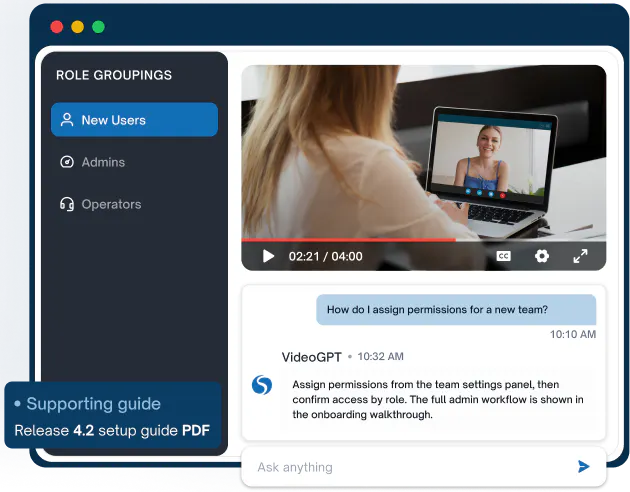
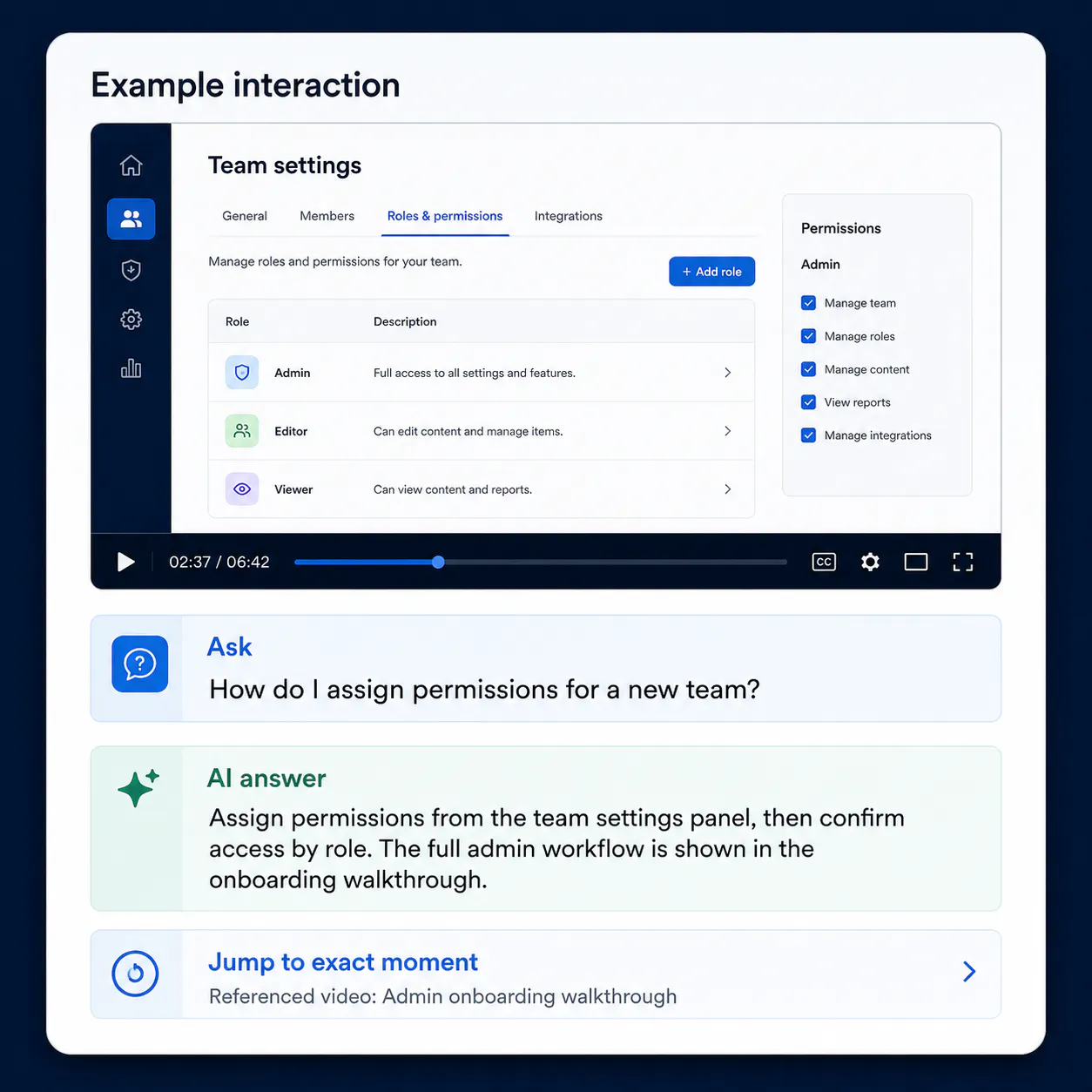
Users should be able to ask a question, get an answer, and jump to the exact moment that explains it, not just browse titles and thumbnails.
Common product education use cases
Expand after users can already find and use the knowledge.
Give new users a clear starting point with structured product education they can learn from immediately.
Show how the product works in real workflows, not just as isolated features or release notes.
Turn product updates into reusable knowledge users can search, ask about, and revisit later.
Organize learning for admins, operators, new users, or specialized teams instead of forcing one generic path for everyone.
Place product education directly inside documentation and support surfaces where users already go for answers.
Pair product walkthroughs with guides, release notes, and reference documents so education stays complete and usable.
How it works
Product education is not just about publishing content. It is about making product knowledge usable across the places users already work.
Galleries
Pages + embeds
VideoGPT
Let users ask the product education library
Instead of hunting through titles and thumbnails, they can ask a question, get an answer, and jump straight to the part that matters.
That is what turns product content into a usable AI knowledge layer instead of just a content collection. See how Cincopa’s product education video knowledge base brings that workflow together.
Example questions
Customer proof
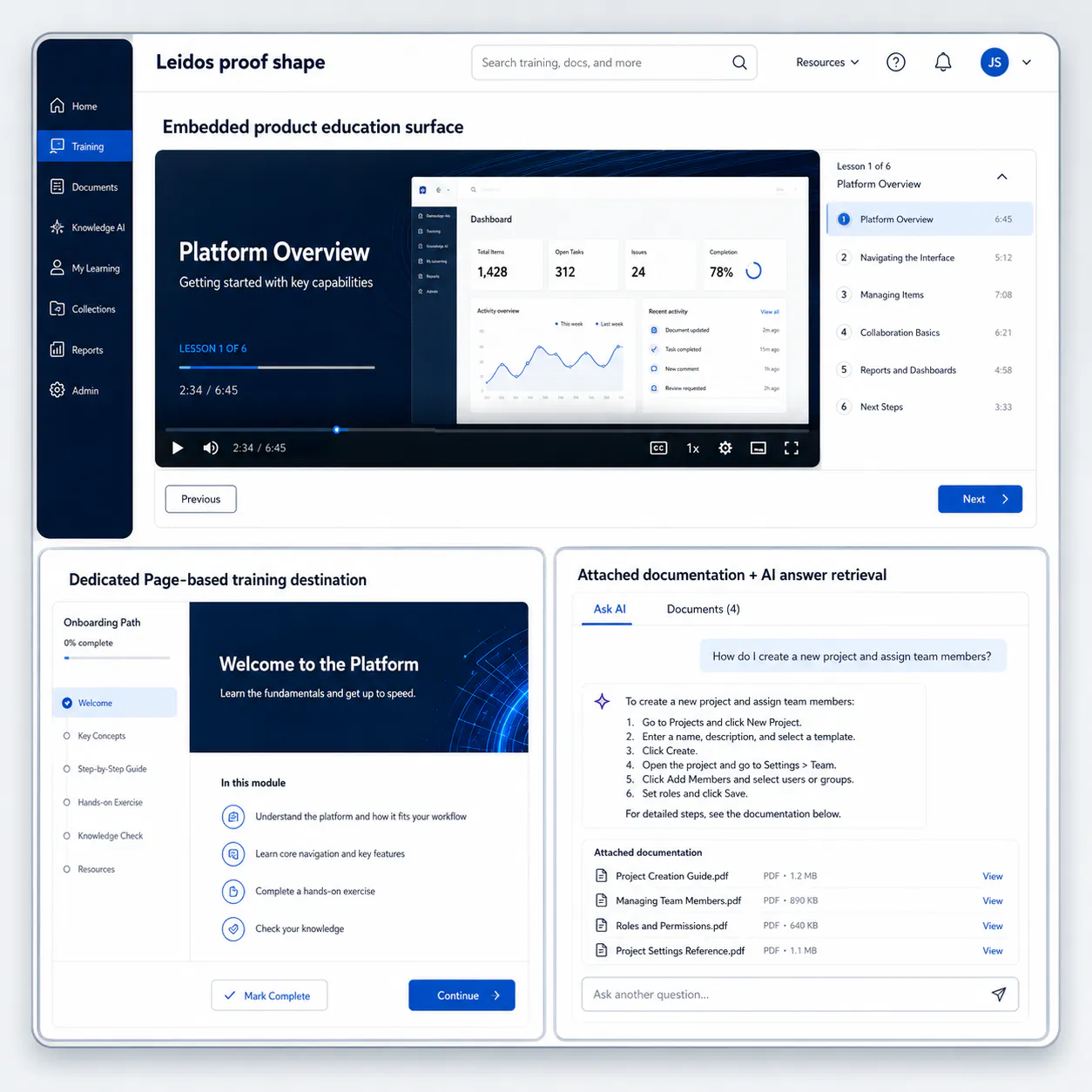
Leidos uses Cincopa to support product education with structured walkthroughs, onboarding materials, demo videos, update education, attached documents, and AI-powered answer retrieval.
The environment combines embedded delivery, dedicated Pages, role-based knowledge organization, and VideoGPT so users can move from question to answer without digging through a large content library manually.
Secondary validation: Verily reinforces the same broader pattern - product education delivered across embedded product and documentation surfaces, not only in one standalone destination.
Expand later
Once users can learn from one working product education layer, adjacent solution areas become much easier to launch.
For structured training environments, academies, and guided learning paths.
For point-of-need answers and AI-assisted troubleshooting inside support workflows.
For secure internal knowledge environments built around meetings, updates, and operational know-how.
Sign up for our free trial and create your first gallery in about 10 minutes, or book a demo for a guided rollout.

