Turn the videos you already have into an answerable knowledge base
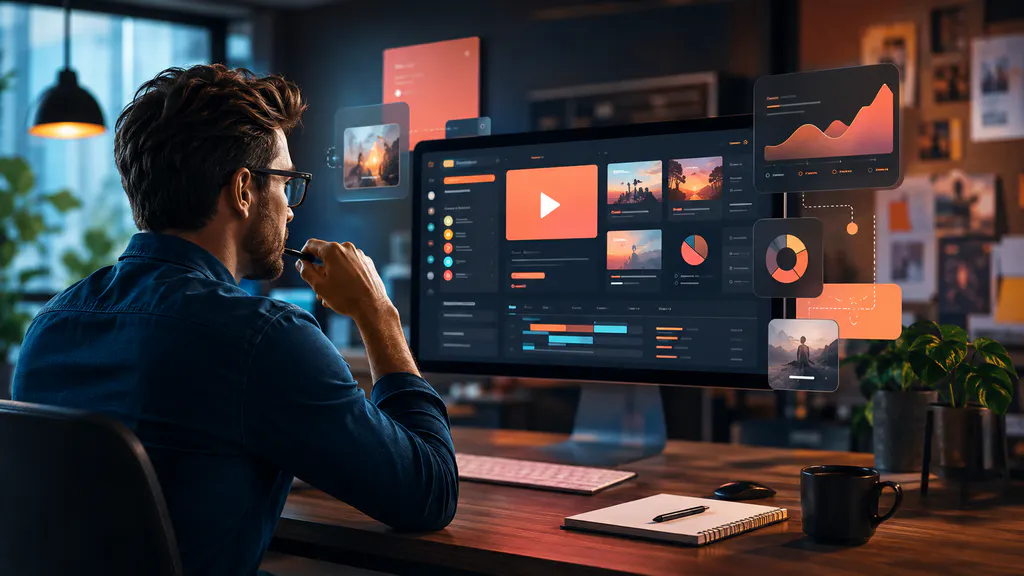
Publish videos, recordings, transcripts, and PDFs in a branded knowledge experience. Let people ask across the entire library, get grounded answers, and jump directly to the relevant video moment.
Your expertise is already recorded. Make it usable.
Instead of rebuilding everything as articles, activate the videos and documents you already have. Publish first, learn from real questions, and improve the knowledge base based on demand.
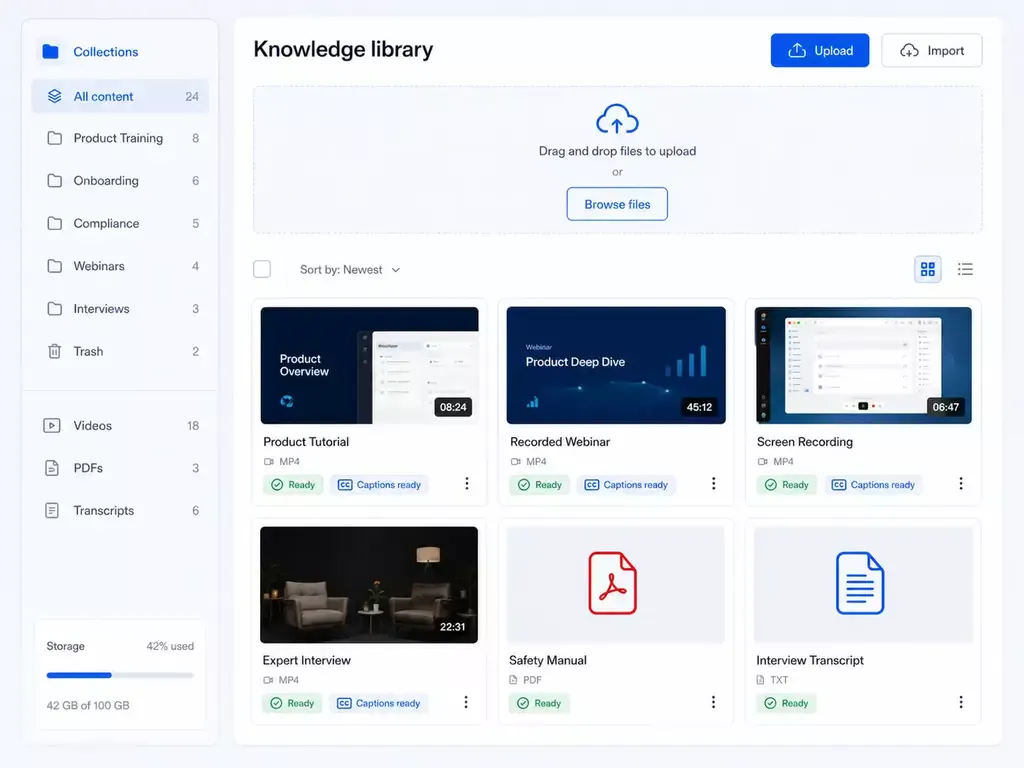
Publish what exists
Videos, webinars, screen recordings, transcripts, PDFs, and supporting documents.
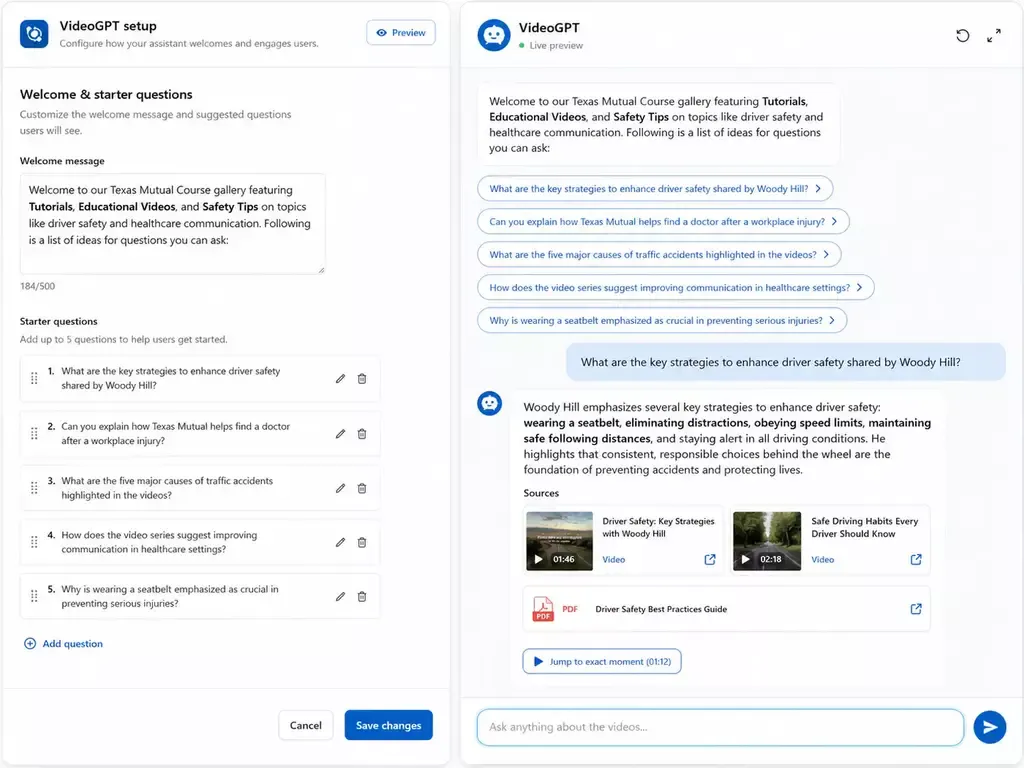
Let people ask
VideoGPT answers across the library and points people to the source and exact moment.
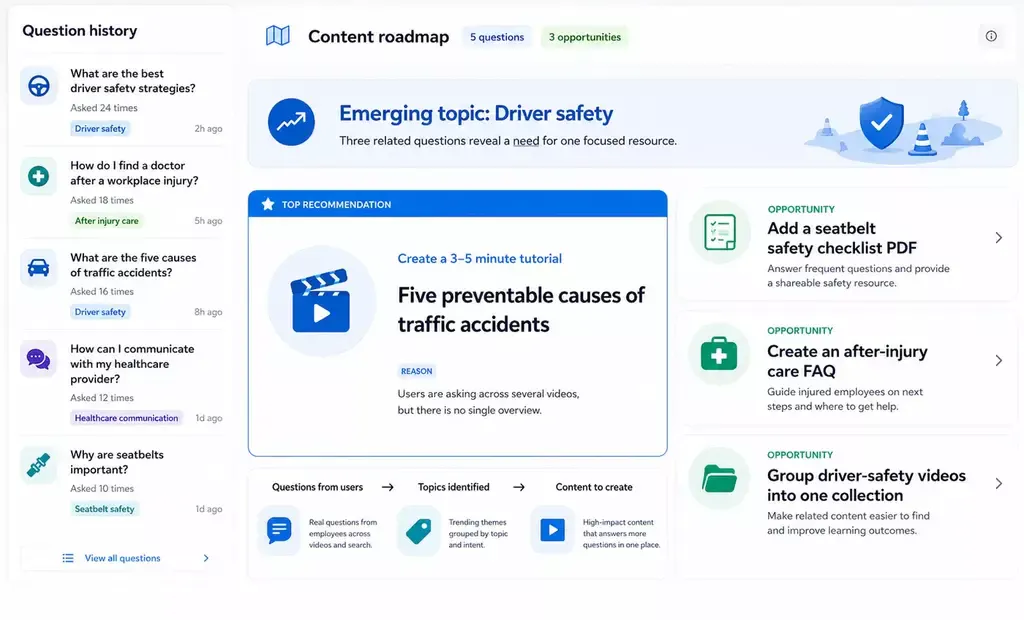
Improve from demand
Repeated questions and weak answers become a practical roadmap for the next content.
Not another folder of videos. A place where people can get answers.
A traditional video library helps people browse. A video knowledge base helps them solve a problem. Cincopa brings the content, navigation, search, AI answers, source evidence, access controls, and analytics into one experience.
Visitors can still explore categories and watch complete videos. But when they have a specific question, they do not need to guess which recording contains the answer or scrub through an hour-long webinar. They can ask in their own words and move directly from the answer to the relevant source.
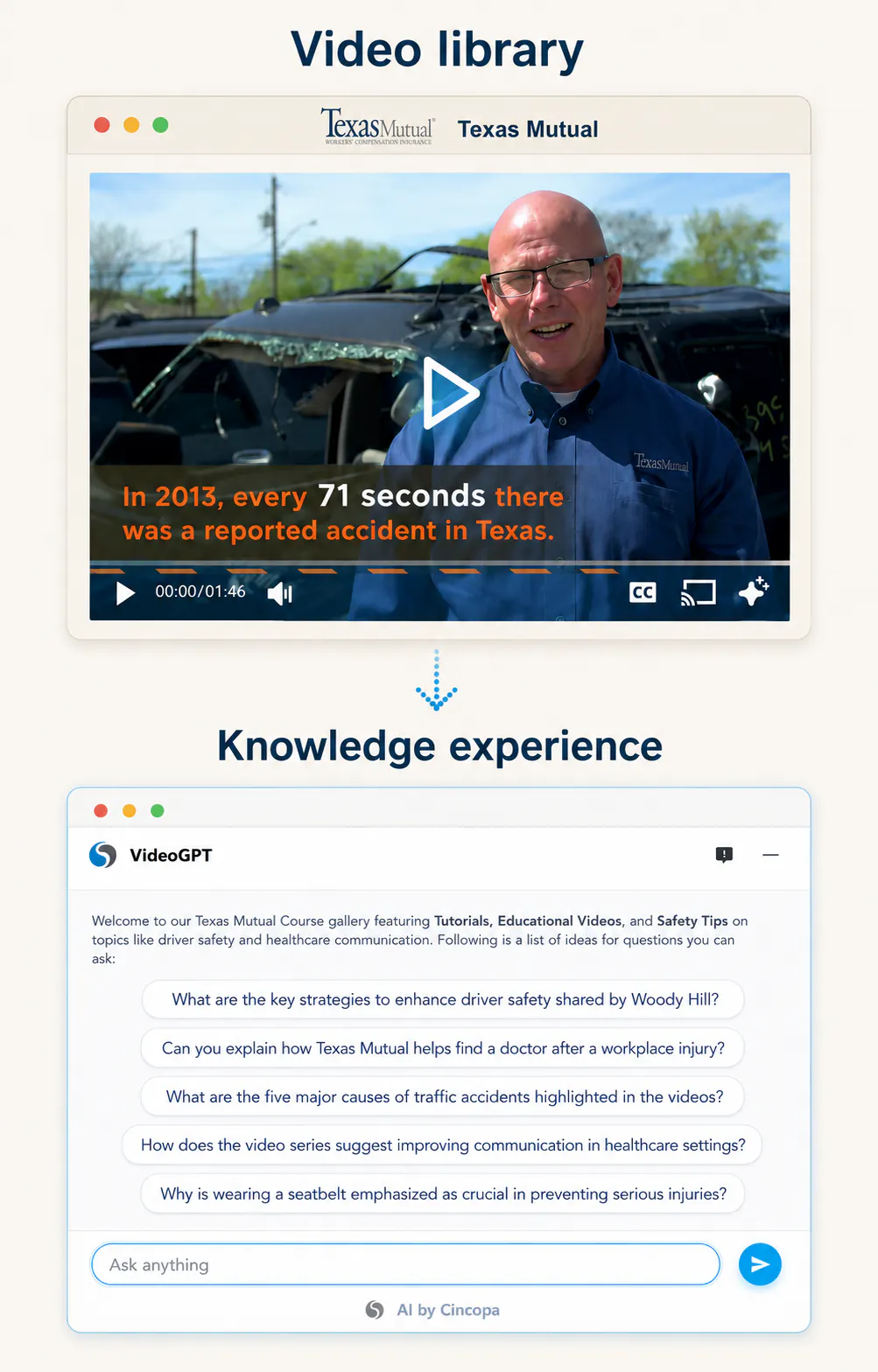
One searchable destination
Bring tutorials, webinars, recordings, transcripts, PDFs, manuals, and supporting documents together instead of scattering knowledge across drives and pages.
- Answers grounded in your content — Generate answers from the material you selected for the knowledge base, with clear connections back to the videos and documents used.
- A branded user experience — Use your logo, colors, structure, and domain so the knowledge base feels like part of your product, academy, help center, or organization.
- A system that keeps learning — Use actual questions, unanswered topics, and content activity to decide what to clarify, reorganize, record, or document next.
See what a video knowledge base can look like
Explore four demonstration experiences created by Cincopa to show how the same video knowledge-base foundation can support different industries, audiences, and questions.

Esri GIS education
Make detailed GIS tutorials and technical explanations easier to search, understand, and revisit.

Texas Mutual safety
Show safety guidance and training content in a focused hub where viewers can ask practical workplace questions.
HubSpot marketing
See how campaign education, platform tutorials, and marketing guidance can become an answerable video destination.
Go from existing content to a useful knowledge experience
You do not need to finish a documentation project before you launch. Start with the expertise already captured in your videos and documents, publish a focused first version, and improve it from real demand.
STEP 1 — Add the knowledge you already have
Upload product tutorials, recorded demonstrations, webinars, meetings, courses, expert interviews, screen recordings, and PDFs. Existing transcripts make long-form recordings searchable; titles, descriptions, and metadata add useful context.
This is especially useful when important answers are buried in recordings that people know exist but cannot efficiently search.
STEP 2 — Organize and publish the right experience
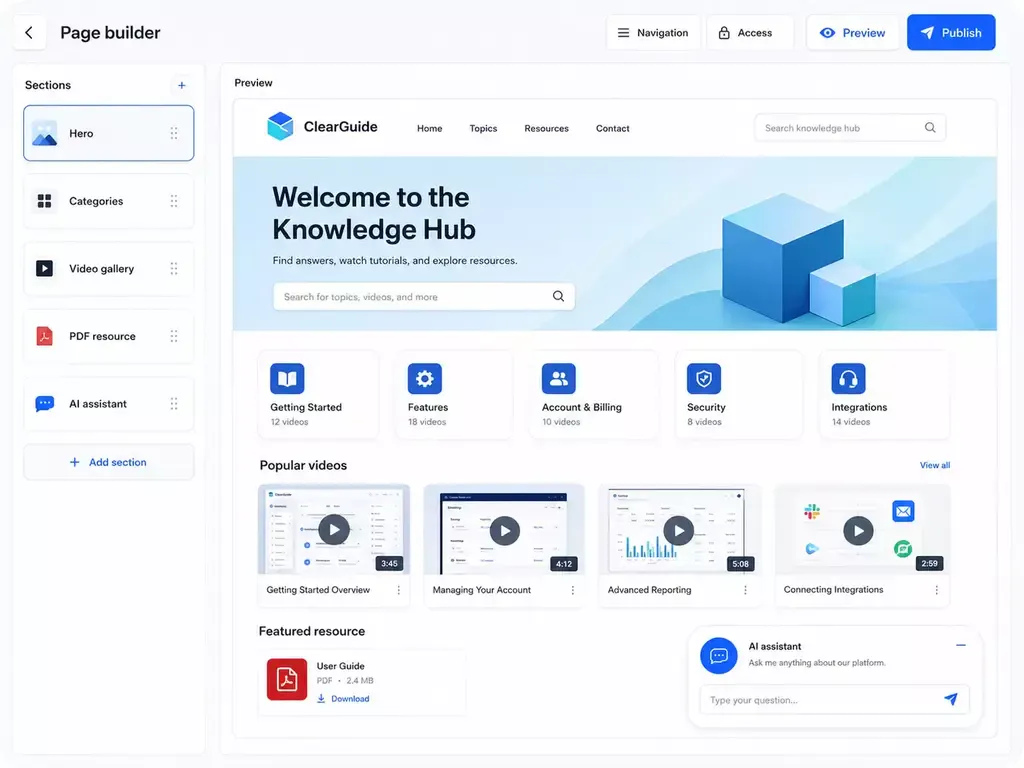
Group content around products, tasks, roles, courses, or customer journeys. Publish it as a focused hosted Page, an embedded library inside an existing site, a larger Tube portal, or a protected internal destination.
You can launch one useful collection first and expand without moving the underlying media into a new system.
STEP 3 — Make the full library answerable
Activate VideoGPT so users can ask natural-language questions across the selected library. Configure a welcome message and starter questions to explain what the assistant knows and help first-time visitors begin.
Answers can use relevant context from multiple videos, long transcripts, and PDFs, then point the visitor back to the evidence instead of leaving them with an unsupported response.
STEP 4 — Improve it from real questions
Review what users ask, which answers need stronger sources, and which topics are missing. Instead of guessing what documentation people need, use demand to prioritize the next video, PDF, explanation, or navigation change.
This creates a practical loop: publish existing knowledge, observe how people use it, fill the most important gaps, and make every release more useful. Learn the complete Video Knowledge Base Loop.
Let people ask the knowledge, not hunt through files
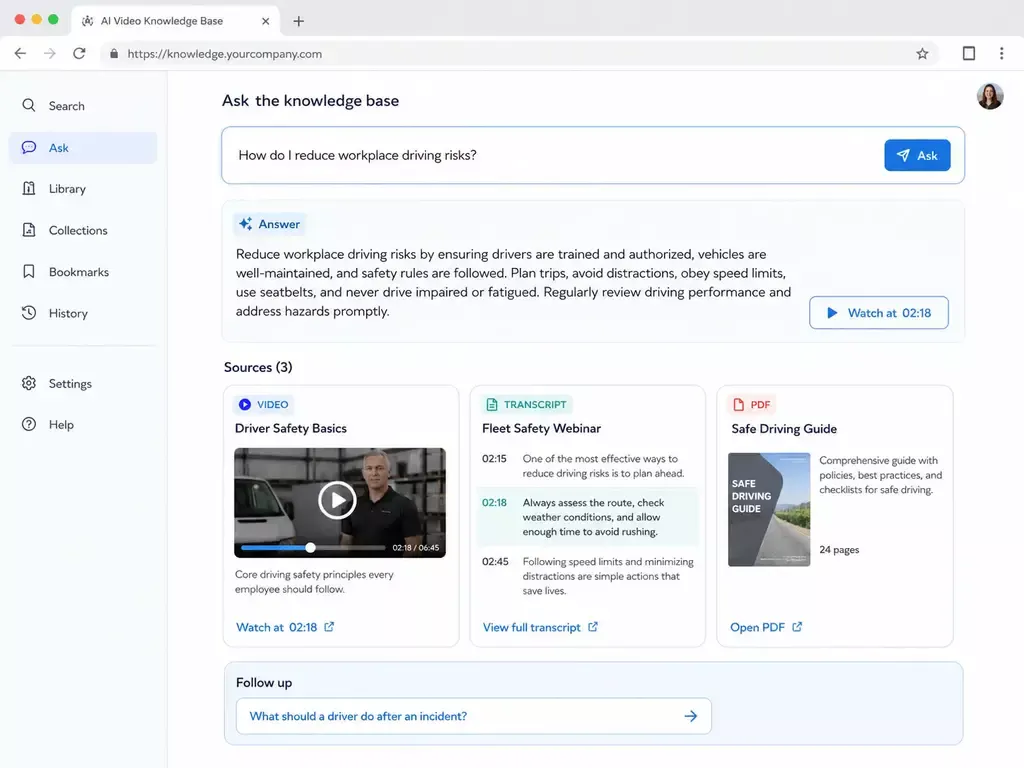
VideoGPT works across the knowledge library - not just the video someone happens to be watching.
Search spoken content
make long recordings and transcripts discoverable.
- Combine video and PDF knowledge: return one grounded answer from multiple formats.
- Jump to the evidence: open the exact video moment that supports the answer.
- Guide the next step: welcome messages, starter prompts, and follow-up questions orient every visitor.
This also turns screen recordings and captured expert sessions into reusable organizational knowledge. A recording no longer has to be rewritten before it can help someone; its transcript can become part of the searchable knowledge layer while the original video remains the primary evidence and explanation.
Build it where your audience needs it
Use the same content foundation to create an embedded knowledge base, a branded hosted Page, a larger Tube portal, or a private internal hub.
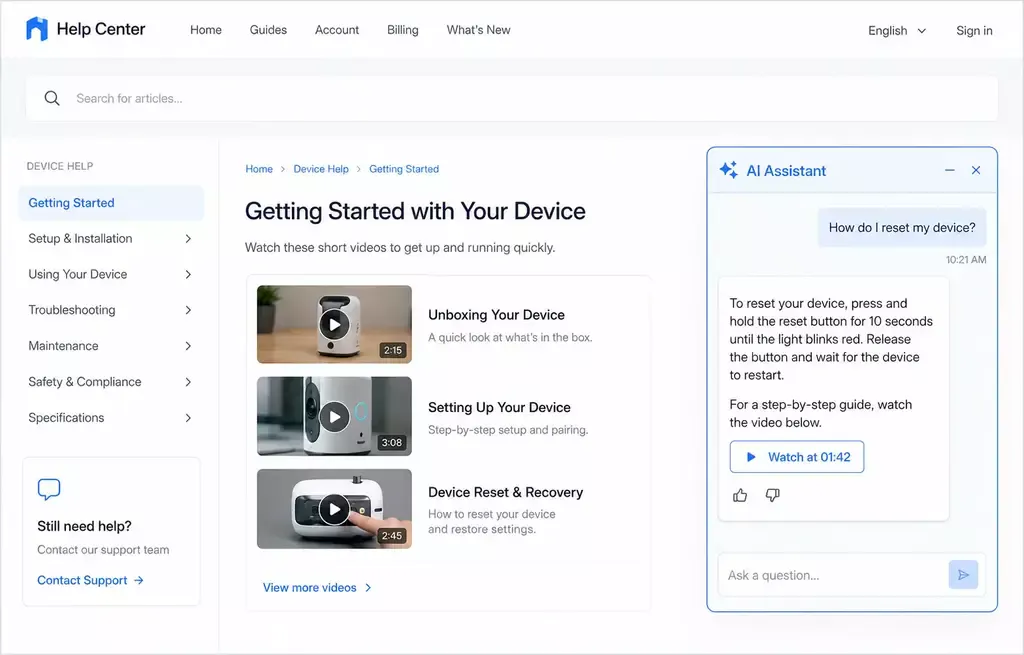
Embedded
Add video knowledge and VideoGPT to the site users already visit.
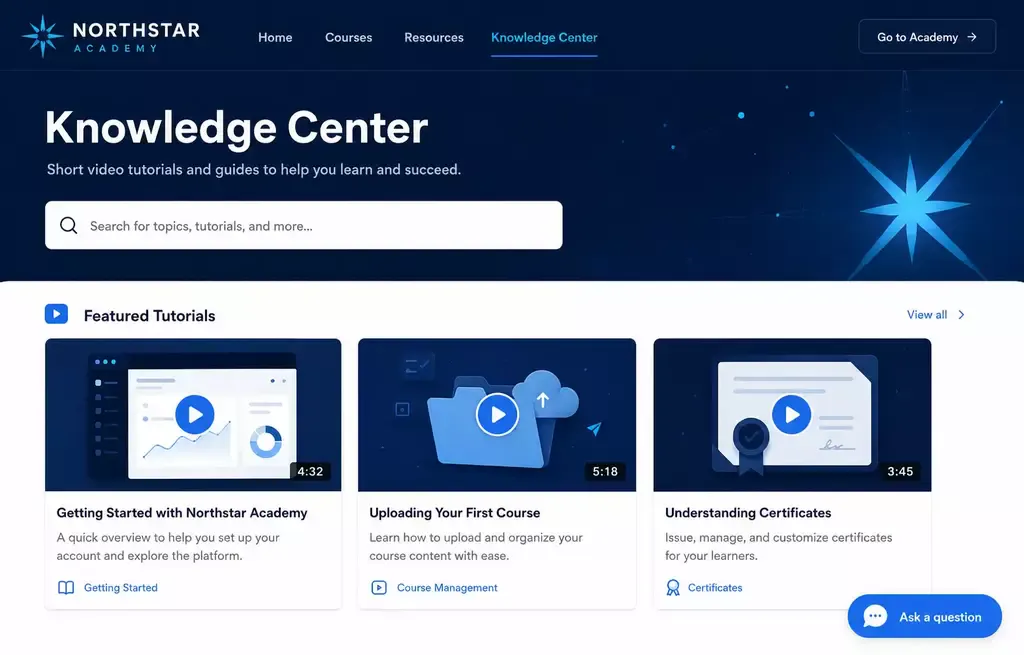
Hosted Page
Launch a focused destination without building a website.
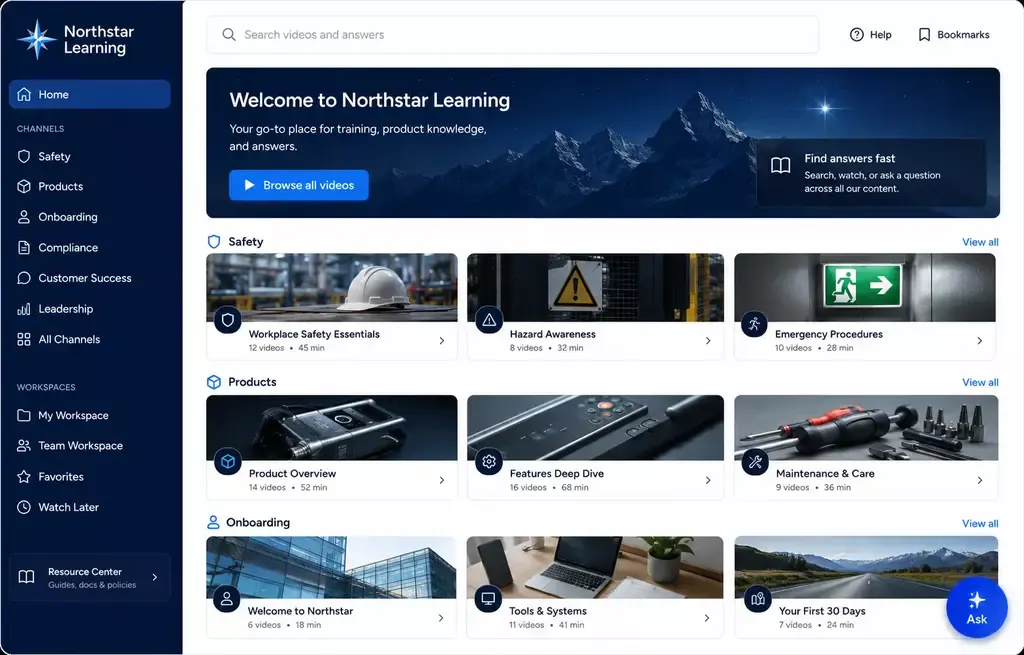
Video portal
Organize larger libraries with workspaces, channels, and audience paths.
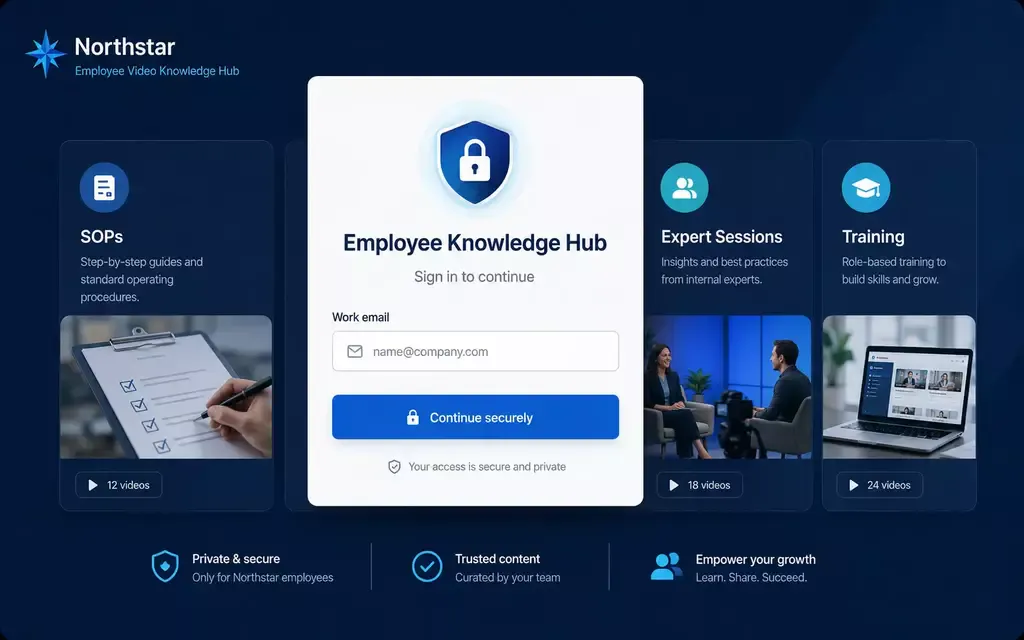
Private hub
Protect internal training, procedures, and institutional expertise.
What should a video knowledge base builder include?
A useful builder must do more than publish a playlist or attach a generic chatbot. It should manage the video foundation, create a navigable destination, answer across the complete knowledge set, connect answers to evidence, control access, and show what users still cannot find.
Cincopa is designed around the full lifecycle - from hosting and publishing to AI-assisted discovery and continuous content improvement.
More structure than a Page
Start with Tube when one audience is not enough and the environment needs workspace navigation, channel logic, and deeper portal behavior.
More destination value than Galleries
Use Tube when the goal is not mainly embedded delivery. Tube is for the cases where the knowledge needs its own place users return to again and again.
More control as the environment grows
User groups and role-based permissions help keep one portal controlled as more viewers, teams, and managers enter the environment.
More continuity for repeat learning
Watch history, resume behavior, subscriptions, notifications, and optional sequential mode make Tube stronger for programs users revisit over time.
Capability
Choose between a standalone destination page and a multi-channel video portal.
Basic video library
Host and stream video: Often
Search spoken content: Limited
Answer across videos and PDFs: Rarely
Link to the exact video moment: Rarely
Hosted, embedded, portal, and private formats: Limited
Branding and access controls: Varies
Questions and knowledge-gap insights: Rarely
Cincopa
Host and stream video: Yes
Search spoken content: Yes
Answer across videos and PDFs: Yes
Link to the exact video moment: Yes
Hosted, embedded, portal, and private formats: Yes
Branding and access controls: Yes
Questions and knowledge-gap insights: Yes
One builder, many ways to shorten time to knowledge
Start with the deployment that matters now. Expand from the same videos, documents, and AI layer later.
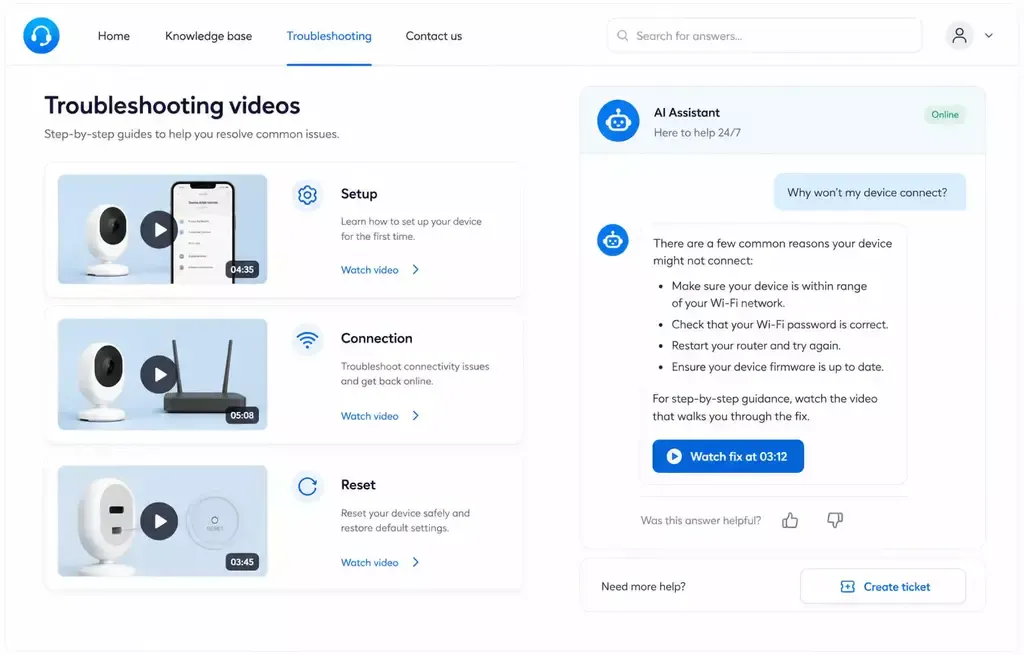
Customer support
Turn setup guides, troubleshooting recordings, product manuals, and known fixes into an answerable help destination. Customers can describe the problem in their own words, see a grounded answer, and open the relevant demonstration before a ticket is created.
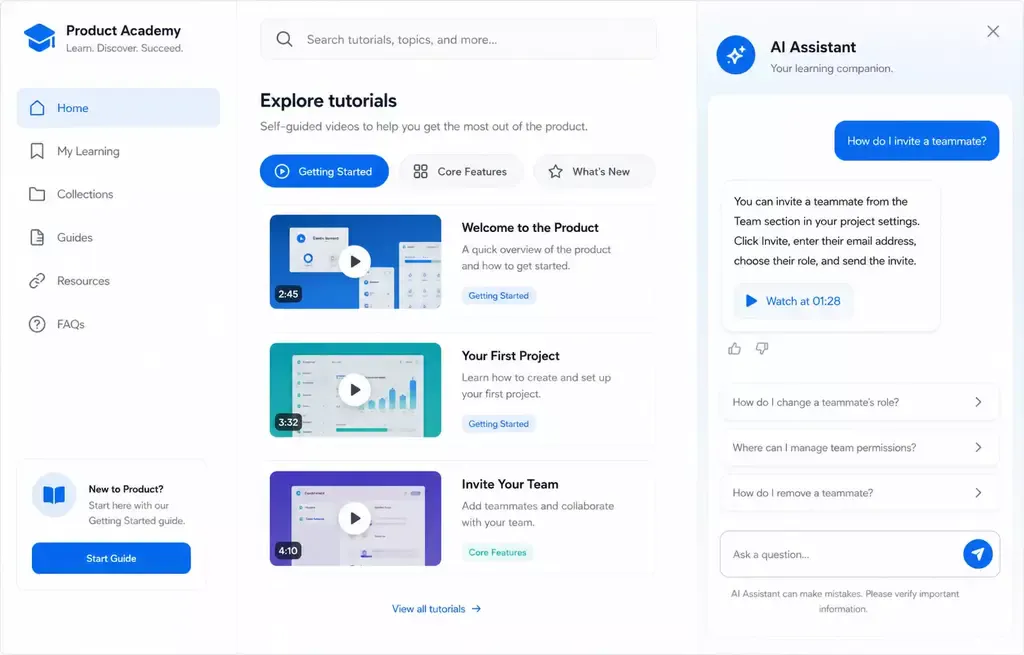
Product education
Organize feature demonstrations, releases, webinars, and best practices into a self-guided product resource. Users can learn by browsing a structured journey or ask a specific question when they need a direct answer.
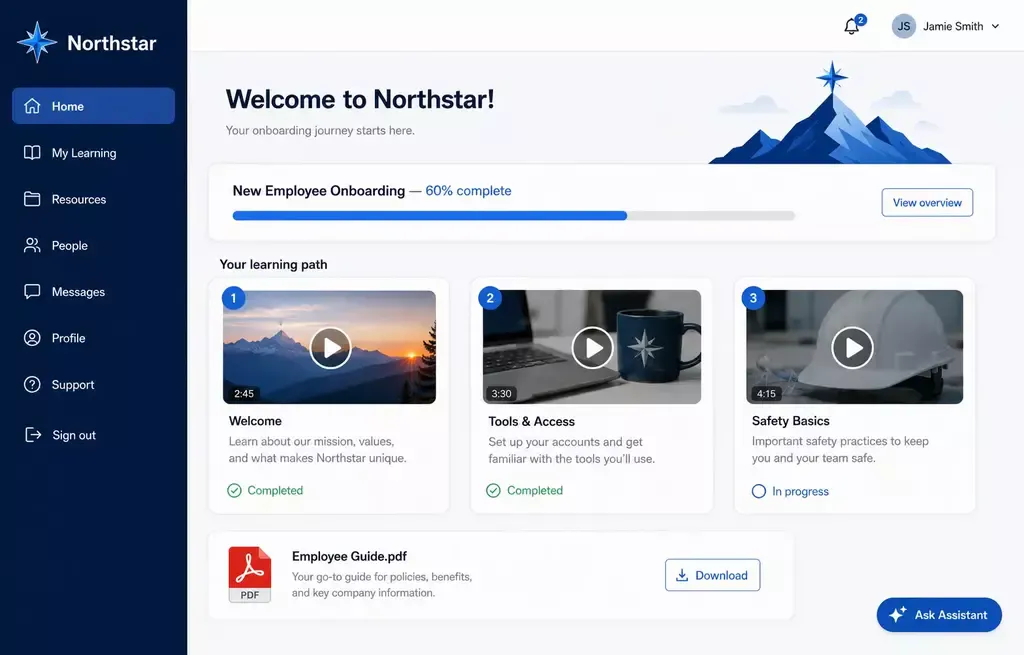
Training and onboarding
Give customers, partners, or employees a clear route through onboarding videos, recorded sessions, policies, and reference documents. Learners can revisit a concept without replaying an entire course or waiting for an instructor.
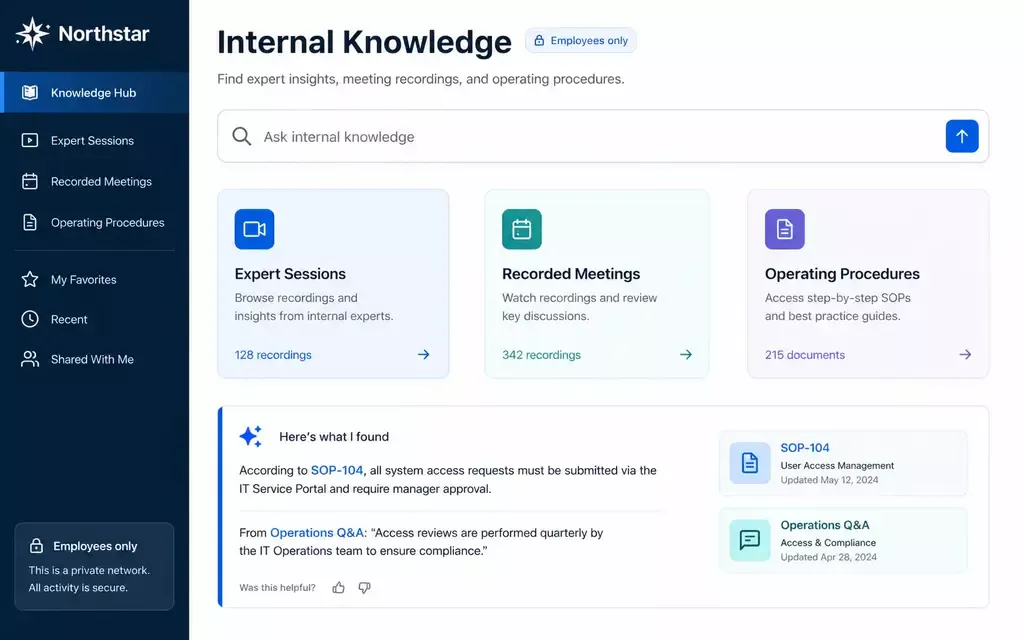
Internal knowledge
Preserve expert demonstrations, recorded meetings, SOPs, and institutional knowledge in a protected hub. Employees can retrieve an answer while working and verify it against the original explanation or document.
Control who can use it - and understand what they need
A public help center, partner academy, customer portal, and internal knowledge hub do not have the same access or measurement requirements. Cincopa lets you shape the experience around the audience instead of forcing every library into one publishing model.
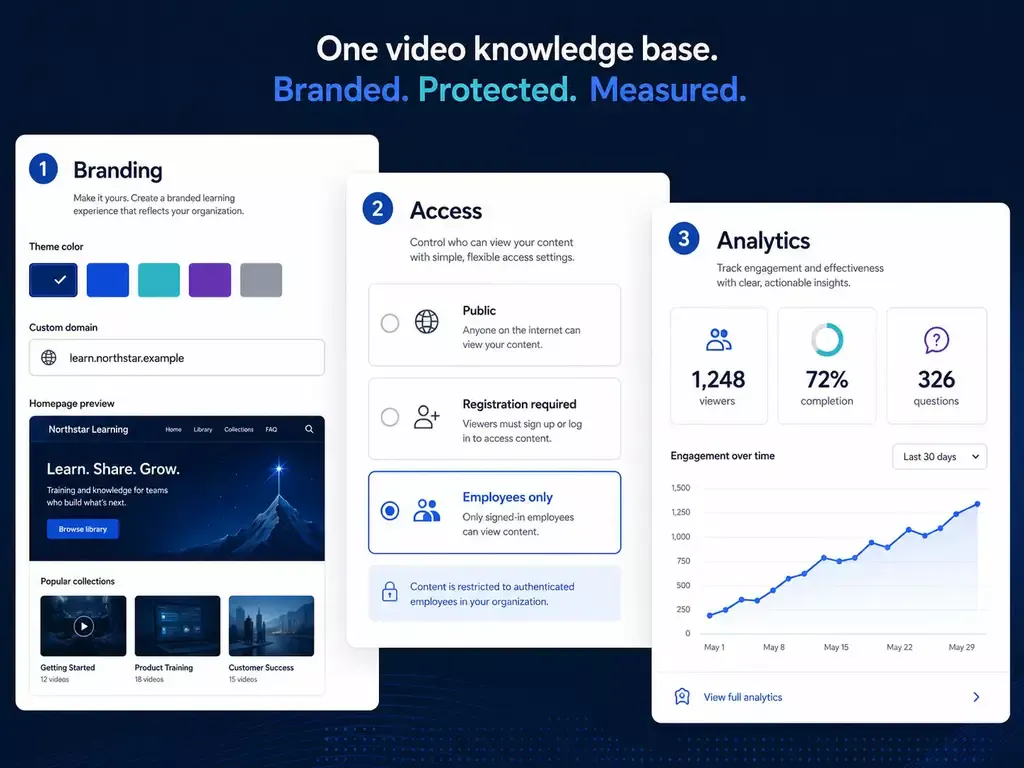
Public, gated, or private delivery
Share knowledge openly, restrict it to an intended audience, or build a protected employee and partner destination.
A consistent branded experience
Keep the knowledge base aligned with your visual identity and connect it naturally to the surrounding website, product, or academy.
Video and question intelligence
See how content is consumed and what people ask so you can improve both the knowledge experience and the underlying material.
Real questions tell you what to create next
See what people ask, where answers are weak, and which subjects are missing. Use those signals as the roadmap for better videos, documents, and structure.
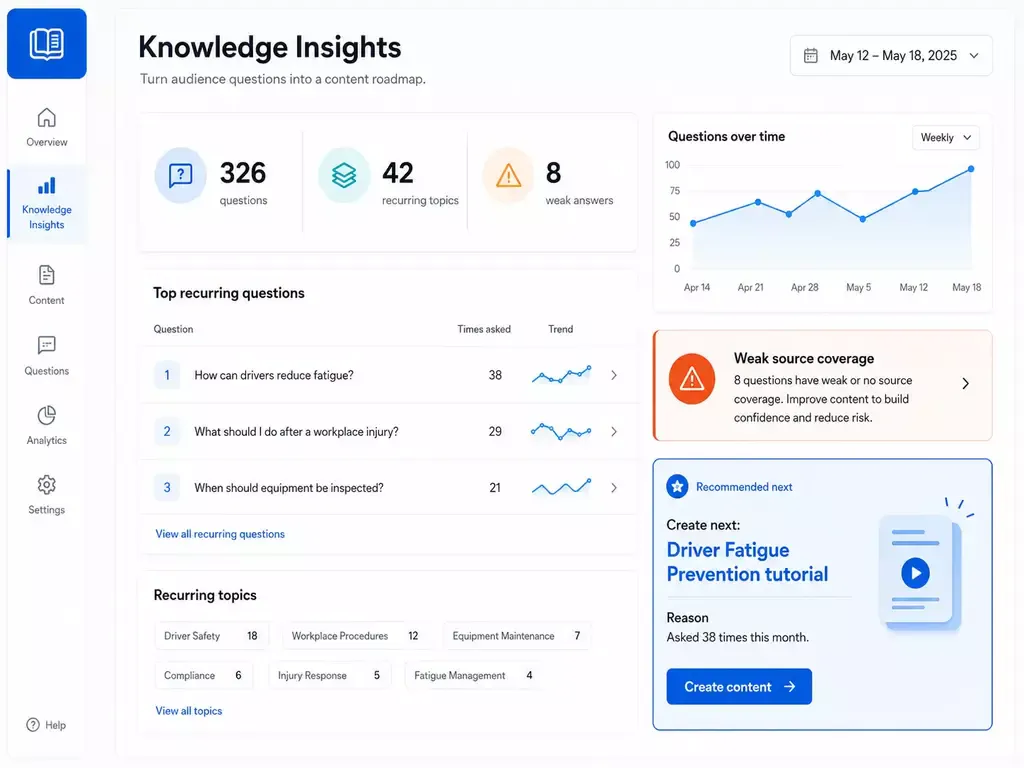
Publish existing content → let users ask → identify gaps → improve what matters
More than a chatbot beside a video
Cincopa combines the infrastructure, publishing formats, access controls, analytics, and library-level intelligence needed to operate a real video knowledge base.
Video hosting foundation
Upload, transcode, caption, secure, embed, stream, and measure video at scale.
Library-level VideoGPT
Ask across videos, transcripts, PDFs, metadata, and supporting documents.
Flexible publishing
Use Galleries, Pages, Tube, or embeds to fit the audience and rollout.
Controlled access
Deliver public, gated, partner-only, or internal knowledge experiences.
Exact-moment playback
Take users from an answer directly to the moment that demonstrates it.
Knowledge insights
Turn questions, missing answers, and usage patterns into an improvement plan.
Questions about building a video knowledge base
Looking for the educational overview? Read the complete video knowledge base guide.
It is software for organizing and publishing videos and related documents as searchable knowledge. Cincopa adds AI answers across the library, exact-moment playback, multiple publishing formats, access controls, and analytics.
Yes. You can start with existing tutorials, webinars, screen recordings, demos, training sessions, transcripts, and PDFs rather than waiting to create a new documentation library.
Yes. VideoGPT can use video and document context across a knowledge library to return grounded answers and connect users back to the relevant source.
Yes. Recorded demonstrations, webinars, meetings, and expert sessions can become part of the searchable knowledge layer through their transcripts and supporting metadata. Users can retrieve the relevant explanation without knowing which recording contains it.
A searchable library helps users locate a video. An AI video knowledge base can also answer a question using relevant material across the library, connect the answer to its sources, and take the user to the exact part of a recording that explains it.
Yes. The same knowledge can be published as an embedded library, branded Page, larger Tube portal, or private internal hub.
Yes. You can embed video collections and the VideoGPT experience where users already work, or publish a dedicated hosted destination when you need a faster standalone rollout.
Yes. Cincopa supports public and controlled experiences, making the same foundation suitable for customer education, partner content, employee training, and internal institutional knowledge.
Review user questions, weak or missing answers, search behavior, and content engagement. Add or update the material that addresses recurring demand, refine the structure, and keep source videos, transcripts, and documents current.
You can start with a Cincopa account and build the video foundation, then choose the publishing and VideoGPT capabilities appropriate for your rollout.
Build the knowledge base your videos were meant to become
Activate the library you already have, make it answerable, and let real questions show you what to improve next.