Cincopa vs Panopto: choose how video knowledge reaches your audience
Both platforms turn recorded expertise into searchable knowledge. Panopto combines capture, video management and AI-powered learning. Cincopa focuses on delivering reusable video-and-document knowledge inside product education, support and training workflows. If you are evaluating a Panopto alternative, compare the audience, content and delivery model you need - not simply a list of AI features.
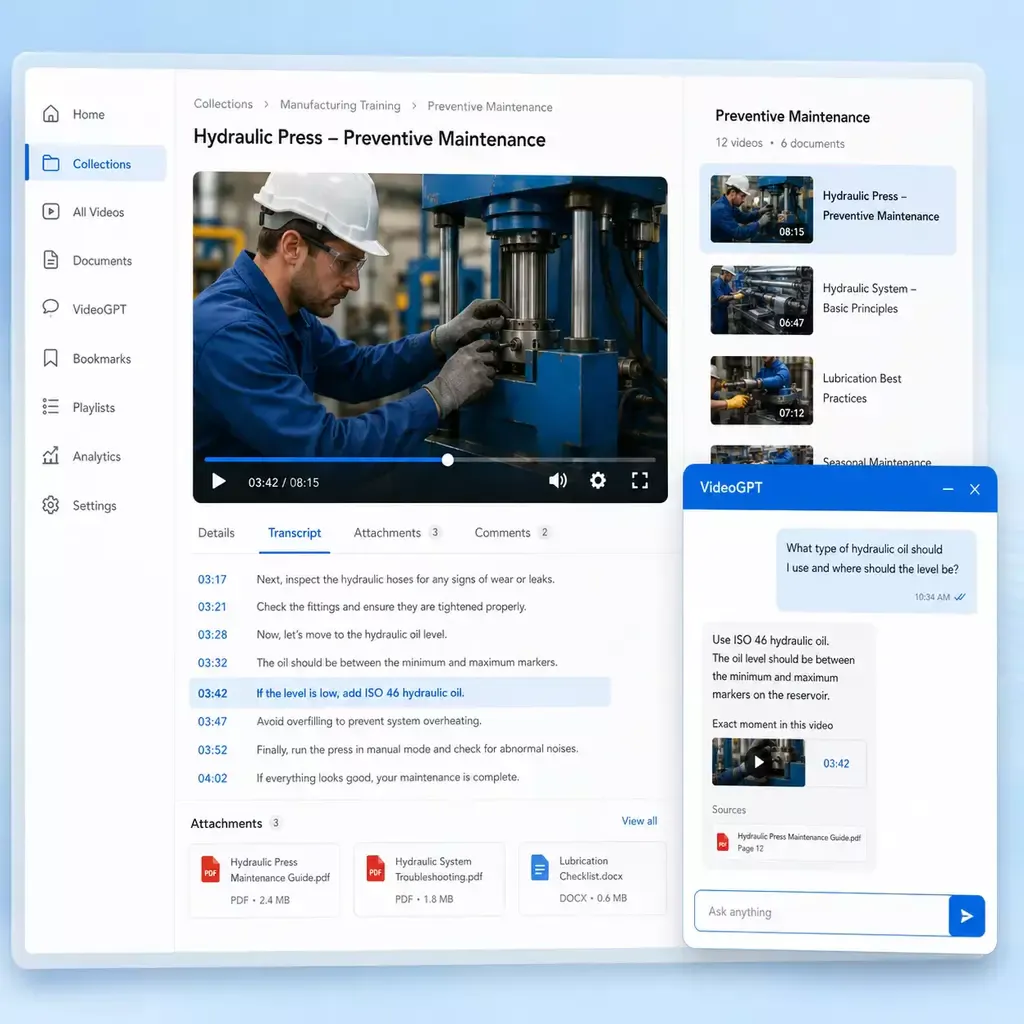
Three questions before you shortlist a platform
A successful pilot should show how people get useful knowledge while doing their work. These Cincopa illustrations show the collection, answer and delivery building blocks to test.
Where will people use it?
Identify whether the audience starts in a product, help center, LMS, intranet or separate portal. Compare navigation, embedding and branding in that exact environment. A strong standalone library still needs to fit the path people take to ask for help.
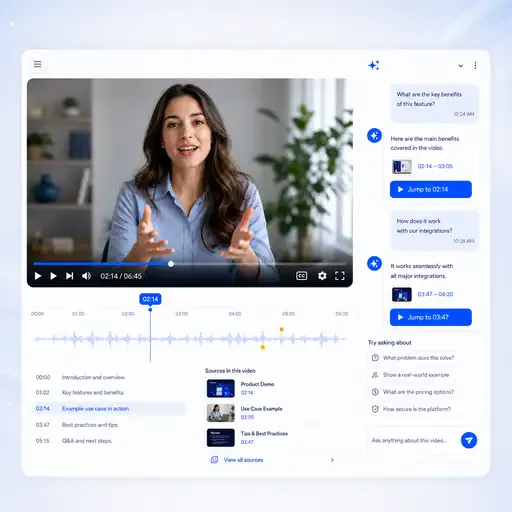
What must an answer include?
Bring questions that require video demonstrations and supporting manuals. Check whether the answer uses the correct product version, explains uncertainty and opens the relevant source. Test ordinary questions from users, rather than prompts written only to make the demo succeed.
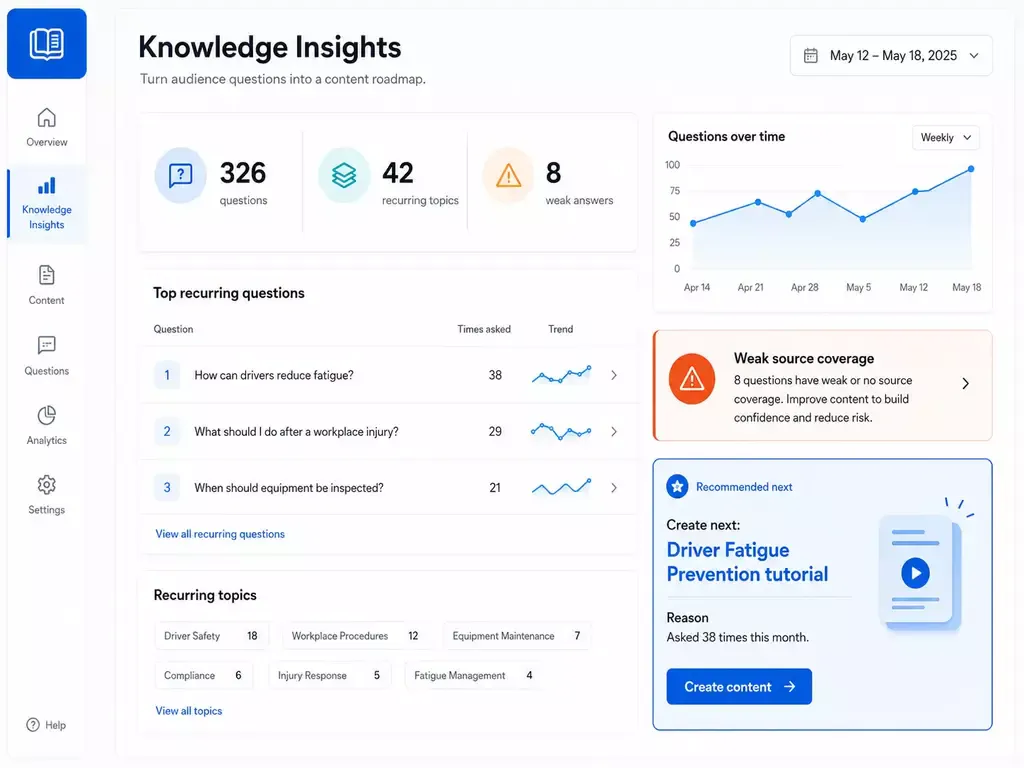
What happens after launch?
Agree who owns updates and how questions become content improvements. Viewing completion can reveal difficult sections; recurring questions can reveal missing explanations. Measure whether people find the right answer and whether the team can maintain the library as products and procedures change.
Capability comparison
Compare overlapping capabilities in their actual context
Panopto now describes itself as a Video Knowledge Platform. Its conversational AI, learning tools and external portals deserve a current evaluation. These four areas explain the overlap and deployment choices to compare.
| Capability | Cincopa | Panopto |
|---|---|---|
| Search and source-backed answers | VideoGPT answers from selected videos and attached PDF guides, with links to supporting sources and relevant video moments when timestamped transcripts are available. Test the same mixed-media questions on both systems. | Smart Search indexes spoken words, on-screen text and slides, with results linked to moments in recordings. AI Search adds synthesized answers across authorized Panopto content with source timestamps. |
| Audience destinations and embedding | Galleries maintain reusable collections, Pages give a collection a hosted destination, and Tube adds portal workspaces and channels. Compare how the proposed experience fits an existing support page, product workflow or recurring training destination. | Connect extends Video CMS with branded customer and partner portals, topic pages and carousels. It supports public access and controlled access options, including SSO, passwords and invitations. |
| Recording and learning workflows | Start with approved walkthroughs, webinars and reference files you already have. Organize them around product tasks and audience needs, then deliver the collection inside a site, LMS or portal. Assess recording and formal-learning requirements separately from knowledge distribution. | Capture combines screen, camera, audio and other recording sources. Its browser editing and AI Video Studio support content creation, while Folio adds study aids and tutoring around course videos. |
| AI study tools and external assistants | VideoGPT provides a viewer-facing assistant in the knowledge experience, with collection orientation and suggested starter questions. Evaluate the interface your audience will actually use, alongside any requirement for a separate AI assistant or course-study tools. | Folio generates notes, flashcards, quizzes and mind maps and provides an AI tutor. Its MCP connections let Claude and ChatGPT query permitted Panopto content through verified, read-only access. |
On smaller screens, scroll horizontally to compare both platforms. Keyboard users can focus the table region and use the arrow keys.
Which rollout should you test first?
These are evaluation priorities, not claims that either platform can only serve one audience. Ask each vendor to demonstrate your own content and access rules.
More structure than a Page
Start with Tube when one audience is not enough and the environment needs workspace navigation, channel logic, and deeper portal behavior.
More destination value than Galleries
Use Tube when the goal is not mainly embedded delivery. Tube is for the cases where the knowledge needs its own place users return to again and again.
More control as the environment grows
User groups and role-based permissions help keep one portal controlled as more viewers, teams, and managers enter the environment.
More continuity for repeat learning
Watch history, resume behavior, subscriptions, notifications, and optional sequential mode make Tube stronger for programs users revisit over time.
Pages vs. Tube
Choose between a standalone destination page and a multi-channel video portal.
Evaluate Cincopa for operational delivery
Prioritize Cincopa when product guidance, support videos and PDF references need to work together across existing customer or partner surfaces. Test a maintained collection inside the actual workflow, with answer retrieval and a clear content-update owner.
Evaluate Panopto for capture and learning
Prioritize Panopto when integrated recording, an established Video CMS and LMS-based learning are central requirements. Include its current AI Search, Folio and Connect options in the pilot where they match the audience, rather than evaluating an older search-only feature set.
Make governance and packaging part of the comparison
A feature list does not establish whether the deployment is governed or what it costs to operate. Use the same audience, identity and usage assumptions for both proposals.
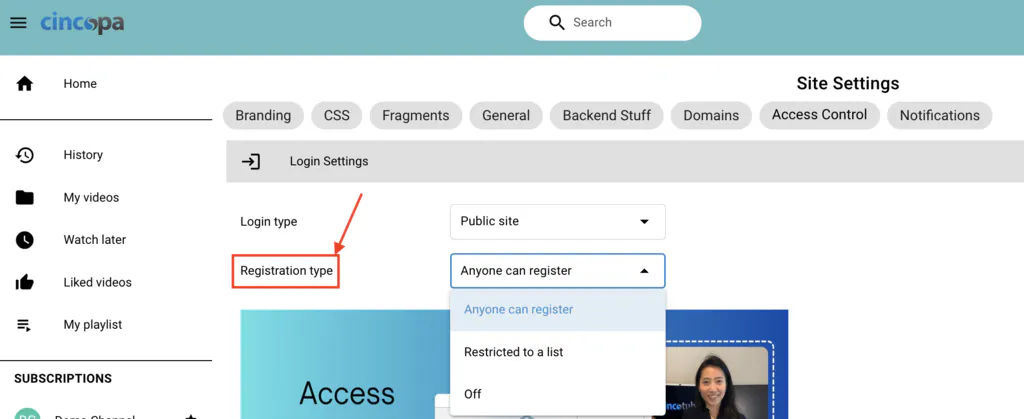
Prove who can access the knowledge
Panopto documents SAML SSO and role-based permissions across groups and folders. Cincopa offers different controls for embedded collections and logged-in destinations, with Tube for structured portal access. Test permitted and excluded users, private sources, administrative roles and offboarding in the proposed setup; do not assume one public demo proves the private deployment.
Compare the complete licensed deployment
Panopto AI Search requires administrator enablement and purchased AI Credits; Folio is a premium add-on. Connect depends on Video CMS, and Knowledge Insights adds analytics and a BI connector. Ask both vendors to itemize AI usage, portal audiences, integrations, support and migration. Compare renewal and expansion terms against the same expected workload.
Deliver operational knowledge, then improve it from real questions
The Cincopa evaluation should follow a complete workflow, from maintaining the source material to learning where people still need help. The visuals here are Cincopa examples.
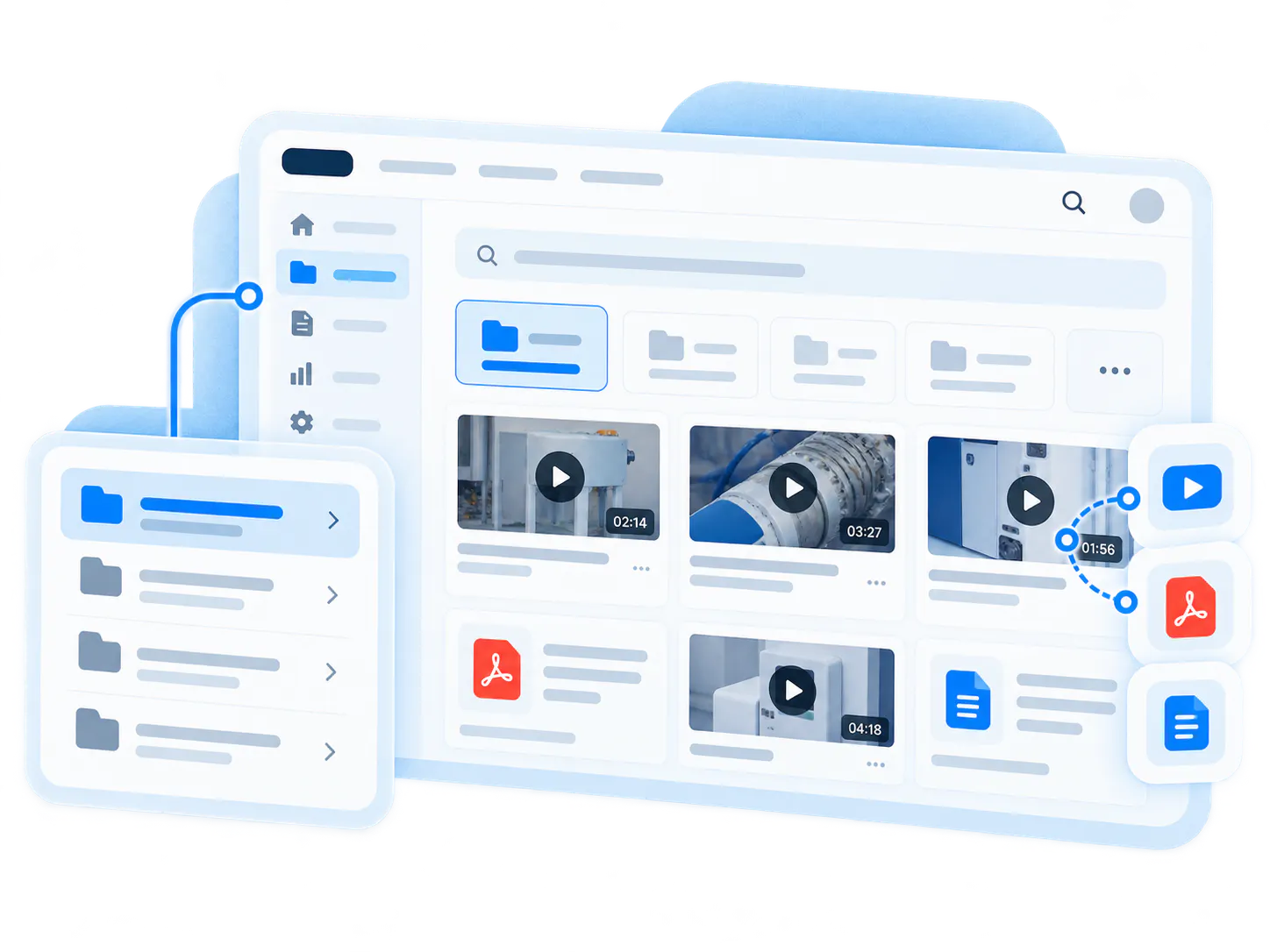
Reuse an approved collection across destinations
Group related demonstrations and reference files by product, procedure or role. Keep the collection maintained centrally and embed it where people already look for guidance. Choose a hosted Page for a focused destination or Tube when the audience needs workspaces, channels and repeat visits. This lets the delivery model follow the task instead of making every question start in one generic library.
Turn unanswered questions into better coverage
Review question patterns alongside engagement and source content. A repeated question may need a clearer chapter, a missing PDF explanation or a new demonstration. Give those changes an owner, publish the updated material and test the same question again. For technical troubleshooting, the goal is a useful answer inside the support workflow; a dashboard alone does not establish that outcome.
Evidence of the delivery model, not a hypothetical feature checklist
These customer examples show how Cincopa knowledge can serve different environments. They demonstrate existing deployments and do not represent a head-to-head Panopto benchmark.

Leidos - three knowledge environments
Leidos uses Cincopa for embedded product education, a public customer training portal and a controlled internal knowledge hub. Videos and supporting documents serve distinct audiences while retaining a shared knowledge delivery approach.
Chamberlain - two adjacent technical jobs
Chamberlain embeds troubleshooting galleries inside partner support documentation and delivers structured training within the LiftMaster academy. The same product knowledge supports field problem-solving and longer learning sessions through different audience experiences.
Test a representative workflow before changing your whole library
Use an evaluation set that includes a difficult question, an outdated recording and a private document. A realistic pilot is more useful than transferring every file before the team agrees how the experience should work.
-
1
Inventory content and rights
List recordings, source files, PDFs, captions, ownership and audience permissions. Identify expired guidance and export requirements. Confirm which content can be moved and which integrations must continue working. -
2
Recreate one real destination
Choose a support workflow, product onboarding collection or training channel. Build it with representative branding, navigation and access. Verify the desktop and mobile experience where the audience will actually use it. -
3
Test answers and maintenance
Ask real user questions, verify the sources and check excluded content. Replace an outdated file and confirm how the team updates links, embeds, captions and supporting documentation without losing the intended experience. -
4
Agree the rollout and evidence
Record retrieval quality, completion, content gaps and administrative effort. Confirm migration support, licensed components and success measures. Expand only after the pilot meets the agreed audience and governance requirements.
Cincopa vs Panopto FAQs
Questions about platform fit, AI answers, external audiences and rollout scope.
Yes, when the requirement is to organize and distribute video knowledge for product education, customer support, partners or internal teams. The appropriate choice depends on the workflow. Include Panopto when recording infrastructure, LMS integration and formal learning are central. Compare a real audience journey and the complete licensed deployment instead of assuming every video platform serves the same job.
Yes. Panopto AI Search answers natural-language questions using authorized content and links to source moments. Its current offering also includes Folio learning tools and MCP access for Claude and ChatGPT. A current comparison should assess these capabilities directly. For Cincopa, test VideoGPT against the same approved questions and source material rather than using older descriptions of either product.
It should if both are required to answer your audience’s questions. Cincopa VideoGPT can use videos and attached PDF guides. Ask each vendor to demonstrate your actual manuals, slide decks and recordings together. Check which content types feed the answer, what source links return and how outdated versions are handled; document the result instead of inferring parity from broad AI terminology.
Yes. Panopto Connect supports branded external portals. Cincopa offers embedded Galleries, hosted Pages and Tube portals for different delivery needs. Evaluate public and private access separately, including the proposed identity flow and audience boundaries. Then test how a customer or partner reaches the right product collection, understands the answer and returns to the original task.
Request proposals for the same library, audiences and integrations. Itemize recording, portals, AI consumption, learning add-ons, analytics, administrative users, support and migration where applicable. Panopto’s AI Credits and premium components belong in that scope. For both vendors, check renewal and expansion terms. No general claim that one is cheaper establishes the cost of your own deployment.
No. Start by checking content ownership, export options and existing dependencies, then pilot a representative collection. Keep important sources, captions and documentation together and test a content update before expanding. Agree how redirects, embedded players, access rules and stakeholder approval will be handled. A phased plan helps expose dependencies before the wider library moves.
Bring a real knowledge collection to the comparison
Show us the videos, supporting documents, audience and delivery surface you need. We can review how Cincopa fits that workflow and what a focused pilot should prove.