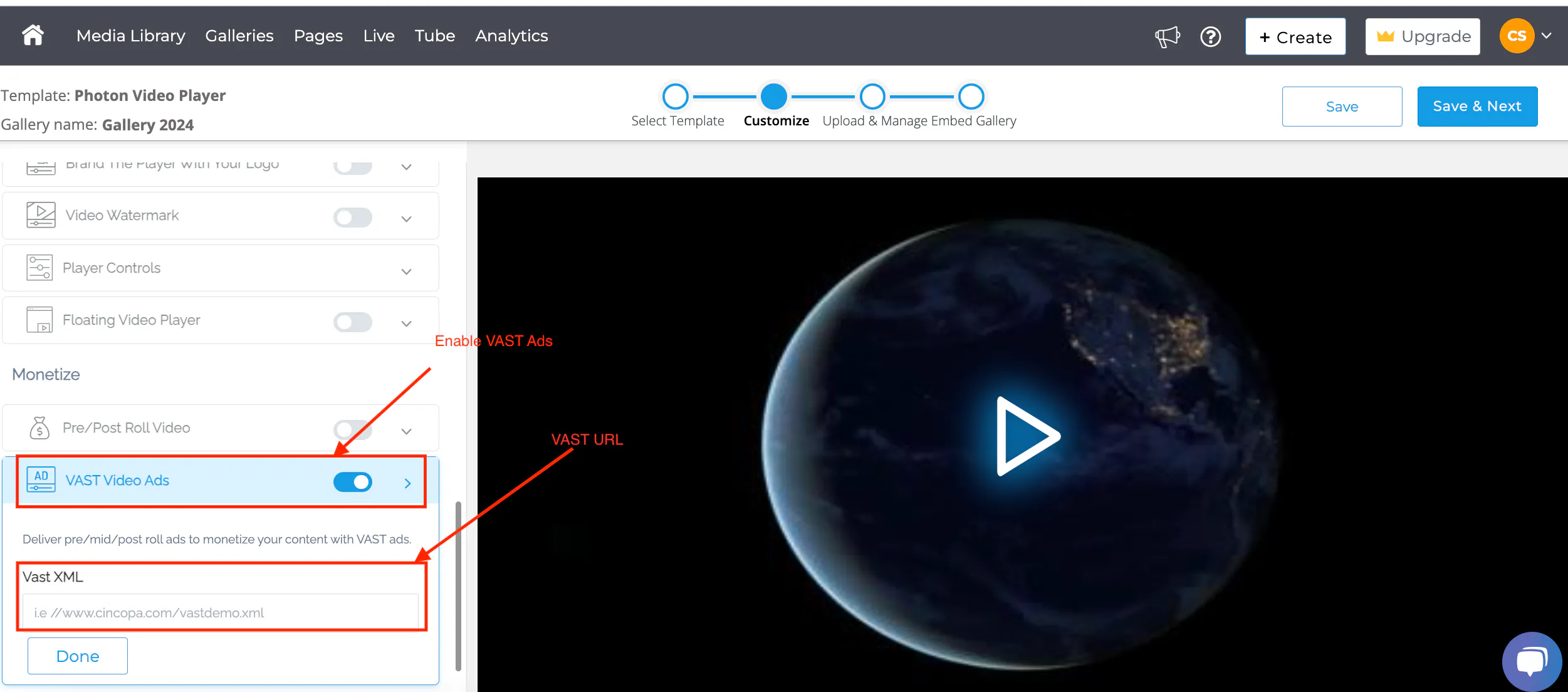
To enhance your video content's monetization potential, you can integrate VAST ads (Video Ad Serving Template) into your Cincopa galleries. This feature is available for users on the Corporate plan and above. By enabling VAST ads, you can display third-party advertisements or promote your own content, thereby generating revenue or increasing engagement.
[cincopa AoIAMJd_cbRb!A0xC2-Mao7x9]
Get Started
- Log into your Cincopa Account or Sign up for a new Cincopa Account
- If you haven't created a gallery yet, click here to learn how to create a Cincopa Gallery.
Choose a Compatible Template
Make sure to select a gallery template that supports VAST integration. Recommended templates include:
- Photon Video Player
- Video with Horizontal Playlist
- Video Academy Template
Enable VAST Ads
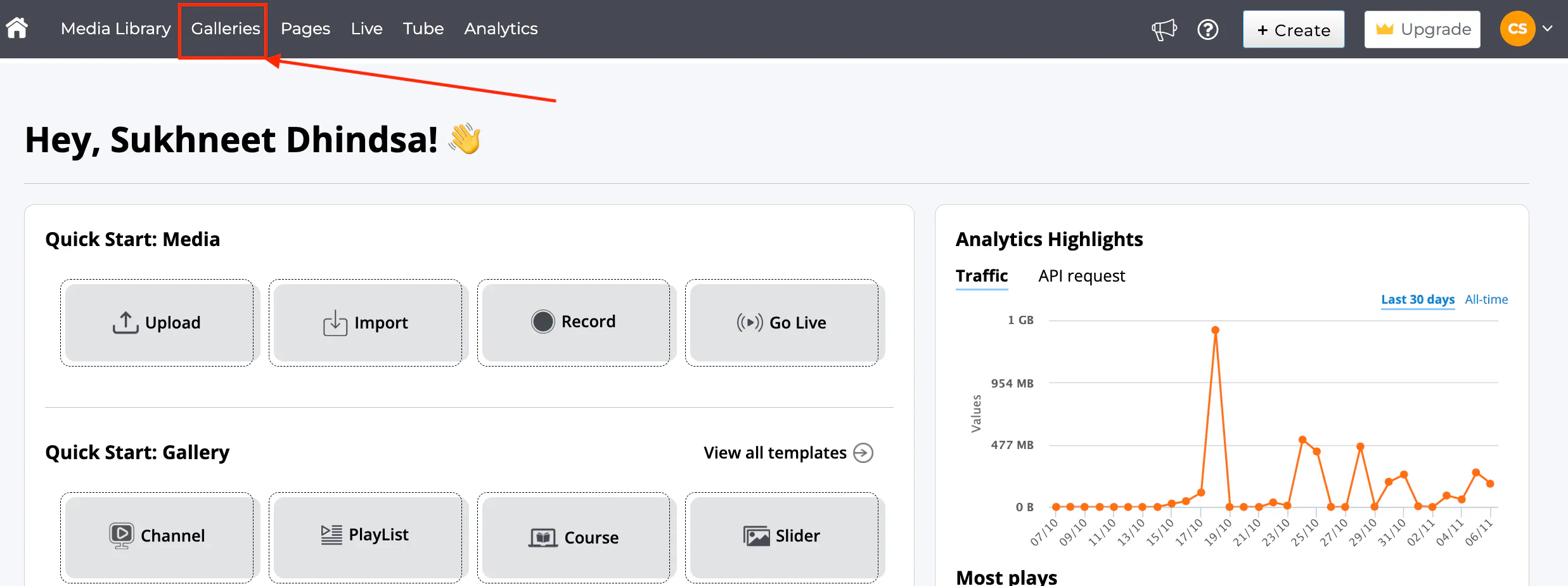
- Navigate to the Galleries section from the top-left menu.
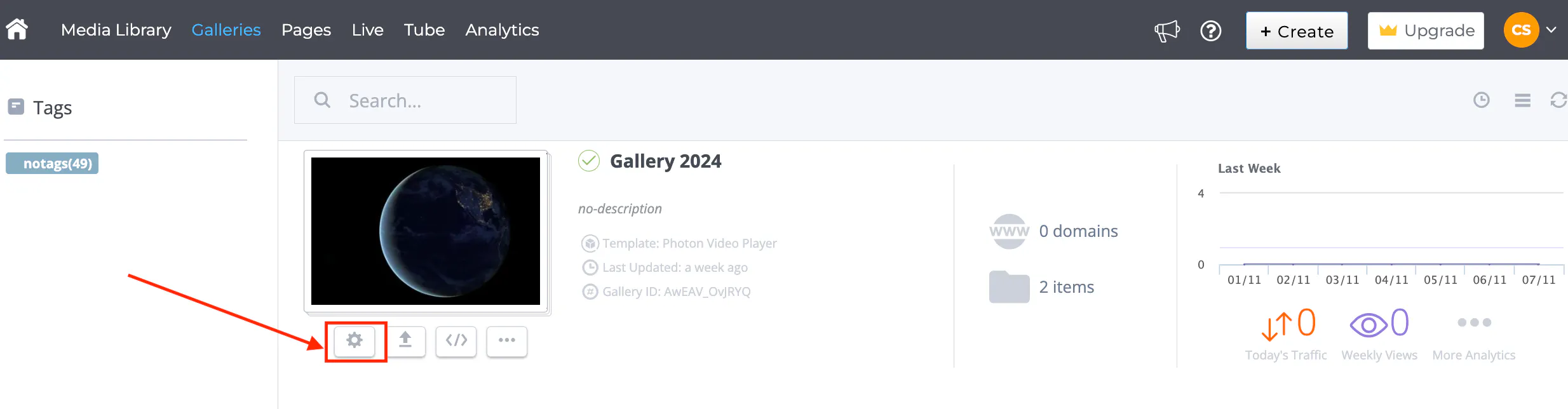
- Click the settings icon under the gallery you wish to monetize.
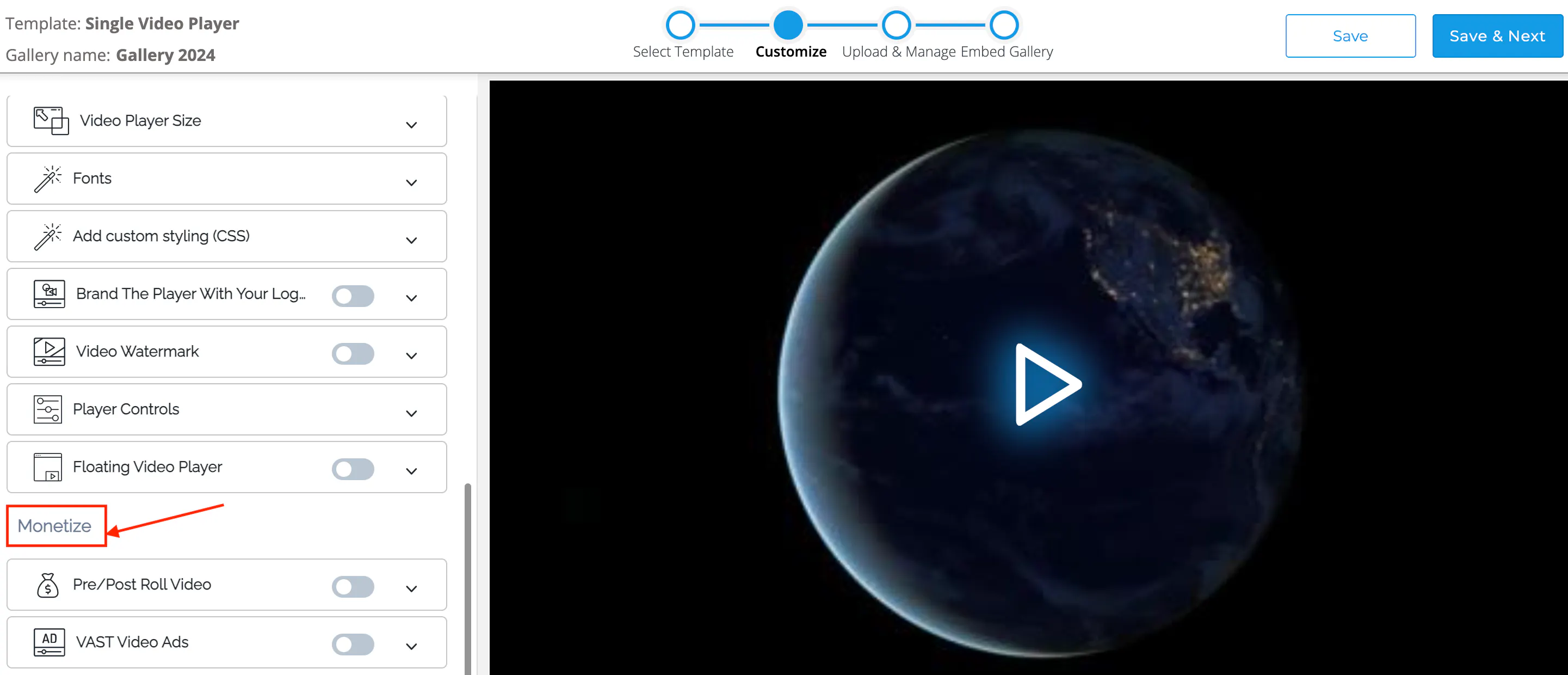
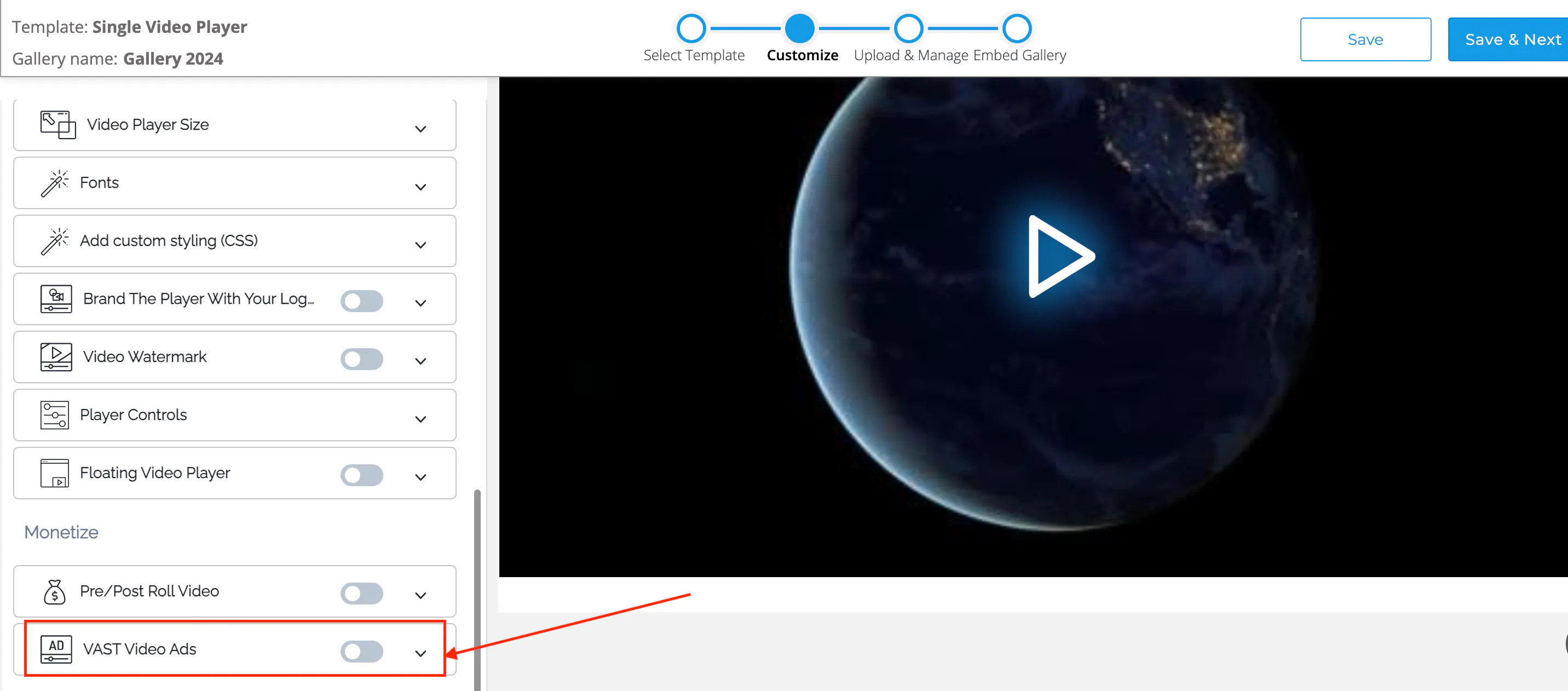
- On the Customize tab, scroll down to the Monetize section.
- Locate the VAST Video Ads option and click to expand it.
- Toggle the switch to enable VAST Video Ads and then paste your VAST XML URL into the designated field.
[ht_message mstyle="info" title="Tip" show_icon="" id="" class="" style="" ]If you’re using .flv video files, you can enable a Flash player to display VAST ads.[/ht_message]
By following these steps, you can effectively monetize your video content using VAST ads within your Cincopa galleries.