Learn / AI product knowledge

AI Product Knowledge: How to Ground Answers in Approved Videos and Docs

Your team may already have the answer to a customer’s question.

It could be in a product walkthrough, a training recording, a troubleshooting guide or a release document. The challenge is helping people find that answer—and understand whether it applies to their situation.

An AI-generated response is not enough on its own. Users need to know where the information came from, whether the source is current and what to do when the available content does not answer their question.

That is where governance matters.

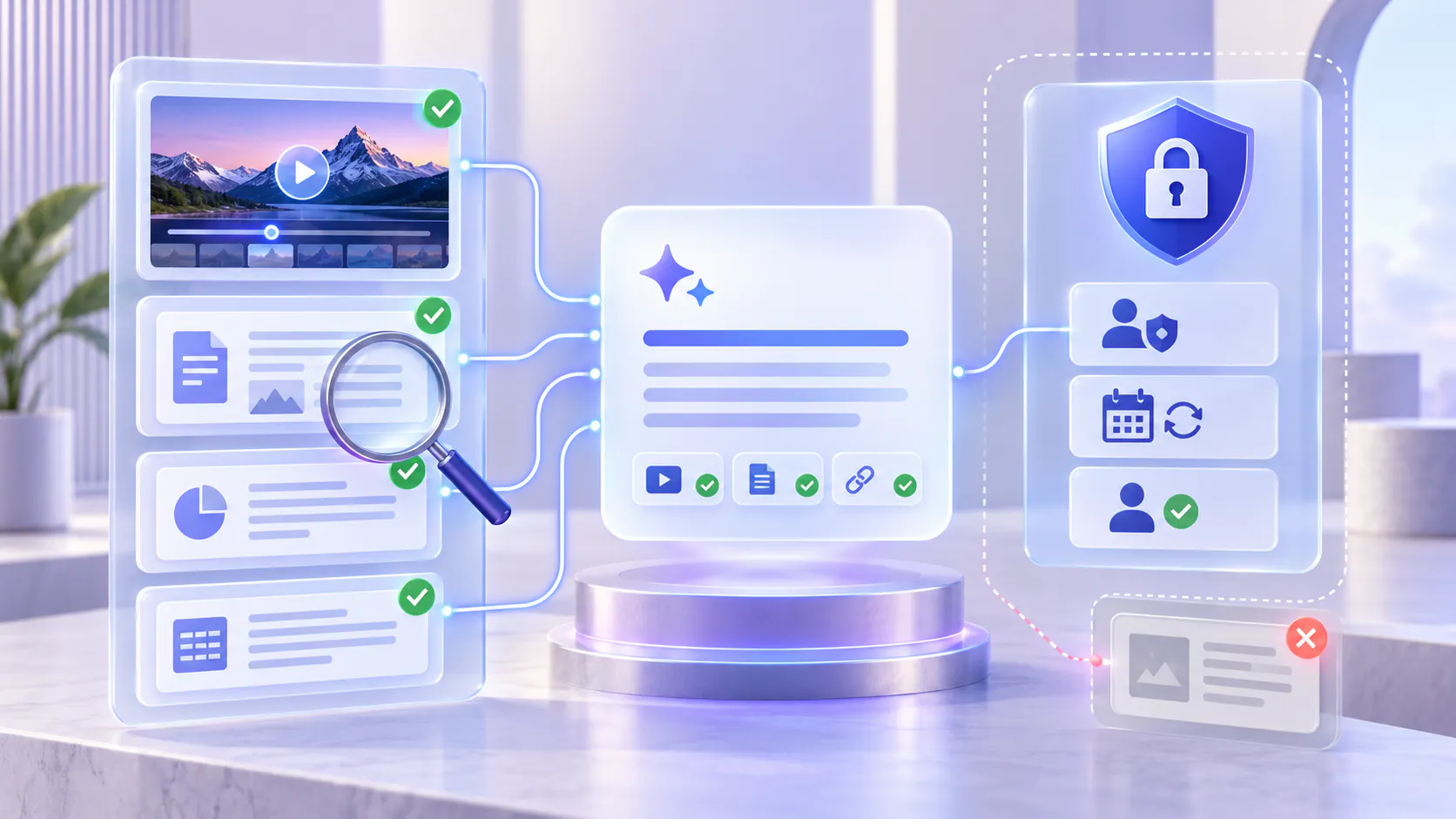
AI product knowledge should connect useful answers to approved source material, give users a clear path to the evidence and provide a review process when the answer or underlying content needs attention.

Hero image

What Is Grounded AI Product Knowledge?

Grounded AI product knowledge uses relevant source material to support answers about a product, its features and its workflows.

Instead of relying only on a model’s general knowledge, the answer draws from a defined collection of materials, such as:

Product demonstrations and feature walkthroughs

Customer training recordings

Setup guides and troubleshooting documents

Release notes and product-update explanations

Reviewed process videos and supporting reference materials

For example, someone asking how to configure a feature may need both a written explanation of the prerequisites and a video showing the steps.

A useful answer connects those sources without losing their context.

Grounding, however, is not a guarantee of correctness. An answer can reference an outdated recording, overlook an important condition or cite material that supports only part of its explanation.

The goal is not simply to attach a source. It is to make the answer supportable, applicable and easy to check.

Start by Defining Which Sources Are Approved

Uploading a recording does not automatically make it authoritative.

An internal demonstration may contain experimental features. A support call may describe a workaround that should not become general guidance. An older webinar may show a workflow that has changed.

Before including content in an AI-answer experience, decide what is suitable for that audience and purpose.

For each source, record:

Owner: Who is responsible for its accuracy?

Audience: Is it intended for customers, employees or partners?

Scope: Which product, feature or workflow does it cover?

Applicability: Which versions, plans or configurations does it describe?

Review status: Has the content been checked and approved?

Review date: When should it be checked again?

These details can be maintained through your existing content-management process. They do not need to depend on a particular AI platform.

Approval should also be specific. A recording approved for internal support training is not automatically appropriate for a public customer library.

Prepare Videos and Documents for Reliable Retrieval

An approved source still needs enough context to be useful.

A video titled “Training Session 4” tells users very little. A more descriptive title, such as “Configure Team Access: Administrator Walkthrough,” makes its purpose clearer.

Apply the same principle to descriptions, chapters and supporting documents.

Review important transcript details

Check product names, settings, numbers, technical terms and words that change the meaning of an instruction.

A missing “not” or an incorrectly transcribed setting can materially change an answer.

If an essential step appears only on screen, add an accompanying explanation or reviewed document rather than assuming the transcript captures it.

Keep conditions close to the instructions

If a workflow requires administrator access, a specific configuration or a particular product version, state that alongside the steps.

Do not leave essential conditions buried in another recording.

Resolve conflicting guidance

When a video and document disagree, establish which source is authoritative and correct or retire the conflicting material.

Adding more sources does not necessarily improve the answer. Sometimes the most useful change is removing an obsolete explanation from the active collection.

Make the Answer’s Evidence Easy to Inspect

Transparent grounding helps users check an answer without repeating the entire search themselves.

A well-supported answer should make three things clear:

What the source establishes. Explain the relevant steps or facts without extending beyond the evidence.

Where the information came from. Provide an identifiable source and a working route back to it.

When the answer applies. Preserve important conditions, such as product version, user role or configuration.

For video, a link to the relevant moment can be more useful than a link to the beginning of a long recording. For documents, direct users to the supporting section when the experience supports it.

During review, check the evidence itself. A source link can work perfectly while pointing to content that does not support the answer.

Decide What Happens When the Sources Are Not Enough

Unsupported-answer handling should be part of the design, not an afterthought.

Define the expected behavior for questions the collection cannot answer, and test whether the configured experience follows it.

When no approved source answers the question

The response should explain the limitation and provide an appropriate next step.

For example:

“The available materials do not explain this configuration. Please contact your product administrator or support team before proceeding.”

When the sources answer only part of the question

Separate the supported information from what remains unknown.

For example:

“The guide explains how to create a workspace, but it does not confirm whether existing permissions transfer automatically.”

When the question needs more context

Ask for the missing detail, such as the product version, user role or feature configuration.

When sources conflict

Avoid presenting one interpretation as settled guidance. Flag the inconsistency for the responsible content owner.

These are recommended governance behaviors. Confirm which controls and fallback options your chosen platform supports rather than assuming they happen automatically.

Treat Access Control as Separate from Content Approval

Approval and access answer different questions.

Approval asks whether the material is suitable and accurate. Access asks who may see it.

A source can be approved for one group while remaining restricted for another.

When evaluating an AI knowledge experience, test both the generated answer and access to its supporting material. A restricted file should not become a route for exposing information through an answer, excerpt or source label.

Use representative viewer accounts to check that each audience can retrieve the information intended for it—and cannot retrieve material outside its permitted scope.

Do not rely on instructions in an AI prompt as a substitute for access controls.

Review Answers with Real Product Questions

Start with questions customers, partners and employees actually ask.

Include straightforward questions, but also test situations where the system should be cautious:

A question with no answer in the approved collection

A workflow that changed in a recent release

Two sources containing conflicting instructions

A question that omits an important prerequisite

A request for information restricted to another audience

A question requiring evidence from both a video and a document

For each response, check accuracy, applicability, source support, source accessibility and the handling of missing information.

Keep a record of the question, answer, sources, identified issue and responsible owner. This creates a repeatable review process instead of relying on occasional spot checks.

Turn Answer Problems into Content Improvements

An unsatisfactory answer can have several causes.

The necessary information may be missing. The right source may exist but be difficult to retrieve. The source may be outdated. Or the generated response may misrepresent otherwise accurate material.

Diagnose the issue before deciding what to change.

A practical improvement cycle is:

1. Review an unsuccessful or unclear answer.

2. Check the supporting sources and missing context.

3. Assign the correction to a content owner.

4. Update, replace or retire the affected material.

5. Retest the original question and related questions.

Measure more than whether the system produced a response. Track whether answers are supported, links reach the right evidence, outdated sources surface and unresolved questions receive useful next steps.

The objective is dependable knowledge access—not an answer at any cost.

Where Cincopa VideoGPT Fits

Cincopa is relevant when important product knowledge lives in recordings as well as supporting documents.

VideoGPT supports questions across videos and documents, source-grounded answers and navigation to relevant video moments or supporting material. It works within Cincopa knowledge experiences such as Galleries, Pages and Tube. Explore Cincopa VideoGPT.

Those capabilities provide an answer-and-source experience. Your organization still needs to decide which materials are approved, who owns them, which audiences may access them and how issues are reviewed.

For teams that maintain written policies and documentation in an article-first knowledge base, Cincopa can provide the video-first knowledge layer alongside it. It does not need to replace the system responsible for authoring and governing written content.

Build Trust Through Sources, Boundaries and Review

Reliable AI product knowledge starts before a user asks a question.

It starts with a defined collection, clear ownership, current information and appropriate access. It continues through answers that show their evidence, acknowledge missing information and remain open to review.

Begin with one product area and a manageable set of approved videos and documents. Test real questions, correct the gaps and expand as the experience becomes dependable.

The goal is to help people reach an answer they can understand, verify and use.