PRACTITIONER GUIDE
- Protect onboarding from feature creep
- Separate awareness from understanding
- Teach features at the moment of need
A practical framework for creating awareness, building durable understanding, and recognizing when education is not the real problem.
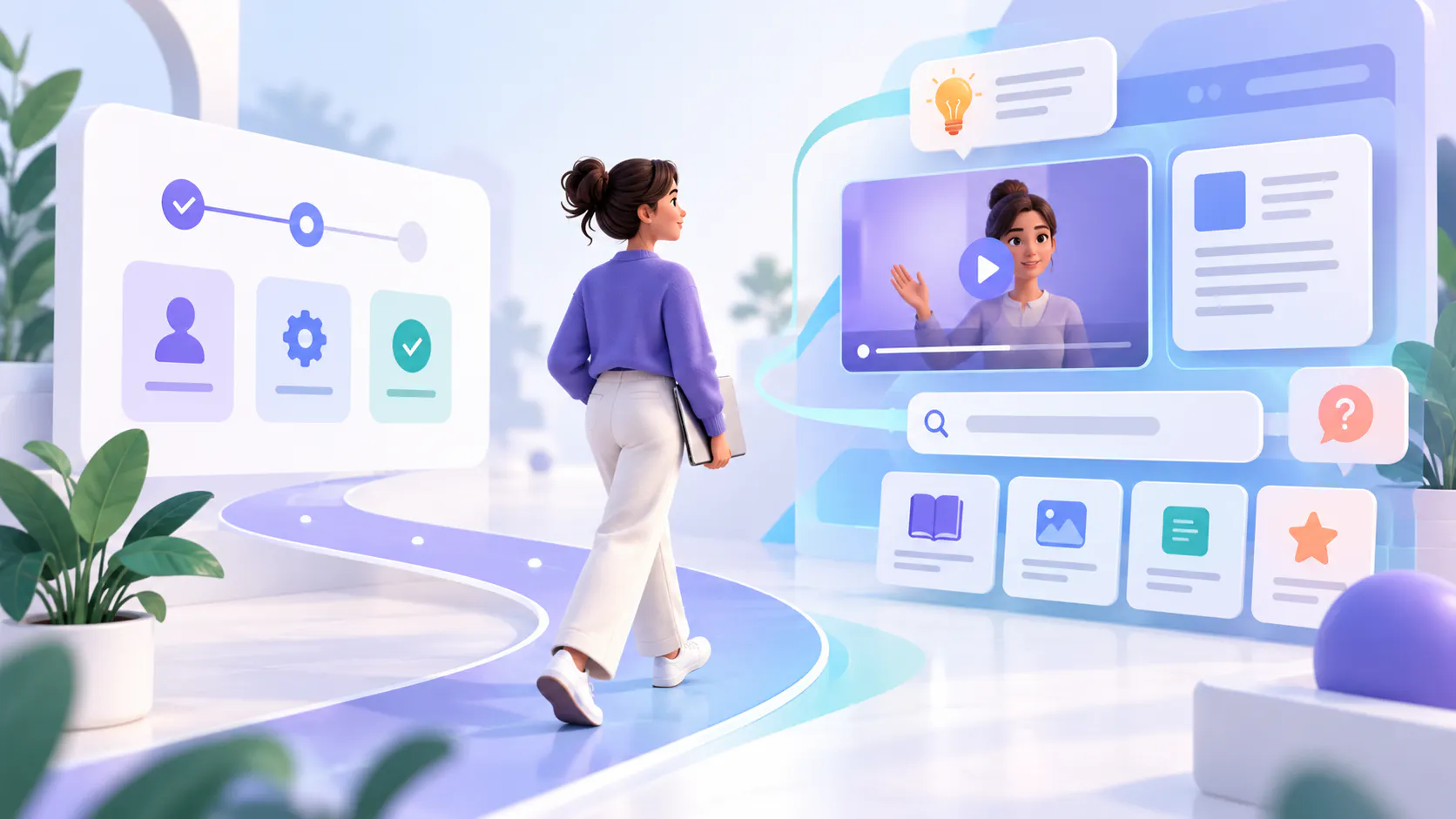
Onboarding has a focused job: help new users understand the product, complete essential setup, and reach first value. It should not carry every feature the product offers today or every capability the team may release later.
When teams add each new feature to the initial onboarding flow, the experience becomes longer, noisier, and less relevant. New users are asked to remember capabilities before they have the context to value them. Existing users may never see the updated onboarding at all.
A better model separates the initial learning path from ongoing product education. Onboarding teaches the minimum needed to begin. Contextual messages create awareness when a feature becomes relevant. A durable library of videos and supporting documents helps users understand the feature when they are ready to apply it.
Core principle: Do not turn onboarding into a catalog of everything the product can do. Teach the next useful action, then keep deeper feature knowledge available at the moment of need.
Shipping a feature and announcing it are only the beginning. A user may miss an email, dismiss an in-product message, skip release notes, or see the announcement before the feature matters to their work. Even when the message is noticed, awareness does not mean the user understands the workflow or believes the feature is valuable.
The announcement reaches the wrong role or account segment.
The message explains what changed but not the problem the feature solves.
The feature appears before the user reaches the relevant task.
The user needs a real workflow example, not a short tooltip.
The explanation disappears after the launch campaign ends.
The UI, prerequisites, permissions, or next step remain unclear.
The feature adds little practical value for that user, regardless of education.
The right response depends on which problem is present. More onboarding is rarely the universal answer.
Before creating another tour, video, tooltip, or onboarding step, identify whether the gap is awareness, understanding, or the product experience itself.
Problem — What it looks like — Best first response
Awareness — Relevant users do not know the feature exists or changed. — Use targeted announcements and contextual triggers.
Durable understanding — Users know the feature exists but cannot apply it confidently later. — Provide reusable walkthroughs, documents, examples, and searchable answers.
UX or product value — Users reach the feature but cannot understand the interface, complete the workflow, or see a useful outcome. — Improve the product experience or value proposition; use education only as support.
Awareness is a communication problem. The goal is not to teach the entire feature. It is to help the right user recognize that a relevant capability exists and understand why it may matter now.
Target by role, plan, account state, workflow, or prior behavior.
Trigger the message near the task the feature supports.
State the user outcome before describing controls or settings.
Keep the message short and give users a clear path to learn more.
Let users dismiss or defer guidance that is not relevant yet.
Examples include a concise release announcement, a contextual in-product message, a changelog entry, a customer-success note, or a short overview video. These channels create discovery; they should point to a durable explanation rather than trying to contain it.
A user may understand an announcement today and still need the explanation weeks later. Durable education gives that user a reliable place to learn what the feature does, when to use it, how it fits a workflow, and what a successful result looks like.
A short feature overview explaining the problem, outcome, and intended audience.
A focused walkthrough showing the workflow from start to finish.
Role-specific guidance for admins, operators, managers, or end users.
Supporting documentation covering prerequisites, permissions, exceptions, and reference details.
Release notes that explain what changed without replacing the complete guide.
Searchable answers that take the user to the relevant source or exact video moment.
This content should remain available beyond launch week. It becomes part of the product knowledge layer that users, support teams, and customer-success teams can revisit whenever the real need appears.
If users repeatedly encounter the feature but cannot understand what to do, the problem may be the interface. If they understand how it works but still do not use it, the problem may be weak relevance, poor timing, missing permissions, technical friction, or insufficient value.
Education can clarify a complex product, but it should not be used to explain avoidable confusion forever. Escalate the issue to product or UX when users cannot complete the task without extensive instruction, the interface conflicts with the guidance, or the feature does not produce a meaningful outcome for the intended audience.
Diagnostic question: If a perfectly informed user reached this feature at the right moment, would the workflow be understandable and valuable? If not, create a product or UX action—not another onboarding lesson.
The strongest onboarding programs establish a minimum path to success. They teach the concepts and actions needed to begin, then open clear routes to deeper learning as the user’s goals expand.
Keep in onboarding — Move to ongoing feature education
Account setup and essential configuration — Advanced settings and optional capabilities
The first meaningful workflow — Alternative workflows and specialized use cases
Critical permissions or safety requirements — Role-specific administration and optimization
The shortest path to first value — New releases introduced after initial adoption
Where to find help and education later — Detailed troubleshooting, exceptions, and reference material
This separation protects onboarding from feature creep while ensuring advanced knowledge is not hidden or lost.
Users need different levels of explanation at different moments. A layered model lets them enter at the depth that matches their intent.
1. Signal: A short, targeted message tells the user that the feature exists and why it may matter.
2. Orient: A concise overview explains the problem, outcome, audience, and prerequisites.
3. Show: A walkthrough demonstrates the feature inside a real workflow.
4. Support: A document, checklist, or reference guide covers details and exceptions.
5. Retrieve: Search and question-answering help the user return to the precise explanation later.
6. Reinforce: Follow-up examples, role-based paths, and customer-success guidance help the behavior stick.
The layers should connect. A contextual message can open the overview; the overview can link to the walkthrough; the walkthrough can sit beside supporting documents; and the whole collection can remain searchable after the launch campaign ends.
Write down the user, situation, problem, action, and expected outcome. Avoid a broad goal such as “drive adoption.” A useful statement is specific: “Help workspace admins discover the new role settings when they add a teammate, then complete permission setup correctly.”
Decide who needs the feature now, who may need it later, and who should not be interrupted. Segment by role, lifecycle stage, account configuration, plan, prior action, or product area. A smaller relevant audience usually learns more than a large untargeted audience.
Select the moment and channel that make the message useful. High-relevance in-product context may work for an immediate workflow. Email, release notes, customer-success outreach, or a launch hub may be better when the change affects planning or several roles.
Build a focused feature package rather than scattering independent assets. Include a clear overview, the approved walkthrough, and the supporting document or release note. Give it a stable title, owner, audience, version context, and review date.
Place the feature education in the product page, documentation, help center, release page, customer portal, or education destination where the audience already expects assistance. Do not force every user to return to the original onboarding flow.
Use descriptive titles, transcripts, captions, metadata, and supporting documents so users can find the answer using their own language. When the library supports question-answering, test realistic questions and confirm that users reach the correct source and moment.
Match the signal to the job. Announcement impressions measure exposure, not understanding. Video completion measures consumption, not successful product use. Combine communication, education, product, and support evidence before deciding what to change.
Update unclear explanations, add missing examples, and replace outdated walkthroughs. If the evidence shows a UX or value issue, send it to the product team. If the feature or workflow changes, update the durable source and connected delivery surfaces rather than leaving conflicting guidance active.
Tooltip or hotspot
Best used for: Explaining one short, contextual action or interface change.
Avoid using it for: Explaining a multi-step workflow.
Announcement
Best used for: Creating timely awareness and communicating the feature’s intended outcome.
Avoid using it for: Providing detailed guidance that users will need to reference later.
Short overview video
Best used for: Explaining what the feature does, why it matters, and who should use it.
Avoid using it for: Covering every configuration option, exception, or technical detail.
Workflow walkthrough
Best used for: Demonstrating how to complete a task in a realistic product context.
Avoid using it for: Replacing all supporting documentation and reference material.
Written guide or PDF
Best used for: Documenting prerequisites, permissions, detailed instructions, exceptions, and reference information.
Avoid using it for: Demonstrating movement or interface behavior that users can understand more easily through video.
Searchable feature library
Best used for: Supporting ongoing feature discovery and point-of-need learning across videos and documents.
Avoid using it for: Compensating for an unclear interface or a feature that does not deliver meaningful product value.
Feature education becomes difficult to maintain when launch videos, help documents, release notes, and workflow guidance live in disconnected systems. Organize them by the way users think: product area, task, role, problem, release, or customer scenario.
Cincopa Galleries can group feature walkthroughs and supporting documents into reusable collections that teams can embed in product pages, documentation, help centers, release pages, or other customer surfaces. Cincopa Pages can provide a dedicated product-education destination when the collection needs a branded home. VideoGPT can let users ask questions across the available knowledge and jump to the relevant video moment or supporting source.
This approach does not replace contextual product messaging. It gives that message somewhere durable to lead. The announcement creates awareness; the product knowledge layer preserves the explanation.
Question: Useful signals
Did the right users notice it?: Qualified reach, contextual-message interaction, launch-hub visits, and relevant segment coverage.
Could users understand it?: Walkthrough engagement, repeat questions, search behavior, answer quality, task-focused feedback, and support demand.
Could users complete the workflow?: Activation, successful task completion, error rate, time to outcome, and abandonment.
Did the feature create value?: Continued use, repeat use, workflow improvement, retained behavior, and customer outcome.
Is the education still reliable?: Review status, outdated-source exposure, unanswered questions, and time from product change to content update.
No single metric proves feature education is working. Interpret the journey: the right user notices the feature, understands it, completes the workflow, and receives enough value to return.
Adding every release to onboarding. This increases cognitive load and teaches features before users have a reason to care.
Treating an announcement as education. A launch message creates awareness; it rarely provides complete, reusable instruction.
Showing the feature without explaining the outcome. Users need to understand what problem it solves and when it belongs in their workflow.
Using one message for every role. Admins, operators, managers, and end users may need different timing and examples.
Publishing a long, flat playlist. Organize feature knowledge by role, task, workflow, or product area so users can find the right explanation.
Measuring views as adoption. Content engagement is useful evidence, but adoption requires successful product behavior and value.
Using education to defend confusing UX. When informed users still cannot complete the task, improve the product experience.
Letting launch content disappear or become stale. Maintain the durable source with clear ownership, version context, and review triggers.
The target user, workflow, problem, and expected outcome are explicit.
The feature is essential to onboarding, or it has been intentionally moved to ongoing education.
Awareness messaging is targeted and timed to a relevant moment.
A durable feature overview and workflow walkthrough exist.
Prerequisites, permissions, exceptions, and supporting documents are included.
The education is published in the surfaces users already trust.
Titles, captions, transcripts, metadata, and links support retrieval.
Representative user questions lead to the correct source.
Communication, education, product-use, and value signals have separate owners.
A review date and update trigger are assigned.
Product or UX issues have not been mislabeled as education gaps.
FREQUENTLY ASKED QUESTIONS
Practical answers about onboarding, feature announcements, and ongoing product education.
No. Include only capabilities required for setup, safety, or first value. Teach optional, advanced, role-specific, and newly released features through ongoing product education.
An announcement helps users notice that something exists or changed. Feature education provides a durable explanation of what it does, why it matters, how to use it, and where it fits in a workflow.
Use it when a specific user reaches a relevant screen, task, or decision. Keep the message focused and link to deeper education when the workflow requires more explanation.
Check whether the right users noticed the feature, understood it, completed the workflow, and received value. If informed users still struggle or do not benefit, investigate UX, technical, targeting, or product-value issues.
Include feature overviews, workflow demonstrations, admin and configuration guides, role-based education, release explainers, supporting documents, and current reference material.
Cincopa can organize feature videos and documents in Galleries, distribute them through embeds or hosted Pages, and use VideoGPT to help users ask questions and reach the relevant source moment or supporting document.
No. Onboarding creates the first successful path. Ongoing feature education helps users discover and understand capabilities as their needs, roles, and workflows develop.
A growing product should not produce an endlessly growing onboarding sequence. Keep the first experience focused on essential progress. Use targeted signals to introduce relevant capabilities, then connect those signals to reusable walkthroughs, documents, and searchable answers that users can return to later.
This creates a clearer division of work. Onboarding helps users begin. Feature announcements create awareness. Durable product education builds understanding. Product and UX teams remain responsible for making the workflow usable and valuable.
Next step: Choose one important feature that users underuse. Identify whether the main gap is awareness, understanding, or product experience—then build only the intervention that problem requires.
Keep onboarding focused, then connect relevant feature signals to reusable walkthroughs, documents, and searchable answers.