Product Tours vs Product Education: When to Use Each

Product tours and product education both help users understand a product, but they solve different problems.

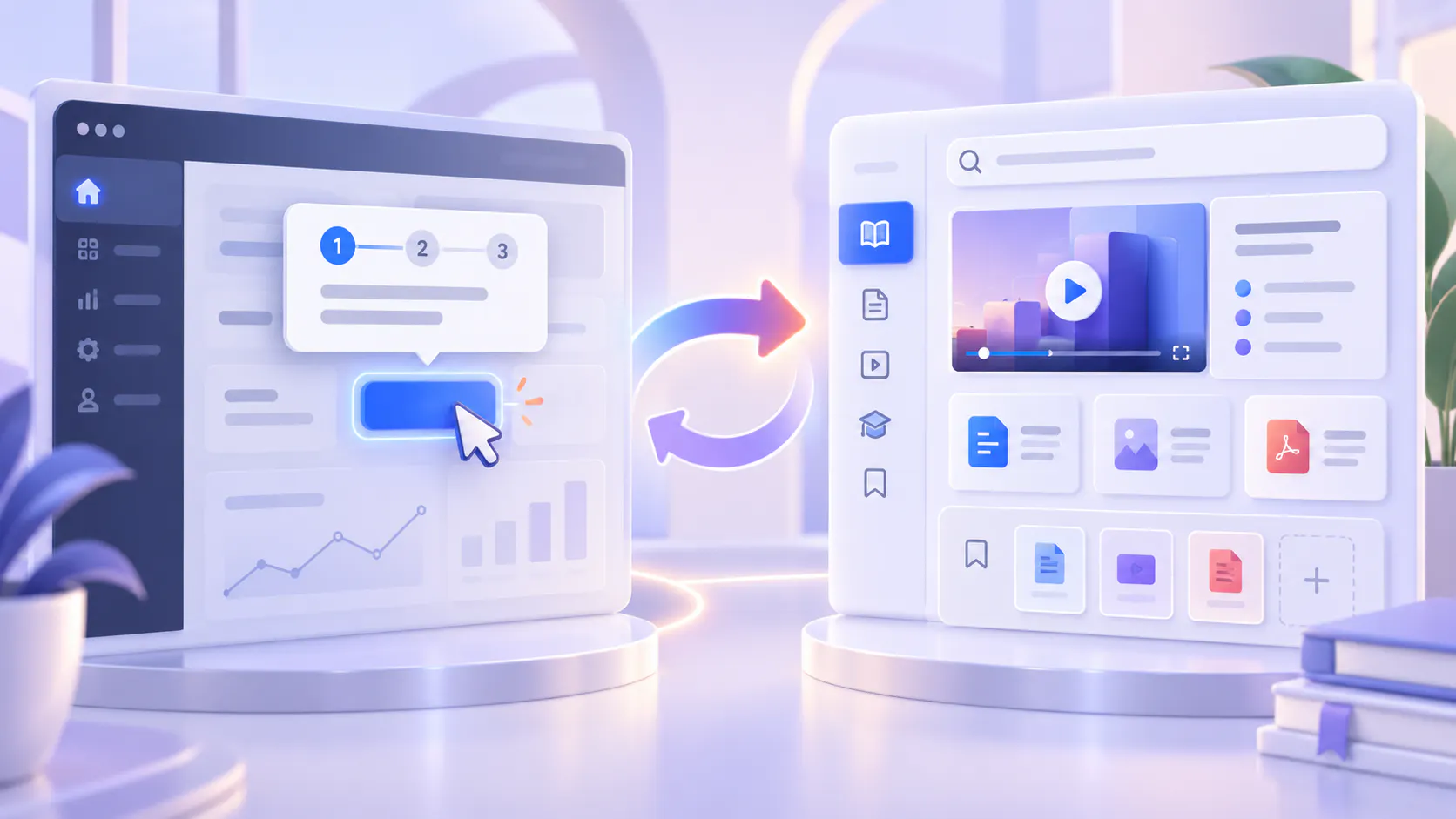
A product tour provides short guidance inside the product. It helps users notice a feature, understand the next action or complete an unfamiliar workflow.

Product education creates a lasting knowledge resource that users can return to whenever they need help. It may include walkthrough videos, onboarding content, help articles, release information and supporting documents.

The choice is not usually between one or the other. Product tours are useful for immediate guidance, while product education helps users build knowledge they can search and reuse over time.

Understanding this difference helps teams choose the right experience for each learning need.

Hero image

What Is a Product Tour?

A product tour is an in-product experience that guides users through an interface or workflow.

It may use tooltips, pop-ups, checklists, highlighted controls or short step-by-step instructions. The guidance appears while the user is inside the product, usually when they first sign in, open a feature or start a task.

A product tour might:

Introduce the main areas of a dashboard.

Point users toward an important setting.

Explain what a button does.

Guide users through initial account setup.

Announce a newly released feature.

Help users complete a short workflow.

Product tours work well when the user needs a small amount of information at a specific moment.

For example, a tooltip beside a permissions setting can explain what the setting controls. A short onboarding checklist can help a new user complete the first steps required to begin using the product.

The guidance is close to the action, so the user does not need to leave the product and search for instructions.

What Is Product Education?

Product education is the broader collection of resources that helps users understand how and why to use a product.

It can include:

Onboarding videos.

Feature walkthroughs.

Workflow demonstrations.

Help articles.

Troubleshooting guides.

Webinars and recorded training.

Release-update explanations.

Frequently asked questions.

Supporting PDFs and reference documents.

Unlike a temporary tooltip, product education remains available after the user completes the first workflow.

Users can return when they forget a step, move into a different role, encounter a problem or need to understand a more advanced process.

A well-organized product education library also helps teams avoid repeating the same explanations in onboarding calls, support conversations and customer training sessions.

The Main Difference: Immediate Guidance vs Reusable Knowledge

The clearest difference is the type of help each experience provides.

A product tour supports the action happening now.

Product education supports understanding that must continue beyond the current session.

For example, imagine that a product introduces a new reporting feature.

A product tour can point to the reporting tab and show users where to begin. This is useful for discovery.

A product education video can demonstrate how to build a report, explain the available filters, show common workflows and discuss how different roles might use the results. This is useful for learning and future reference.

The tour helps users enter the feature. The education resource helps them use it with confidence.

When to Use a Product Tour

Use a product tour when the guidance is short, contextual and directly connected to something visible on the screen.

Introducing a new user to the interface

A short tour can identify the most important areas of the product without requiring the user to study a complete training course.

Keep the tour focused. Showing every control during the first session can overload the user before those details become relevant.

Guiding a simple first-time action

Product tours are effective when a user needs to complete a short sequence, such as creating a workspace, inviting a colleague or changing a basic setting.

The tour should help the user complete the task without becoming an obstacle itself.

Drawing attention to a new feature

A tooltip or short announcement can tell existing users that a new capability is available and show where to find it.

If the feature requires a detailed explanation, connect the announcement to a longer education resource.

Explaining an unfamiliar control

A short message beside a setting can clarify its purpose, especially when the interface label cannot explain the full effect.

This works best for focused questions such as “What does this option do?” rather than complex questions such as “Which configuration is right for our team?”

The Limits of Product Tours

Product tours are useful, but they are not designed to hold all product knowledge.

A tour can become difficult to use when it:

Includes too many steps.

Interrupts users who already understand the workflow.

Tries to explain a complex process in small pop-ups.

Appears only once and cannot be easily reopened.

Provides instructions without explaining the purpose behind them.

Becomes outdated when the interface changes.

Does not help users who need the answer outside the product.

Users also do not always encounter guidance at the moment they need it. They may dismiss a tour during onboarding and look for the same information several weeks later.

This is why in-product guidance should not be the only place where an important workflow is explained.

If users will need the information again, the explanation should also exist in a durable and accessible knowledge resource.

When to Use Product Education

Use product education when users need deeper understanding, repeat access or guidance that extends beyond a single interface moment.

Explaining complete workflows

Some tasks involve prerequisites, decisions, exceptions and several stages.

A product walkthrough can demonstrate the full process while a supporting guide records exact settings, conditions or reference information.

Supporting different roles

New users, administrators, operators and partners may use the same product differently.

Product education can organize guidance by role, workflow, product area or level of experience instead of giving every user the same tour.

Helping users learn on demand

Users do not always learn according to an onboarding schedule. They may need help months after their first session.

A persistent education library allows them to return to a feature demonstration, search for an answer or review a process when the need appears.

Communicating product changes

A tooltip can announce that something changed. A release video or update guide can explain what changed, why it matters and how the new workflow works.

Keeping those materials available also helps users who did not see the original announcement.

Reducing repeated explanations

If support, customer success or training teams repeatedly demonstrate the same workflow, that explanation is a strong candidate for reusable product education.

The goal is not to remove human help. It is to make common knowledge available before another meeting becomes necessary.

The Limits of Product Education

Product education also has limitations.

A large library can become difficult to navigate. Videos may have unclear titles. The same topic may appear in several recordings. Written guidance and demonstrations may be stored in different places.

Users may know that an answer exists but still struggle to find it.

Content also needs maintenance. An outdated walkthrough can create more confusion than no walkthrough at all, especially when the interface or process has changed.

Product education therefore needs structure, ownership, useful search and a clear review process. Publishing more videos does not automatically create a usable learning experience.

How Product Tours and Product Education Work Together

The strongest approach connects immediate guidance with lasting knowledge.

A simple journey could work like this:

1. A user sees a short in-product message introducing a feature.

2. The message explains the immediate next action.

3. A link opens a complete walkthrough for users who need more help.

4. The walkthrough is stored in a searchable product education library.

5. The user can return to that resource later without reopening the tour.

This approach keeps the in-product experience brief while making deeper guidance available.

The connection can also work in the other direction. A product education video may explain a workflow and then direct the user to the exact area of the product where the task is completed.

Each layer has a clear job:

The tour provides the trigger.

The product education resource provides the explanation.

The searchable library provides ongoing access.

Support provides help when the available resources do not resolve the situation.

A Simple Way to Choose

Before deciding whether to create a tour or an education resource, ask what the user needs.

Use a product tour when:

The guidance relates to the current screen.

The action is short and clearly defined.

The user needs help at that exact moment.

The purpose is discovery or initial activation.

The explanation can remain brief without losing important context.

Use product education when:

The workflow includes several steps or decisions.

Users will need the information again.

Different roles require different guidance.

The explanation benefits from video, documents or examples.

Users need to search for the answer later.

The knowledge must be available outside the product.

Use both when a short in-product prompt can begin the journey but users also need a complete, reusable explanation.

Making Product Education Searchable

As product education grows, users need more than titles, folders and playlists.

A title may identify a feature but cannot expose every question answered inside a long video. A written guide may document the official steps while a recording demonstrates the workflow in practice.

Cincopa helps teams organize product videos and supporting documents into structured knowledge collections that can be distributed through galleries, hosted pages and embedded experiences. VideoGPT allows users to ask questions across the available product education content and move to relevant video moments or supporting material. Explore Cincopa’s product education platform.

This makes Cincopa relevant when important product knowledge lives in video and users need to find and reuse what is inside it.

It does not replace in-product guidance or an article-first help center. Instead, it provides a video-first knowledge layer that can work alongside those systems.

Design One Connected Learning Experience

Customers should not have to choose between a tooltip with too little information and a large library that is difficult to search.

Give them short guidance when they are completing an immediate action. Give them durable product education when they need deeper understanding or repeat access. Connect the two so users can move easily from discovery to learning.

The objective is not to add more tours or publish more content.

It is to provide the right amount of guidance at the right moment—and make the full explanation easy to find when users need it again.