Learn / Customer Onboarding

How to Scale Customer Onboarding Without Repeating the Same Training

Build a reusable product-education layer for repeatable knowledge while preserving live expertise for customer-specific implementation.

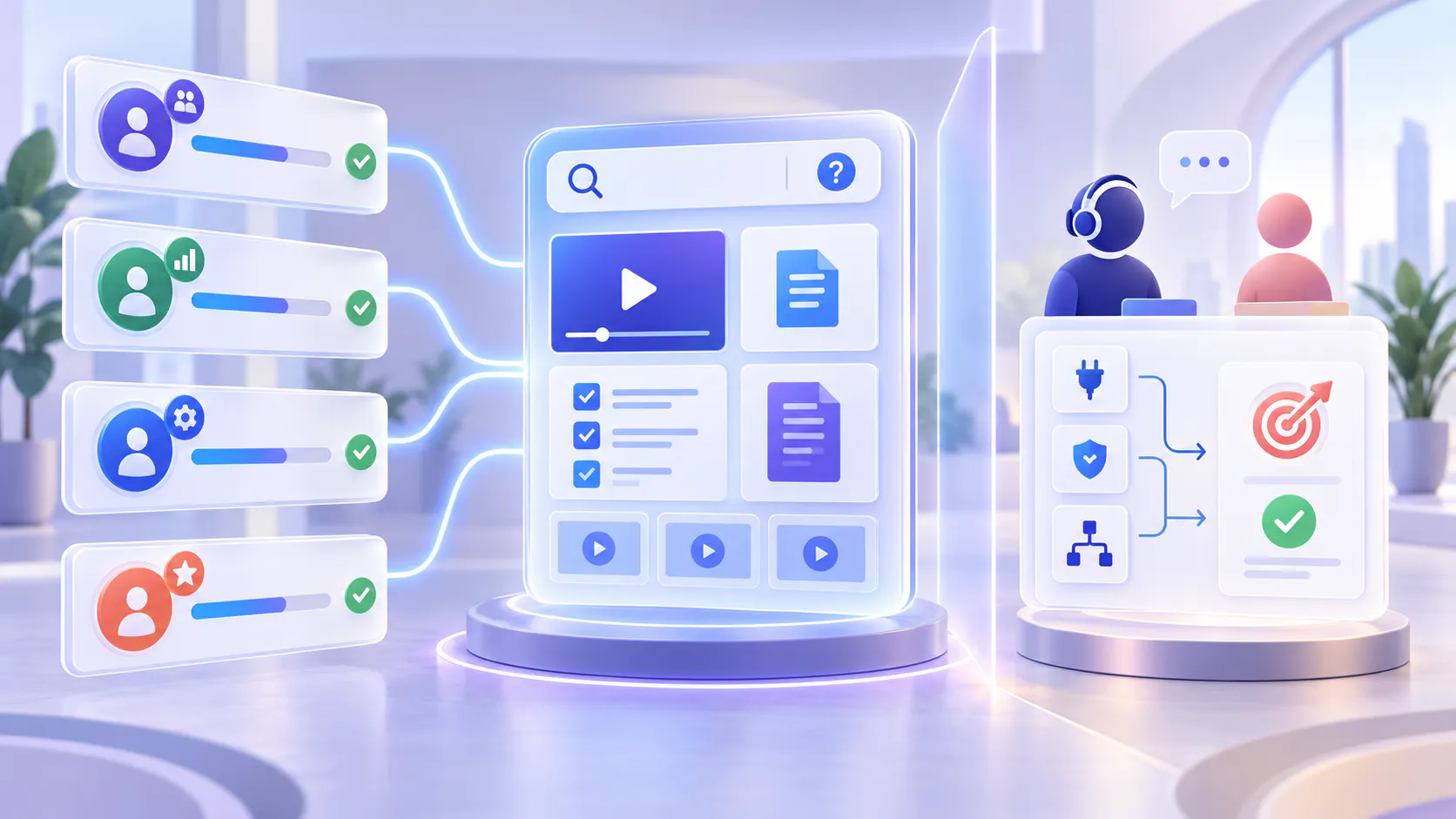
Hero image

Scaling onboarding does not mean removing the human relationship

Customer onboarding becomes difficult to scale when the same product basics are explained live to every new account. Customer success managers repeat navigation tours. Founders run the same demonstration. Implementation specialists answer questions already covered in earlier calls. Meanwhile, customers wait for a meeting before they can take the next step.

The answer is not to record every meeting and replace onboarding with a playlist. The better model separates repeatable education from customer-specific implementation. Reusable product education explains the stable parts of the product. Live experts focus on the customer’s data, process, configuration, decisions, and change management.

Core principle: Standardize what is common. Personalize what is consequential.

Why repeated live training stops working

Live training feels responsive at the beginning, but repetition creates hidden operating costs as the customer base grows.

Availability becomes a prerequisite for progress. Customers cannot continue until the right trainer has time.

Delivery becomes inconsistent. Different team members emphasize different workflows, skip different details, or use outdated examples.

High-value specialists spend time on low-variation explanations instead of configuration, strategy, and risk.

Customers forget what they heard. A one-time call is difficult to revisit when the user later performs the task alone.

Product changes multiply the work. Every trainer must learn and repeat the updated explanation.

The goal is not fewer customer conversations at any cost. It is fewer conversations spent transferring the same information and more conversations spent helping the customer apply it.

ONBOARDING BOUNDARY

The boundary: reusable education vs. customer-specific implementation

A scalable program starts by classifying onboarding work according to how much it changes from one customer to another.

REUSABLE

Reusable product education

  • Product orientation and core navigation
  • Standard account setup and common workflows
  • Feature walkthroughs and role-based basics
  • Release education and repeatable troubleshooting
  • Approved guides, checklists, and reference material
  • Questions answerable from approved videos and docs
CUSTOMER-SPECIFIC

Customer-specific implementation

  • Business goals, success criteria, and rollout priorities
  • Data migration, integrations, and technical dependencies
  • Permissions, governance, and configuration decisions
  • Workflow design based on the customer’s operating model
  • Change management, adoption barriers, and stakeholder alignment
  • Questions requiring account context or expert judgment

A useful test is: “Would the answer remain substantially the same for the next ten customers?” If yes, it is a strong candidate for reusable education. If the answer depends on customer data, risk, architecture, policy, or organizational decisions, keep it in the implementation track.

A scalable onboarding operating model

Build the operating model around seven practical steps that separate repeatable education from customer-specific implementation.

1. Map the onboarding journey before creating more content

List the stages a customer moves through from handoff to first value and ongoing adoption. For each stage, record the question, required action, owner, source material, and evidence of completion.

What must every customer understand?

What must only specific roles understand?

Which steps require customer data or configuration?

Where do customers repeatedly pause, ask, or wait?

Which explanation is delivered almost word for word on every call?

Do not begin by recording a complete academy. Begin with the highest-frequency explanations that block progress or consume the most live time.

2. Build a minimum reusable education layer

Create the smallest collection that lets customers complete a meaningful part of onboarding independently. Use short workflow-based videos supported by written references, rather than one long recording that tries to explain everything.

A short welcome and orientation explaining the onboarding path.

Role-based starting points for admins, operators, managers, or end users.

Task-based walkthroughs tied to real workflows and outcomes.

Written checklists for precise steps, prerequisites, and completion criteria.

Supporting guides, PDFs, release notes, and troubleshooting material.

A clear route to human help when the standard material is not enough.

Reuse existing approved demonstrations, training recordings, and documents when they remain accurate. The first job is to activate useful knowledge, not rerecord the entire product.

3. Organize education around the customer’s job

Customers rarely think in terms of your internal feature taxonomy. They think in terms of the result they are trying to achieve: invite a team, configure permissions, import data, publish content, build a workflow, or verify success.

Structure collections by role, workflow, onboarding stage, product area, or release when those labels help users choose the right path. Use clear titles, accurate transcripts, helpful descriptions, and current supporting documents. Make ownership and review dates visible to the internal team.

4. Deliver guidance where customers already work

A reusable library does not scale onboarding if customers cannot find it. Place education at the point of need: inside the product, in the help center, within onboarding emails, on a dedicated education Page, or in a portal-style training environment.

Use Galleries for reusable collections embedded in product pages, documentation, and help surfaces.

Use Pages for focused hosted destinations where customers can browse, search, ask, and learn.

Use Tube when onboarding needs a deeper portal structure, channels, workspaces, permissions, or user groups.

Link every live onboarding agenda to the relevant reusable material before and after the call.

Maintain one governed source wherever possible. Reuse it through supported publishing surfaces instead of duplicating files into disconnected repositories.

5. Make the collection searchable and answerable

A playlist still forces customers to guess which video contains the answer. VideoGPT adds a library-level answer layer across the videos and documents available in a Gallery, Page, or Tube environment. Users can ask a question, receive a grounded answer, and move to the relevant source moment or supporting document.

Suggested questions and a concise welcome message can orient customers before they type. This is particularly useful when users do not know the product terminology or cannot tell which module covers their task.

What should I complete before the kickoff call?

How do I configure access for a new team?

Which walkthrough explains the first publishing workflow?

What changed for administrators in the latest release?

Where can I find the setup checklist?

The answer layer should work only across approved material available to that audience. It should expose the source and provide an escalation route when the collection does not contain enough evidence.

LIVE SESSION FRAMEWORK

6. Redesign live sessions around decisions and application

Once standard education is available on demand, live onboarding can become more useful. Instead of repeating navigation and definitions, the team can validate preparation, resolve blockers, make configuration decisions, and apply the product to the customer’s environment.

BEFORE

Before the live session

Assign the relevant role-based path. Ask the customer to complete basic setup. Collect questions and missing context. Use completion signals where available.

DURING

During the live session

Confirm goals, constraints, and readiness. Resolve customer-specific blockers. Make decisions that require expert judgment. Practice the workflow using the customer’s case.

AFTER

After the live session

Send the agreed configuration and next steps. Link the exact reusable resources discussed. Add unanswered repeatable questions to the content backlog. Confirm ownership, deadlines, and success evidence.

STEP 7

7. Use onboarding questions to improve the system

Every repeated question is evidence. It may indicate that a video is missing, a title is unclear, a transcript is weak, the workflow has changed, or the customer cannot locate the right starting point.

  • Group questions by role, onboarding stage, product area, and customer impact.
  • Review unanswered questions and weak answers with the content owner.
  • Decide whether the fix is navigation, metadata, a document update, a shorter video, or new content.
  • Retire obsolete material instead of allowing conflicting instructions to accumulate.
  • Prioritize changes that remove common blockers or reduce high-cost repetition.

Media Preview

What should remain live and human?

Some onboarding work should not be automated or generalized. Keep a qualified person involved when the customer’s context changes the correct answer or the consequence of a mistake is significant.

Discovery, success planning, and alignment on business outcomes.

Architecture, integrations, data migration, and environment-specific dependencies.

Security, permissions, governance, and compliance decisions.

Workflow design involving several teams or approval paths.

Change management, stakeholder adoption, and internal communication.

Exceptions, risk, account-specific troubleshooting, and sensitive escalation.

Executive reviews and decisions that affect scope, ownership, or timeline.

Reusable education should prepare the customer for expert time—not make expert time disappear.

GOVERNANCE

Governance keeps reusable onboarding trustworthy

A scalable library becomes dangerous if it is easy to access but difficult to trust. Give the education layer the same operational discipline as the onboarding program itself.

  • Ownership: Assign an accountable owner for each product area or onboarding path.
  • Authority: Identify the current source of truth when a video, guide, and release note disagree.
  • Freshness: Set review dates and update triggers tied to product releases and workflow changes.
  • Permissions: Ensure customers can retrieve only the content approved for their role or environment.
  • Version clarity: State which product version, interface, or process an asset covers.
  • Escalation: Define when users should stop self-service and contact the onboarding or support team.

Media Preview

ROLLOUT PLAN

A practical rollout plan

How to measure scalable onboarding

The objective is not simply to reduce meetings. Measure whether customers progress faster, receive consistent guidance, and use live expertise for higher-value work.

Time to first meaningful value and time to complete key onboarding milestones.

Live training hours per customer, separated into repeatable training and customer-specific implementation.

Completion and engagement with assigned product education.

Questions asked, answer usefulness, source engagement, and unanswered-question rate.

Repeated questions eliminated or converted into approved reusable guidance.

Onboarding specialist capacity and the number of customers supported without quality decline.

Customer confidence, adoption, and escalation patterns after onboarding.

A healthy program may not minimize live time. It should minimize low-value repetition while preserving the conversations that improve configuration, adoption, and outcomes.

Common mistakes

Recording the existing onboarding call and calling it self-service. A long meeting recording usually contains customer-specific discussion, dead time, and unclear navigation. Extract reusable workflows into focused assets.

Automating customer-specific decisions. Configuration, integrations, governance, and risk often require context that a standard lesson cannot supply.

Building one generic path for every role. Admins, operators, managers, and end users need different depth and different starting points.

Publishing without distribution. Education must appear in the onboarding journey and at the point where the task occurs.

Letting old content remain searchable. Outdated guidance reduces trust and can make a fast answer worse than no answer.

Measuring success only by fewer calls. A call removed is not a success if the customer stalls, configures the product incorrectly, or fails to adopt it.

How Cincopa supports the model

Cincopa helps teams turn product videos and supporting documents into a structured, reusable product-education layer. Galleries organize knowledge into reusable collections. Pages provide focused hosted destinations. Tube supports deeper portal-style environments. VideoGPT helps users ask across the available videos and documents, receive grounded answers, and jump to the relevant source moment.

This does not replace the customer success or implementation team. It moves repeatable product explanation into a governed, searchable layer so experts can spend more of their time on customer context, configuration, decisions, and adoption.

Scale the repeatable work—and protect the valuable work

Customer onboarding scales when customers can learn the stable parts of the product without waiting for another live explanation, while experts remain available for the work that depends on context. Build the reusable product-education layer first. Connect it to the real onboarding journey. Make it searchable, governed, and easy to revisit. Then redesign live sessions around decisions, application, and outcomes.

START WITH REPEATED EXPLANATIONS

Turn repeatable onboarding into reusable product education

Review your last ten onboarding calls and identify the five explanations that stayed almost the same. Those are your first reusable education candidates.