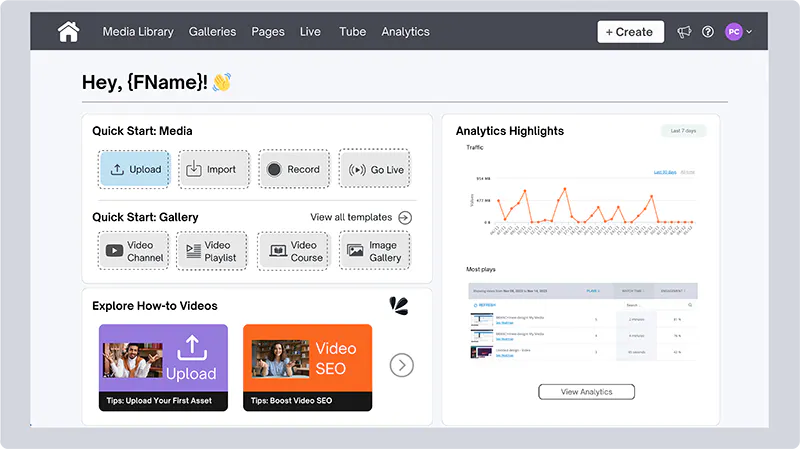
We’ve done a makeover for the menu bar, too. Now, you can easily access and switch between different creator tools from the menu. The Account Setting dashboard is moved into the user profile section.
So, why is it great for you?
- Start Creating Instantly: Your creative genie doesn’t wait around. We’ve made it way easier and faster for you to start uploading media, creating new image galleries or video playlists, and recording new videos! Let your creativity flow.
- Stay in the Know: Keep track of your content performance and site traffic, and easily jump into the analytics to dive deep into the insights. Stay on top of everything, easy peasy!
- Friendly to New Users: Trial users can get acquainted with Cincopa faster with the new onboarding checklist (coming soon) and easily get in touch with our team at their fingertips.
Whenever you wander away from Home, you can always go back by clicking on the Home button on the menu bar.
Happy hanging out at your new Home! 🏠
Learn More: https://www.cincopa.com/help/account-home-page/