Learn / Walkthrough Maintenance

How to Keep Product Walkthroughs Current When the UI Changes

A practical system for version labels, ownership, review dates, replacement workflows, update triggers, and obsolete-content handling.

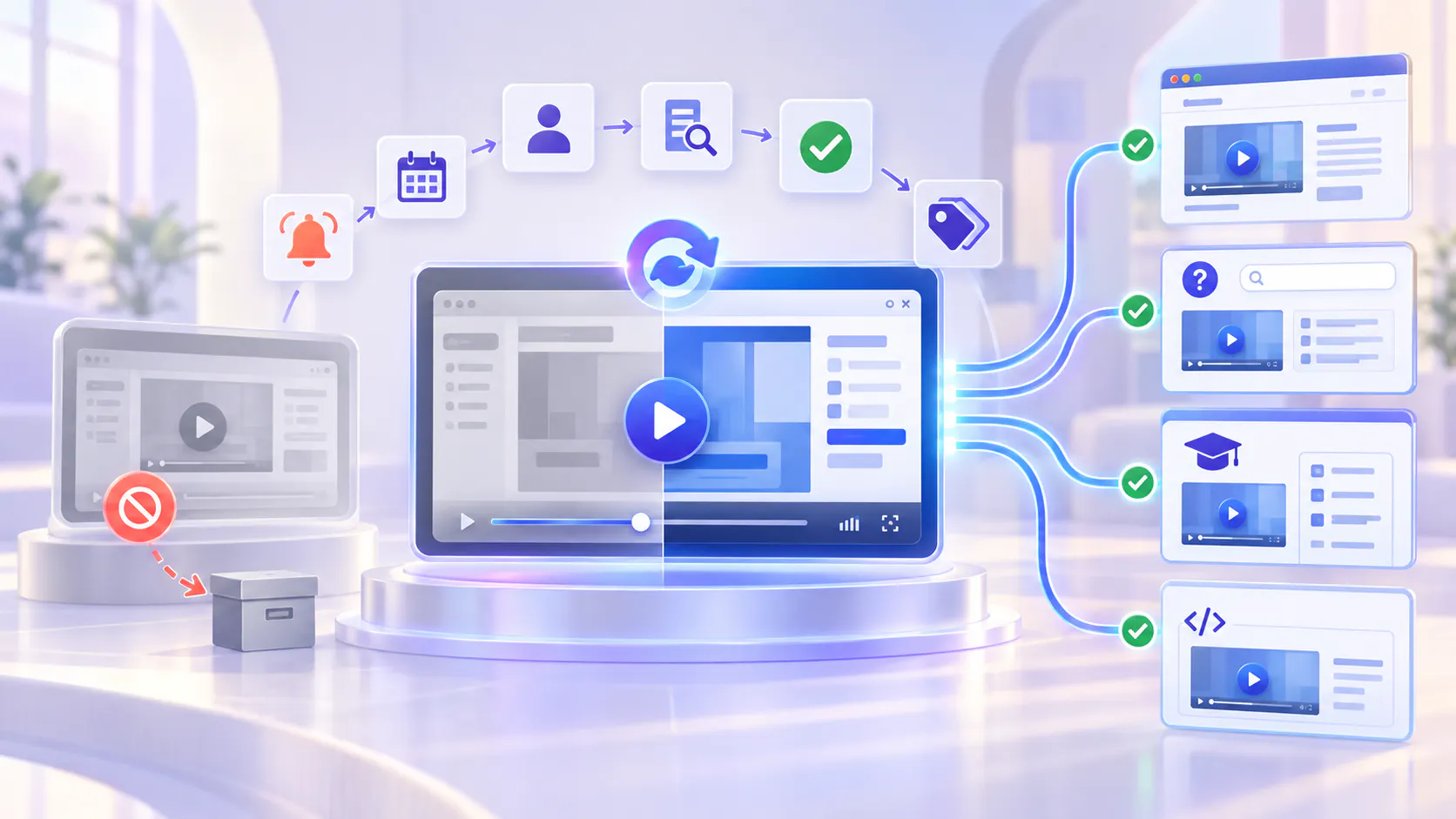
Hero image

A walkthrough becomes a liability when users cannot tell whether it is current

Product walkthroughs are valuable because they show the interface, sequence, and context that written instructions can miss. The same visual detail also makes them vulnerable to product change. A renamed button, moved setting, new navigation pattern, updated permission model, or altered workflow can make a trusted walkthrough confusing or wrong.

The solution is not to rerecord every video after every release. It is to maintain walkthroughs as governed product knowledge. Each asset needs a clear scope, version context, accountable owner, review date, update triggers, and a defined action when it becomes outdated.

Core principle: Do not promise that every walkthrough is timeless. Make it easy to know what it covers, who owns it, when it was reviewed, and what happens when the product changes.

Why walkthrough maintenance is harder than initial creation

UI changes are uneven. One release may change a label; another may alter the entire workflow.

The same walkthrough may appear in product pages, help articles, onboarding paths, support responses, and customer academies.

Visual mismatch damages trust quickly. Users notice when the screen no longer matches what they see.

Old and new guidance can remain searchable at the same time, producing conflicting answers.

Ownership is often clear during launch but disappears after the original creator moves to another project.

Rerecording everything is expensive, so teams postpone updates until the library becomes unreliable.

A good maintenance system reduces unnecessary rerecording while making genuinely unsafe or misleading content easy to identify, replace, restrict, or retire.

MAINTENANCE RECORD

Start with a maintenance record for every important walkthrough

Treat the walkthrough as a maintained knowledge asset, not just a video file. Record enough context to support review and replacement.

The walkthrough maintenance playbook

Use the following eight-step process to keep important walkthroughs accurate without rebuilding everything after every release.

1. Label the scope and version clearly

A version label should help the user decide whether the walkthrough applies to their experience. Use the narrowest label that remains operationally useful.

Name the product area, workflow, and intended audience.

Add a release number when customers may use more than one supported version.

Use a “reviewed on” or “current as of” date when the product is continuously delivered.

State important prerequisites, permissions, plans, or role assumptions.

Mention known interface differences when a full replacement is not yet necessary.

Do not rely only on the upload date. A recently uploaded recording can still demonstrate an older interface, and an older walkthrough can remain accurate for a stable workflow.

STEP 2

2. Assign one accountable owner

Maintenance fails when everyone can notice a problem but nobody is responsible for resolving it. Assign ownership at the product-area or workflow level so the role survives staff changes.

  • The owner confirms whether a release affects the walkthrough.
  • The owner chooses the correct action: keep, annotate, patch, replace, archive, or retire.
  • The owner coordinates with product, support, documentation, and customer education.
  • The owner approves the new source before the old one is removed from active use.
  • A backup owner or escalation path covers leave, reorganization, and role changes.

Media Preview

STEP 3

3. Set review dates based on change risk

Not every walkthrough needs the same review frequency. Match the cadence to the rate of product change and the consequence of outdated guidance.

Review dates are a governance mechanism, not proof that content is correct. The owner must still inspect the actual workflow and supporting documents.

HIGH

High risk

Permissions, security, billing, integrations, admin settings, and regulated workflows. Review on relevant release and on a frequent scheduled cadence.

MEDIUM

Medium risk

Common workflows, onboarding, reporting, and team configuration. Review after material UI changes and at a regular interval.

LOW

Low risk

Conceptual overviews, stable background, and outcome-focused education. Review on a longer cadence or when the product narrative changes.

4. Define update triggers before the release ships

A scheduled review catches gradual drift. Update triggers catch important changes sooner. Add walkthrough impact to the release or change-management process.

A button, field, menu, navigation path, or screen is renamed or moved.

The number or order of steps changes.

Permissions, roles, prerequisites, plan availability, or defaults change.

A workflow gains a new required decision, warning, or exception.

A feature is deprecated, replaced, merged, or removed.

Support begins receiving repeated questions about a mismatch.

Search questions or weak answers indicate that users are reaching unclear guidance.

A supporting guide, release note, or policy changes the correct instruction.

Important: Cincopa can support reusable collections and reveal usage or question signals, but the content team must define and operate the staleness-review process. Do not claim automatic stale-content detection.

STEP 5

5. Choose the smallest safe update action

A UI change does not always require a complete rerecording. Use a decision ladder that protects accuracy without creating unnecessary production work.

6. Replace the source, not every destination

Walkthrough maintenance becomes expensive when the same file has been copied into many systems. Prefer a reusable collection model in which the maintained asset can serve multiple product, help, and training surfaces.

Cincopa Galleries can organize videos and supporting documents into a reusable collection that can be embedded across product pages, documentation, help centers, training systems, and hosted Pages. When the maintained source or collection is updated, teams can keep those delivery surfaces aligned without rebuilding a separate library for each destination.

Maintain an inventory of every important embed and hosted destination.

Replace the approved source in the governed collection.

Check titles, captions, transcripts, documents, thumbnails, chapters, and links.

Validate the refreshed experience in every high-risk destination.

Confirm that caches, duplicate uploads, downloads, and external copies do not continue exposing obsolete guidance.

7. Handle obsolete content deliberately

Deleting an old walkthrough immediately can break links, remove useful history, or leave customers without any guidance during a transition. Keeping it active without a warning creates a different risk. Choose an explicit status and user experience.

Add a dated notice when an old workflow remains temporarily supported.

Point users to the replacement walkthrough or current release collection.

Remove obsolete assets from search and active onboarding paths when they should no longer guide behavior.

Restrict historical material to internal or authorized audiences when it remains useful for support or audit context.

Retire attached documents, screenshots, and written steps together with the video.

Test common questions after the change to ensure the current source is retrieved.

STEP 8

8. Verify the updated walkthrough before broad release

A technically correct rerecording can still fail if it is published with the wrong metadata, incomplete captions, outdated supporting files, or broken placement. Use a short acceptance check.

  • The workflow matches the current product from start to finish.
  • Labels, permissions, prerequisites, and expected results are correct.
  • The title and description reflect the current task and audience.
  • Captions and transcript correctly represent product names and technical terms.
  • The version label, owner, and review date are updated.
  • Supporting documents and release notes match the demonstrated workflow.
  • The new source appears correctly in active Galleries, Pages, help surfaces, and training destinations.
  • The old source is annotated, archived, redirected, or retired as planned.
  • Representative questions return the current explanation and source.

Media Preview

RELEASE WORKFLOW

Build maintenance into the product-release workflow

Walkthrough maintenance works best when it starts before release day. Add a content-impact checkpoint to the same process used to review documentation, support readiness, and customer communication.

PRIORITIZATION

How to prioritize a maintenance backlog

When several assets need attention, do not prioritize only by age. Start with the content most likely to cause harm, block progress, or create repeated support effort.

  • Customer impact: How many users or important accounts rely on the walkthrough?
  • Error risk: Could the outdated instruction create a security, billing, permission, compliance, or data problem?
  • Workflow criticality: Does the content block setup, activation, adoption, or support resolution?
  • Degree of mismatch: Is the change cosmetic, navigational, procedural, or behavioral?
  • Discoverability: Is the old asset still highly visible, embedded, searchable, or frequently shared?
  • Replacement effort: Can the problem be safely annotated or patched, or does it require a complete rerecording?

Media Preview

FRESHNESS METRICS

Measure knowledge freshness, not just video production

  • Percentage of priority walkthroughs with an assigned owner and review date.
  • Percentage of high-risk walkthroughs reviewed after a relevant release.
  • Time from product change to updated approved guidance.
  • Number of obsolete assets still active, embedded, searchable, or frequently viewed.
  • Repeated questions and support issues caused by UI mismatch.
  • Current-source retrieval rate for representative product questions.
  • Percentage of replacements completed without rebuilding every destination.
  • Content gaps or weak answers converted into maintained updates.

Media Preview

Common maintenance mistakes

Rerecording everything after every release. This creates unnecessary cost and delays. Match the response to the severity of the change.

Using the upload date as the version label. Upload time does not reliably describe the product version or last validation date.

Leaving ownership with the original creator. Assign responsibility to a durable product area, function, or role.

Replacing the video but not the supporting material. Captions, transcripts, PDFs, screenshots, chapters, and help links can remain outdated.

Deleting the old source before validating the replacement. This can break embeds and create a gap in customer guidance.

Keeping historical content searchable without a warning. Users may follow an obsolete workflow because it appears authoritative.

Claiming that AI automatically knows what is stale. Freshness requires explicit ownership, product-change inputs, review, and approval.

How Cincopa supports a maintainable walkthrough layer

Cincopa helps teams organize walkthrough videos and supporting documents into reusable product-knowledge collections. Galleries can be embedded across product pages, help centers, documentation, and training environments. Pages can provide focused hosted destinations for release or product education. VideoGPT can help users ask across the available collection and reach the relevant source moment or supporting document.

The maintenance advantage comes from governed reuse: maintain the approved source and collection, then keep connected delivery surfaces aligned. Product teams still need to define owners, version labels, review dates, update triggers, approval rules, and obsolete-content handling. Cincopa should not be presented as automatically detecting stale walkthroughs.

FREQUENTLY ASKED QUESTIONS

Walkthrough maintenance FAQs

Make freshness part of the publishing system

A current walkthrough library is not produced by occasional cleanup. It comes from a repeatable maintenance system: label the scope, assign an owner, schedule review, connect product changes to update triggers, choose the smallest safe response, replace the governed source, handle obsolete material deliberately, and verify the result.

START WITH YOUR MOST-USED WALKTHROUGHS

Create a maintainable product-update video library

Select the ten walkthroughs used most often. Add an owner, version label, last-reviewed date, next review, update triggers, active locations, and current status to each one.