DECISION GUIDE
- Choose the right primary format
- Connect video and written guidance
- Build searchable product knowledge
Choose the format that makes each product answer easiest to understand, verify, update, and retrieve.
DECISION GUIDE
Product documentation works when users can reach the right explanation in the format that fits the question. Some answers need exact wording, fields, conditions, or branching logic. Others become clear only when users can see the interface move through a real workflow.
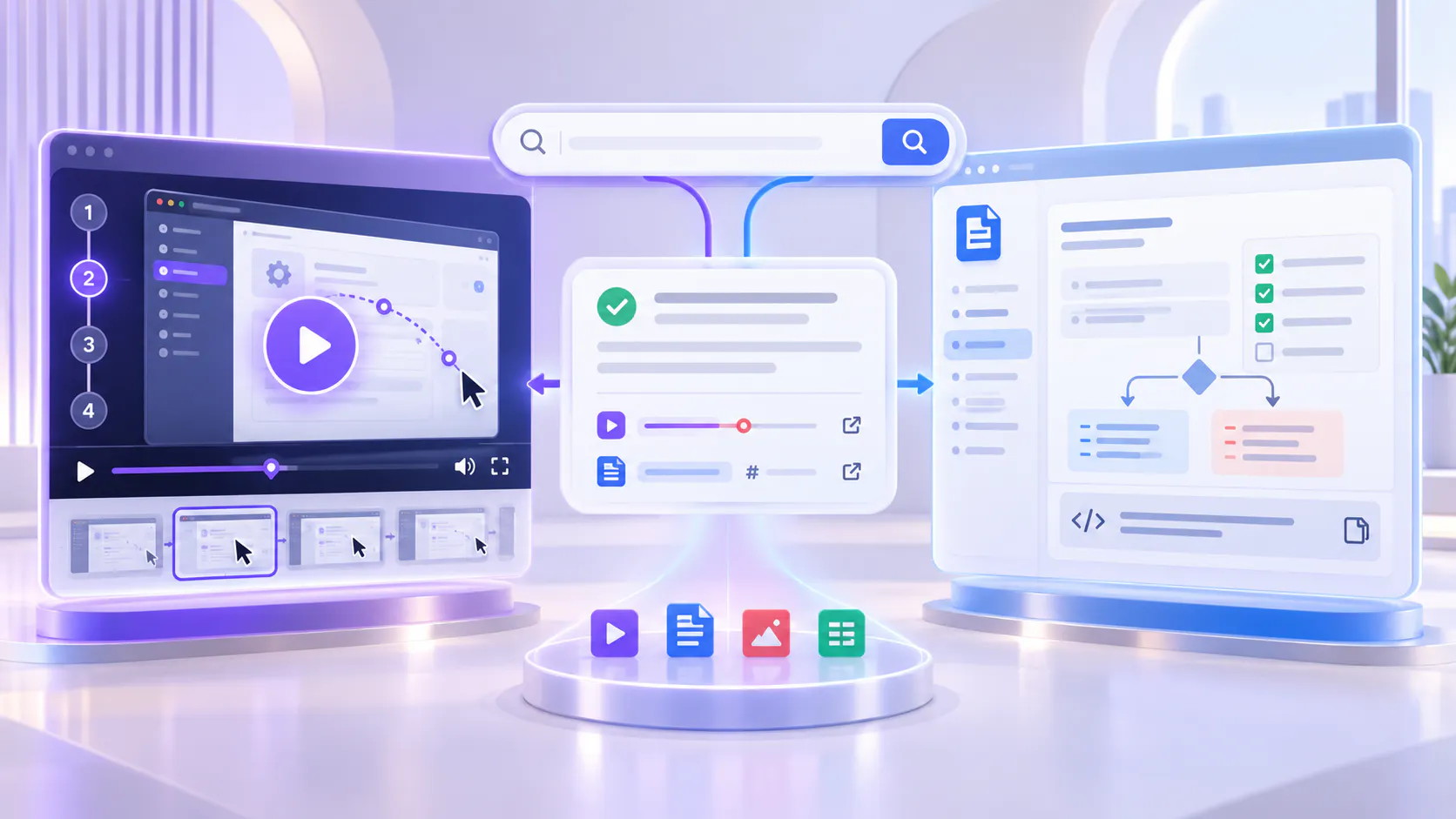
That is why the strongest documentation systems do not force one format across every topic. They use written documentation for precision and fast scanning, video for motion and context, and a searchable multi-format layer when one question may require both.
Quick answer: Use text for exact details, branching, and frequently changing reference information. Use video for motion, sequence, and real workflow behavior. Use both when the user needs to understand the process and verify the details.
Video documentation shows the product in motion. It helps users understand how screens connect, where an action begins, what changes after a click, and what a successful result should look like.
Demonstrating a workflow from start to finish.
Showing navigation, interaction, timing, and visual feedback.
Explaining product behavior that is difficult to describe with screenshots alone.
Giving users confidence before they complete an unfamiliar or high-friction task.
Providing realistic examples that connect a feature to a practical outcome.
Capturing the explanation that product specialists, trainers, and support teams repeatedly give live.
Video is especially useful when the answer depends on seeing what happens. A short walkthrough can often communicate sequence and context more naturally than a long set of written steps.
Video is not automatically the clearest format. It can be slow to scan when a user needs one field name or command. It is also more expensive to update when the interface changes and can hide a short answer inside a longer recording.
Exact field values, commands, parameters, formulas, and code that users need to copy.
Complex branching logic with many conditions and exceptions.
Long lists of settings, permissions, requirements, or supported options.
Information that changes frequently and needs rapid correction.
Reference material that users compare across several sections.
Accessibility needs that require a complete transcript or equivalent written explanation.
A transcript improves video accessibility and searchability, but it does not automatically become well-structured reference documentation. Important instructions may still need a separate written form.
Written documentation is precise, scannable, searchable, and relatively easy to update. Users can compare steps, copy values, follow branches, and return to one sentence without replaying a sequence.
Listing exact fields, settings, requirements, commands, and expected values.
Explaining conditional paths, exceptions, permissions, and decision rules.
Supporting quick lookup and copy-and-paste actions.
Documenting frequently changing details that need controlled updates.
Creating a stable reference for troubleshooting, governance, or compliance.
Linking related topics into a navigable information architecture.
Text is usually the better source of truth when correctness depends on precise language or when readers need to scan and compare information quickly.
Text can describe a workflow without making the workflow feel obvious. Long instructions may ask users to translate words into movement while also locating the same controls in the interface.
A process crosses several screens or tools.
The user must recognize a visual state, animation, or change in context.
The result depends on timing, sequence, or spatial relationships.
The task is unfamiliar and users need reassurance that they are following the right path.
The explanation becomes longer than the task itself.
A realistic example communicates the purpose better than abstract instructions.
In these cases, a focused walkthrough can reduce interpretation. The written guide should still cover exact requirements, exceptions, and details the video cannot present efficiently.
Use the question below to choose the primary format. These are guidance rules, not absolute limits. A topic may begin in one format and link to another when the user needs more depth.
Best used for
Field names, configuration values, commands, syntax, permissions, prerequisites, limits, and other information users must read or copy precisely.
Avoid relying on it for
Demonstrating motion-heavy behavior when the visual sequence is the real source of confusion.
Best used for
Decision trees, conditional workflows, role differences, error states, troubleshooting paths, and situations with several possible outcomes.
Avoid relying on it for
Forcing users to hold a long branching process in memory while watching a linear recording.
Best used for
Release-specific settings, plan availability, supported options, integration requirements, and reference information that must be corrected quickly.
Avoid relying on it for
Treating every minor text or configuration change as a reason to rerecord an entire walkthrough.
Best used for
Navigation, drag-and-drop actions, visual feedback, transitions, timing, and product behavior that users need to see.
Avoid relying on it for
Presenting dense reference information that users need to scan or copy.
Best used for
Multi-screen tasks, setup sequences, real examples, unfamiliar processes, and explanations where seeing the successful result builds confidence.
Avoid relying on it for
Replacing every written prerequisite, exception, or exact value with narration.
Best used for
Questions that combine purpose, workflow, exact details, supporting documents, and follow-up troubleshooting.
Avoid relying on it for
Publishing disconnected videos and documents that force users to search separate systems.
Start with the action the user is trying to complete, not the format your team prefers to produce.
The user needs to copy something. Lead with text.
The user needs to compare options. Lead with text and use a concise visual only if it improves comprehension.
The user needs to see where to click or what changes. Lead with a focused video walkthrough.
The user needs to complete a multi-step process. Use video for the workflow and text for prerequisites, exact values, and exceptions.
The user has an urgent troubleshooting question. Provide a short written resolution path, supported by a visual clip when the state or behavior matters.
The user may ask the same question in different ways. Place approved video and written sources in one searchable knowledge layer.
Using both formats does not mean duplicating every word. Give each format a specific job and connect them around the same user outcome.
Give the video and written guide the same task name, audience, product area, and expected outcome. Users should immediately understand that the assets explain the same workflow.
Keep the walkthrough focused on sequence, interaction, context, and the successful result. Avoid reading an entire reference document aloud.
Place prerequisites, field values, permissions, exceptions, commands, links, and troubleshooting details in the written guide. Make important information easy to scan and copy.
Embed the walkthrough in the relevant documentation page and link from the video context to the detailed guide. Use consistent titles and metadata so users and search systems recognize the relationship.
Assign one owner, version context, review date, and update trigger to the combined topic. A product change should prompt a review of the video, transcript, screenshots, written steps, and attachments together.
A video should solve a visual or workflow problem. Recording every article creates a second documentation estate that is expensive to maintain and may not improve the user experience.
Prioritize workflows that users struggle to visualize.
Create short clips for recurring confusion points rather than long generic recordings.
Use support questions and search behavior to identify topics that need visual explanation.
Keep reference-heavy and frequently changing information in text.
Avoid recording content simply to increase the size of the video library.
Placing a video on a documentation page does not automatically create useful video knowledge. The asset still needs a clear scope, title, transcript, context, related documents, ownership, and a path for users to find the exact answer.
Long webinars and training sessions may contain valuable explanations, but users should not have to replay the full recording to find one moment. Break out high-demand answers when appropriate and make the source searchable with accurate transcripts, metadata, and supporting material.
Many product questions do not fit cleanly into video or text. A user may ask what a feature does, how to perform the workflow, which permission is required, and what to do when the result differs. The complete answer may span a walkthrough, written guide, release note, and troubleshooting reference.
Cincopa helps documentation and product education teams pair videos, PDFs, screenshots, release materials, and other supporting documents in reusable Galleries or hosted Pages. These collections can be embedded into documentation, help centers, product pages, training environments, and other customer surfaces.
VideoGPT can help users ask across the available knowledge and reach a grounded answer tied to the relevant video moment or supporting document. The goal is not to replace the documentation system. It is to make the combined product knowledge easier to browse, ask, and reuse.
The format decision changes when content becomes searchable as one layer: users do not have to choose the correct asset first. They can begin with a question and move to the source that best explains the answer.
Define the user, task, context, and outcome. Collect the language users already use in support tickets, search, onboarding, and customer conversations.
Separate exact details and branching from motion, sequence, and visual behavior.
Lead with text, video, or a combined package based on the user’s job.
Do not duplicate content by default. Add a walkthrough to solve a visual problem or add text to provide precision and reference.
Use consistent titles, metadata, links, transcripts, attachments, and collection organization.
Place the knowledge where users already look: documentation, help articles, product pages, training surfaces, or a dedicated Page.
Confirm that users can find the topic using their own language and reach the correct video moment or written source.
Use recurring questions, weak answers, support demand, engagement, and product changes to decide what needs clearer text, a new clip, or updated structure.
The primary format matches the user’s task.
The video has a focused scope and does not hide the answer inside unnecessary content.
The written guide contains exact values, prerequisites, permissions, branches, and exceptions.
The video and document use consistent terminology and describe the same current workflow.
Captions and transcripts accurately represent product names and technical language.
Users can move between the walkthrough and supporting documentation.
The topic has a clear owner, review date, and update trigger.
Obsolete videos, screenshots, and written steps are removed or clearly labeled.
Representative questions retrieve the current approved source.
Accessibility does not depend on a single format.
Choosing a format based on production convenience. Start with the user’s information need.
Using video for exact reference data. Give users text they can scan, verify, and copy.
Using text for a motion-heavy workflow. Show the interface when words force users to imagine too much.
Duplicating everything in both formats. Let video and text perform different, connected jobs.
Publishing disconnected assets. Organize related sources as one topic or collection.
Ignoring maintenance cost. Keep frequently changing details in the format that can be updated safely.
Treating AI retrieval as a substitute for source quality. Answers still depend on clear, current, approved videos and documents.
Measuring only views. Evaluate whether users find the answer, complete the task, and avoid repeated support effort.
FREQUENTLY ASKED QUESTIONS
Clear answers about choosing and combining video and written documentation.
Neither format is universally better. Video is stronger for motion, workflow, and visual context. Text is stronger for precision, scanning, branching, frequent updates, and copyable reference details.
Use video when users need to see navigation, behavior, sequence, timing, or a realistic workflow. Keep the video focused on one clear task or outcome.
Use text first for exact fields, commands, settings, permissions, conditional logic, troubleshooting branches, and information that changes frequently.
No. Add video when it makes the topic easier to understand. A stable reference page with clear text may not need a walkthrough.
Let the video demonstrate the process and let the written guide carry prerequisites, exact values, branches, exceptions, and reference details. Connect both around the same task.
It is an organized environment where users can retrieve answers across videos and supporting documents without first guessing which format contains the answer.
No. Cincopa can strengthen an existing documentation experience by organizing and embedding video collections, connecting supporting documents, and enabling answer retrieval across available sources.
VideoGPT can help users ask questions across available videos and documents, receive grounded answers, and reach the relevant video moment or supporting source.
The best documentation system is not video-first or text-first in every situation. It is question-first. It uses the format that makes each answer easiest to understand, verify, update, and apply.
Use written documentation for exact information, branches, and frequent change. Use video for motion, sequence, and real product behavior. Connect the two when the workflow and the details matter together. Then make the combined knowledge searchable so users can begin with the question instead of searching separate content systems.
Next step: Review one high-demand documentation category. Mark each topic as text-first, video-first, or mixed, then connect the approved sources around the user’s real questions.
Review one high-demand documentation category, choose text-first, video-first, or mixed, and connect the approved sources around the user’s real questions.