When Product Education Is the Wrong Fix for Low Adoption

Low adoption does not automatically mean users need more training.

A feature may be difficult to discover, confusingly named, unavailable to the right audience, or too cumbersome to use. Sometimes users understand it perfectly but do not see enough value to change their existing workflow.

Publishing another walkthrough will not resolve every one of those problems.

Product education is most useful when people need knowledge to complete a worthwhile task. Before creating more content, determine whether users are missing an explanation—or whether the product itself needs to change.

Hero image

Start with the behavior, not the training plan

“Adoption is low” is an observation, not a diagnosis.

First, define the behavior you expected. Does adoption mean first-time setup, completion of a workflow, repeat use, or successful use by a specific role?

Then identify the relevant audience and timeframe. A feature used monthly should not be evaluated against a daily-use expectation. An administrator-only workflow should not be measured against every account user.

Before selecting a fix, ask:

Who should use this feature?

What useful outcome should it deliver?

When would that audience naturally need it?

Can those users access it?

Where does their progress stop?

What evidence would show that the problem has improved?

A clearer definition can reveal that the issue is narrower than “customers do not understand the product.”

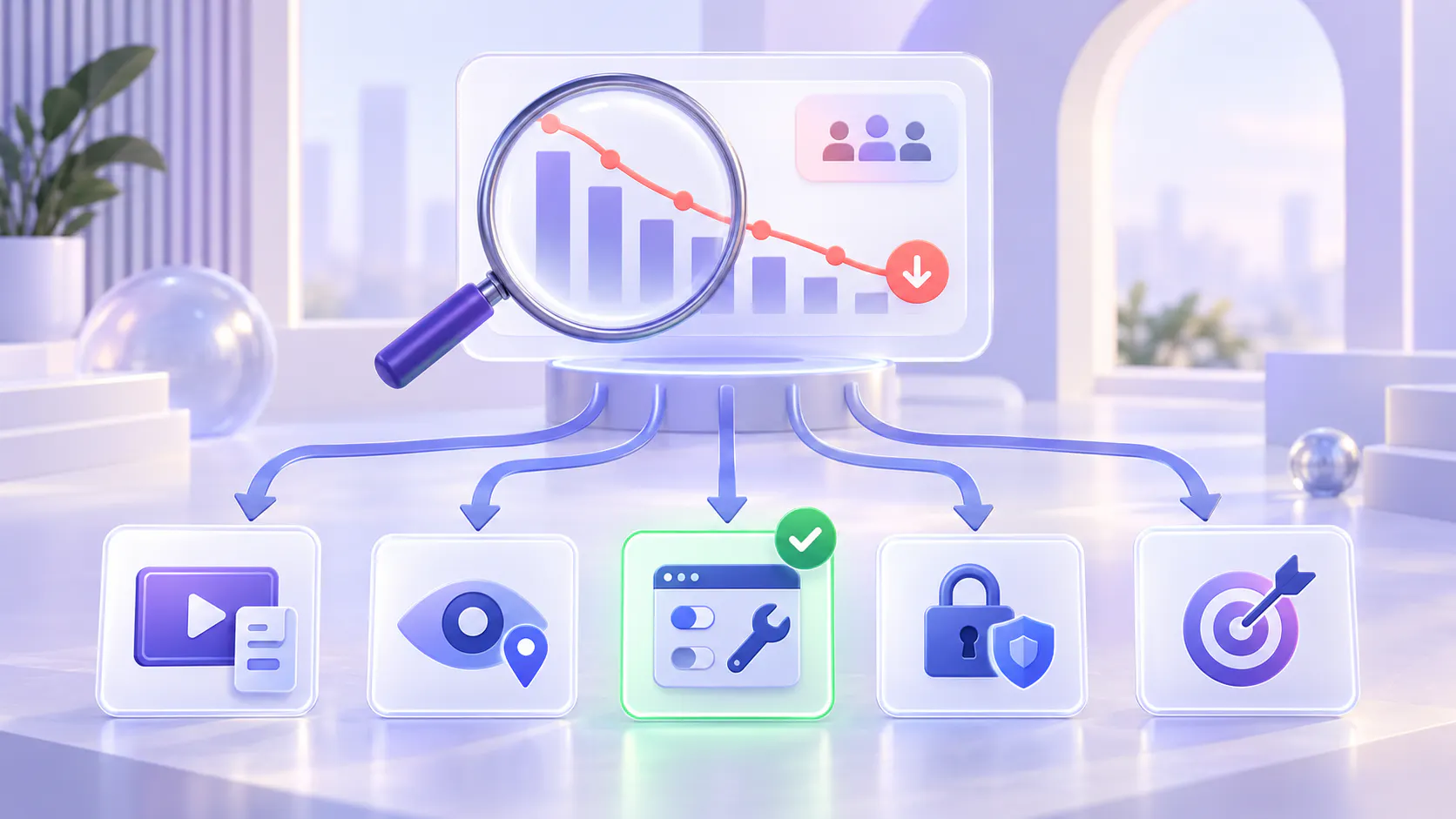
A diagnostic decision tree for low adoption

Use the following questions in order. Each answer points toward an initial investigation, not a definitive diagnosis. Several causes may exist together.

1. Is the feature relevant and available to the intended user?

If no: Investigate audience fit, permissions, plan availability, prerequisites, or implementation readiness.

A user cannot adopt a feature they cannot access or do not need.

If yes: Continue to the next question.

2. Does the user know the feature exists and where to find it?

If no: Investigate awareness and discoverability.

Consider navigation, contextual entry points, search terms, and targeted communication. A launch announcement may help people notice a feature, but it does not guarantee they can locate it later.

If yes: Continue to the next question.

3. Can the user explain what the feature does and when it is useful?

If no: Investigate naming, positioning, and conceptual understanding.

Test a clearer label and a short explanation of the outcome. Use education when the underlying concept genuinely needs explanation.

If yes: Continue to the next question.

4. Can the user complete the task without someone guiding every action?

If no: Observe the attempt.

If the user lacks necessary knowledge about a legitimate workflow, test focused guidance.

If the user encounters misleading controls, unclear feedback, errors, or unnecessary steps, prioritize UX or engineering work.

If yes: Continue to the next question.

5. Does successful use deliver an outcome worth the effort?

If no: Investigate product value, workflow fit, reliability, and switching cost.

More education is unlikely to make an unhelpful outcome compelling.

If yes: Continue to the next question.

6. When the need returns, can the user repeat the task or retrieve the answer?

If no: Investigate knowledge retrieval and reinforcement.

This is a strong opportunity for reusable product education: focused walkthroughs, supporting documents, contextual help, and searchable answers.

If yes: Revisit the adoption expectation. The task may occur infrequently, depend on another team, or be constrained by organizational priorities.

When discoverability is the real problem

Users cannot choose a feature they do not notice.

A discoverability problem may appear when customers repeatedly request a capability that already exists, search under different terminology, or look for the feature in another part of the interface.

What to investigate

Watch where users expect the feature to be. Ask them to find it without telling them its name or location.

What to change

Improve navigation, labels, contextual entry points, or relevant announcements. Put the feature near the task it supports.

Where education helps

A short introduction can explain a newly available capability. A durable guide can support later use.

However, a video explaining where a hidden control lives should not become the permanent substitute for making that control discoverable.

When naming creates the confusion

Internal product terminology does not always match the language customers use.

A label may be technically accurate yet fail to communicate the action or outcome. Users might overlook “Automation Studio” when they are looking for “Schedule a report.”

What to investigate

Ask users what they think the label means before explaining it. Compare their expectations with what happens after they select it.

What to change

Test clearer labels, supporting descriptions, and consistent terminology across the interface and documentation.

Where education helps

Some concepts require explanation, especially in specialized products. Education can teach those concepts and demonstrate their application.

It should not be used to defend terminology that could be made clearer.

When the workflow needs a UX fix

A knowledgeable user can still struggle with a poorly designed workflow.

Warning signs include repeated backtracking, missed controls, unclear validation messages, uncertainty about whether an action succeeded, or dependence on an expert to navigate routine steps.

What to investigate

Observe the task rather than asking only whether users watched the tutorial. Identify the exact moment where their expectation differs from the interface.

What to change

Simplify unnecessary steps, improve feedback, clarify error recovery, and make important actions easier to recognize.

Where education helps

A walkthrough is valuable when it explains a genuinely complex process, shows a useful example, or prepares users for an unfamiliar task.

It is less valuable when it repeatedly teaches people to work around avoidable interface problems.

A temporary guide can support users while a fix is developed. Give that guide an owner and a review date so the workaround does not become permanent.

When access or setup blocks adoption

Not every failure to use a feature is a learning problem.

The user may lack permissions. An integration may not be configured. Required data may be missing. Another team may need to approve or complete a prerequisite.

What to investigate

Separate users who are eligible and ready from those who are blocked. Confirm access, configuration, dependencies, and implementation ownership.

What to change

Resolve the access or setup issue. Make prerequisites visible before users begin.

Where education helps

A setup guide can explain requirements and responsibilities. It cannot grant permission, fix a broken integration, or complete an organizational approval.

Do not measure these users as if they simply ignored available training.

When the product does not deliver enough value

Users may understand a feature, find it easily, and complete the workflow—but still prefer their existing method.

The new approach may take longer, produce an unsuitable result, or require coordination that outweighs the benefit.

What to investigate

Ask what users do instead and why. Compare the full effort required, including setup, review, handoffs, and maintenance.

What to change

Improve the outcome, reduce the effort, or reconsider the target use case. Sometimes the feature serves a narrower audience than originally expected.

Where education helps

A realistic example can reveal value users have not recognized. But if users understand that example and still find the feature unhelpful, the next step is product discovery—not a longer tutorial.

Education can explain value. It cannot manufacture it.

When product education is the right fix

Education becomes a stronger candidate when the task is relevant, the feature is accessible, and the product works, but users lack the knowledge needed to succeed.

Look for evidence such as:

Users complete the task after a focused explanation.

New users repeatedly ask the same legitimate workflow questions.

A process is difficult to understand without seeing it demonstrated.

Users forget an infrequent task and need a reliable reference.

Existing answers are scattered across recordings and documents.

Users understand the concept but cannot find the specific instruction they need.

Even here, start with a small test. A successful live explanation is evidence worth investigating, not proof that a large content program is necessary.

The right intervention might be one clearer paragraph, one short walkthrough, or easier access to an existing guide.

Distinguish missing content from hard-to-find knowledge

Before producing another video, check whether the answer already exists.

A training recording may contain the explanation. A supporting PDF may list the prerequisites. A release guide may explain the changed behavior. The problem may be reaching that knowledge rather than creating it.

Ask:

Is there already a current, approved answer?

Can users find it using their own words?

Can they reach the relevant section without watching an entire session?

Are the video and written instructions consistent?

Is the answer available where the task happens?

If the answer exists but is difficult to retrieve, improve access first.

This is where a searchable product knowledge layer can help: connecting existing explanations to the questions users ask in the moment.

Test the smallest intervention that addresses the cause

Avoid launching a full education initiative before testing the diagnosis.

For a naming problem, test a clearer label.

For a discoverability problem, test a more relevant entry point.

For a knowledge gap, test a focused explanation.

For a retrieval problem, make an existing answer easier to find.

For a workflow problem, test a simpler interaction.

For a value problem, investigate the outcome users actually need.

Use representative users and a realistic task. Observe whether they can succeed independently, not just whether they say the guidance was helpful.

When possible, compare the intervention with a similar baseline or control group. Changes in usage can also reflect seasonality, customer mix, product releases, or support activity.

Measure the task outcome, not only content engagement

Video views and course completion can show that people encountered education. They do not establish that education solved the adoption problem.

Select measures that match the diagnosis.

For discoverability

Check whether intended users can locate the feature and begin the relevant task.

For comprehension

Check whether users can explain when to use it and choose an appropriate workflow.

For usability

Check task completion, errors, time spent, and the need for assistance.

For knowledge retrieval

Check whether users reach a useful answer and complete the task afterward.

For sustained adoption

Check repeat use when the need naturally returns and whether the intended outcome is achieved.

Do not assume that declining support questions prove success. Users may also stop asking because they have abandoned the task.

Treat recurring questions as evidence, not instructions to create more content

A repeated question can indicate several different problems.

“Where is the export button?” may signal poor discoverability.

“What does this setting mean?” may signal unclear naming or missing conceptual guidance.

“Why does this keep failing?” may signal a product defect.

“How do I repeat the annual setup?” may signal a legitimate reference need.

Review question patterns alongside product behavior, support cases, and user observation. Route each pattern to the team best placed to address it.

Customer education should not become the destination for every unresolved product issue.

Where Cincopa fits and where it does not

Cincopa is relevant when useful product knowledge exists in videos and supporting documents, but users struggle to find, understand, or reuse it.

Its Product Education solution organizes that material into reusable collections delivered through Galleries, hosted Pages, and embedded experiences. VideoGPT supports questions across the education library and direct access to relevant video moments. Explore Cincopa Product Education.

That makes Cincopa a fit for a knowledge-access problem.

It is not a substitute for clearer navigation, better feature naming, reliable functionality, appropriate permissions, or a stronger product-value proposition.

Start with a focused collection of current, approved explanations. Make it accessible to the relevant audience. Use real questions to identify missing knowledge—and distinguish those gaps from issues that require a product change.

Frequently asked questions

Fix the cause before expanding the library

Low adoption is a signal to investigate, not an automatic request for more training.

Use education when knowledge is missing. Improve retrieval when answers exist but are difficult to reach. Fix discoverability, naming, access, and UX when those barriers prevent progress. Revisit product value when users understand the feature but still have little reason to use it.

The strongest product education strategy includes knowing when education is not the right intervention.

Before recording the next walkthrough, choose one underused workflow, observe where users struggle, and test the smallest change that addresses the cause.