LEARN / VIDEO MANAGEMENT

Video Content Management Systems for Useful Libraries

Organize recordings, control audience access and publish useful collections. Connect a video CMS to searchable video and document knowledge.

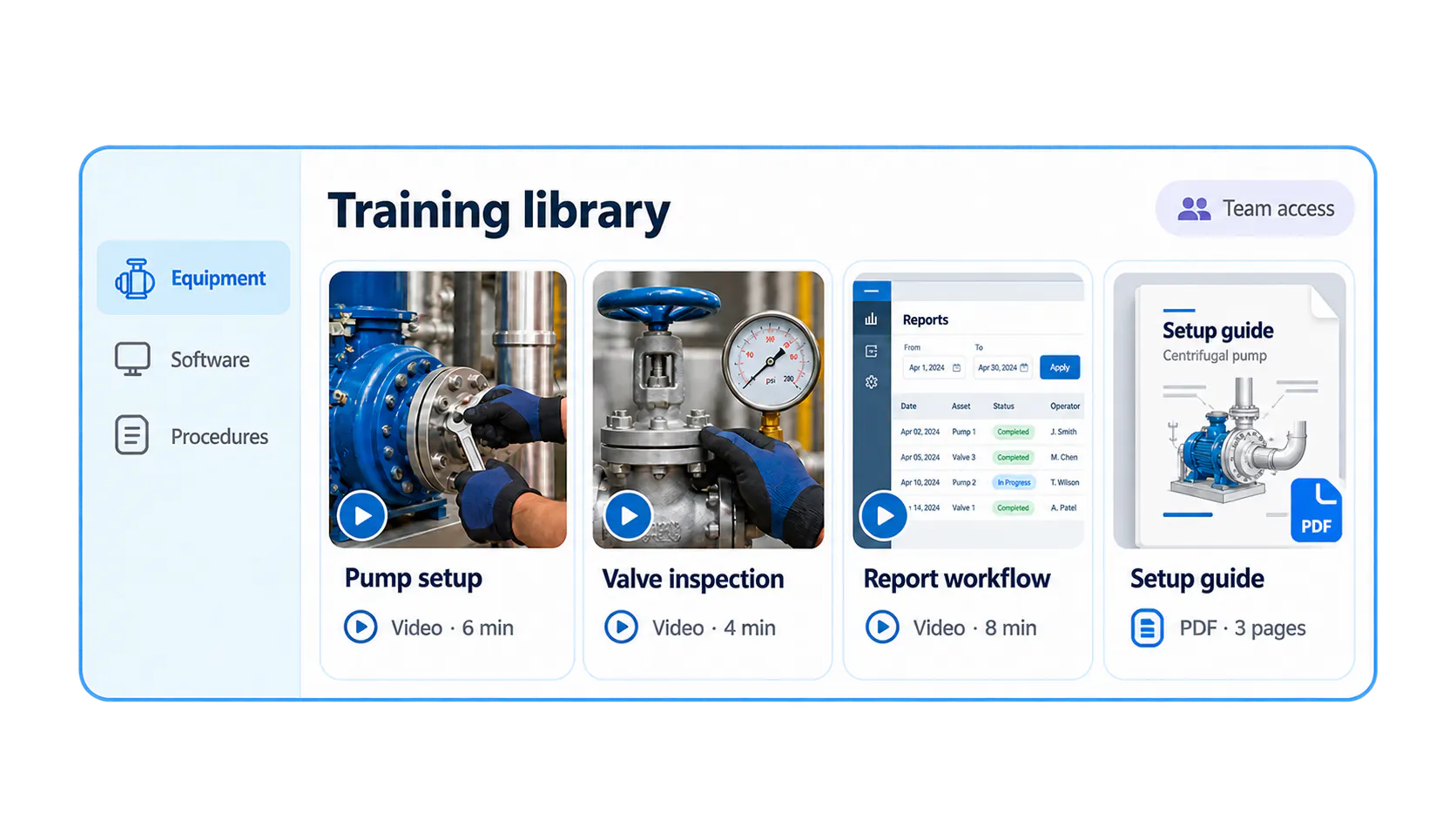
Conceptual governed training library groups pump, valve and software videos with a setup PDF and team access.

What is a video content management system?

A video content management system, often called a video CMS, is software for managing the lifecycle of video assets. It brings upload, video hosting, organization, playback, publishing, discovery and access control into a connected workflow.

An enterprise video CMS also needs to serve different audiences. A public product tutorial, a partner academy and an internal employee recording can use the same video foundation while requiring different publishing surfaces and access rules.

Video hosting, a video CMS or a knowledge platform?

These layers build on one another. A knowledge platform still needs reliable hosting and library management. This article focuses on operating that library; AI video search explains retrieval in more detail.

Layer
Main responsibility
Typical question
How it fits Cincopa
Video hosting
Upload, processing, playback and delivery
Can people reliably watch the recording?
The media foundation
Video CMS
Metadata, collections, publishing, access and analytics
Can the team operate and govern the library?
Galleries, Pages and Tube organize delivery
Video Knowledge Platform
Use recorded and written expertise to resolve questions
Can the audience find, ask and verify the answer?
VideoGPT adds sourced retrieval and question insights
Video hosting
Main responsibility
Upload, processing, playback and delivery
Typical question
Can people reliably watch the recording?
How it fits Cincopa
The media foundation
Video CMS
Main responsibility
Metadata, collections, publishing, access and analytics
Typical question
Can the team operate and govern the library?
How it fits Cincopa
Galleries, Pages and Tube organize delivery
Video Knowledge Platform
Main responsibility
Use recorded and written expertise to resolve questions
Typical question
Can the audience find, ask and verify the answer?
How it fits Cincopa
VideoGPT adds sourced retrieval and question insights

A centralized video library needs more than storage

Organization and metadata

Use titles, descriptions, tags and meaningful collections to make the video library understandable. In Cincopa, Galleries support embedded collections, while Tube adds workspaces and channels for recurring training and internal knowledge. Attach supporting PDFs so viewers can access the written detail alongside the demonstration.

Search inside recorded content

Transcripts create a text layer for spoken-word search. VideoGPT adds conversational video search and AI-powered knowledge retrieval across the available videos and documents. Timestamped transcript data enables links to the relevant moment, rather than leaving a viewer at the start of a long recording. Learn how AI video search works.

Publishing and audience access

Embed a Gallery in a website, help center or existing learning environment. Publish a branded Cincopa Page for a focused destination, or use Tube for a portal with workspaces, channels and user roles. Choose the delivery model and access controls for the audience.

Turn training into an on-demand knowledge utility

Training produces value beyond attendance when employees can retrieve the relevant explanation later. A central, governed video library gives how-to clips, software walkthroughs and recurring updates a home people can return to when a task comes up.

For example, an employee preparing a monthly report can ask how to complete the workflow, read an answer from the available training and supporting document, and open the timestamped demonstration. The recording becomes task help instead of another session to watch from the beginning.

This is just-in-time learning: keeping the right guidance available at the moment of need. A team how-to video library is a practical starting point for one department or recurring process.

What governance means for video knowledge

Control audience access and publishing responsibility

A governed video library makes it clear who can view content and who can manage it. Tube supports user groups and role-based permissions at the workspace or channel level. Select the appropriate authentication and access settings for the deployment; an embedded collection and an internal portal may have different requirements.

Keep the source useful and current

Governance also includes work done by the content team. Assign an owner to important procedures, identify the system or product version a walkthrough covers, review technical terminology and remove superseded instructions from the audience's active collection. These are operating practices for a trustworthy library.

AI-generated captions, summaries and metadata should be reviewed when accuracy matters. A searchable explanation is only useful if its source still describes the current process.

Put video knowledge inside existing workflows

Bring recorded sessions into the library

The Cincopa Zoom integration can bring supported recordings into Cincopa. After connection, prepare the transcript, metadata and audience access, then publish the collection and enable VideoGPT where people need to ask questions. Recording import is one part of the workflow; it does not replace content preparation.

Deliver guidance through existing tools

Teams can embed Cincopa video experiences in websites, documentation and supported LMS environments. The Moodle integration is an example of adding media to an existing learning environment. Choose a supported integration or embed that fits the tool people already use, and test the viewer's access and playback path. Explore Cincopa integrations.

A practical video CMS selection checklist

Evaluate a representative collection with its actual viewers, publishers and access rules. Use the same tasks when comparing systems.

Check
Test with your own library
Organization
Find a recording by task, role, system and current version.
Mixed media
Open the relevant PDF or job aid alongside the video.
Audience access
Test viewer and publisher permissions in each destination.
Publishing
Embed a collection and open a Page or Tube portal on mobile.
Retrieval
Ask a realistic question and verify the answer against its sources.
Operations
Update a recording and confirm guidance and links remain current.
Migration and scale
Review import, storage, delivery and library-management needs using your actual assets.
Improvement
Find which questions still need clearer or missing source content.
Organization
Test with your own library
Find a recording by task, role, system and current version.
Mixed media
Test with your own library
Open the relevant PDF or job aid alongside the video.
Audience access
Test with your own library
Test viewer and publisher permissions in each destination.
Publishing
Test with your own library
Embed a collection and open a Page or Tube portal on mobile.
Retrieval
Test with your own library
Ask a realistic question and verify the answer against its sources.
Operations
Test with your own library
Update a recording and confirm guidance and links remain current.
Migration and scale
Test with your own library
Review import, storage, delivery and library-management needs using your actual assets.
Improvement
Test with your own library
Find which questions still need clearer or missing source content.

Measure library performance and improve the content

Video analytics show how people use the recordings. VideoGPT Insights adds a view of the questions they ask, repeated topics and answers that need stronger source material. Use both to decide which walkthrough to update, which document to attach and which missing task explanation to create next.

For a practical publishing workflow, explore the Video Knowledge Base Builder. The Leidos customer story shows how structured video and document knowledge can serve multiple training and internal audiences.

Questions about video content management systems

Yes. Cincopa can connect videos with supporting PDFs and other supported documents, so a procedure can include a visual demonstration and the written detail people need.

A video CMS manages video assets and delivery. An LMS typically manages courses, assignments and learning records. Cincopa can provide the video and knowledge layer inside an existing learning environment, or a focused destination for task guidance.

Audience permissions, clear publishing responsibility and current source content make a library governed. In Cincopa, choose the available access controls for the delivery model and maintain an ownership and review process for important guidance.

Searchable video helps people locate content. An answerable video library also lets them ask a question, receive an explanation from the source material, and inspect the relevant video or document with VideoGPT.

NEXT STEP

Give your video library a job beyond storage

Start with one audience, one collection and the tasks the library should help people complete.