LEARN / JUST-IN-TIME

Just-in-Time Learning from Your Training Library

Training happens in a session. The need for help often comes later, when an employee has to generate a monthly report, follow an approval process, or use a screen they have not opened in weeks. Just-in-time learning brings the relevant explanation back into the workflow, at the moment they need to complete the task.

Cincopa turns the training videos and documents you already have into a searchable knowledge library. Employees can ask VideoGPT a question, read an answer grounded in the available sources, and jump to the video moment that demonstrates the next step. Repeated questions then help your team see which instructions need an update or a clearer explanation.

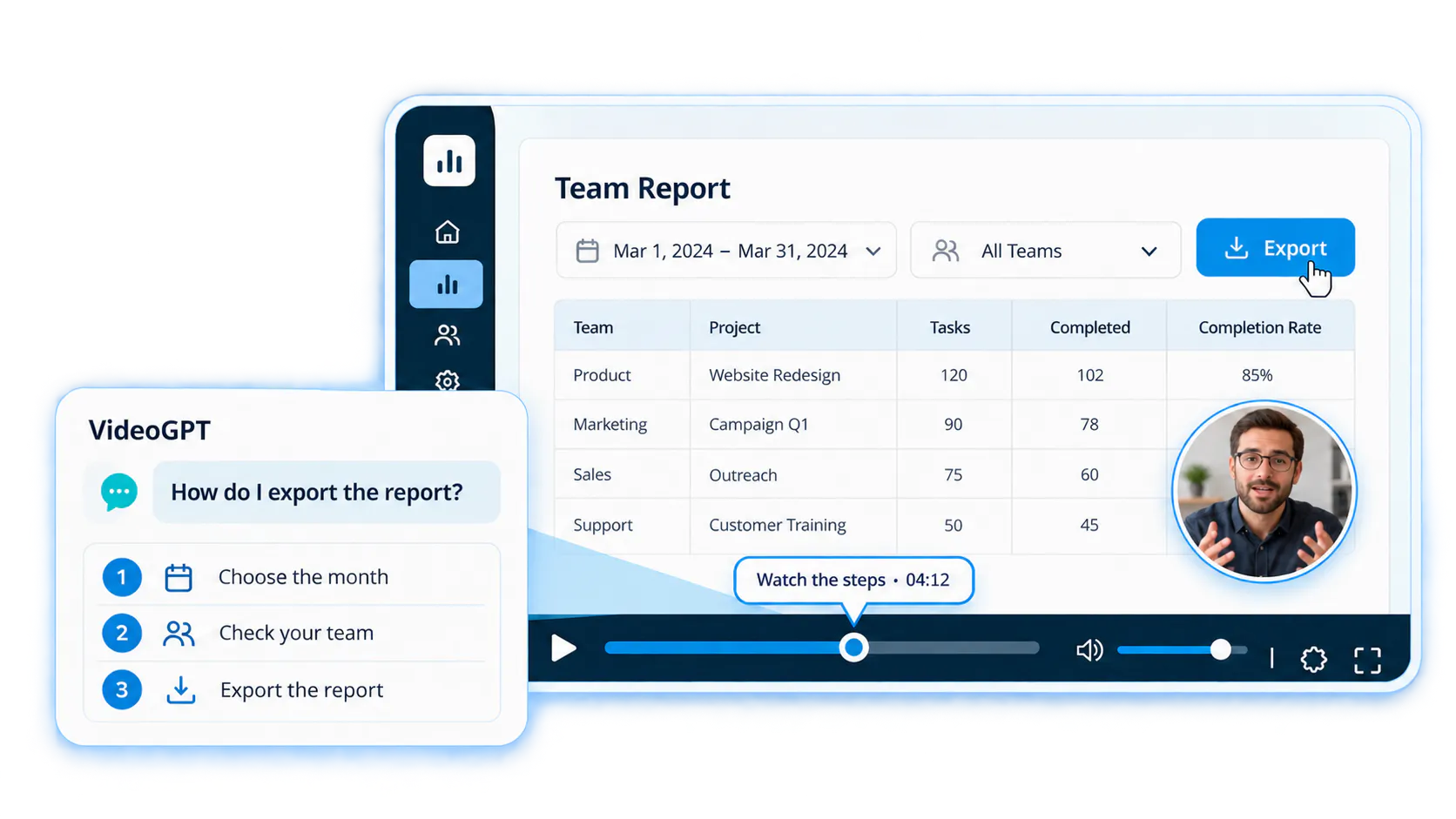
Conceptual VideoGPT report tutorial with a circular speaking presenter inside the video content, clearly above the unobstructed playback controls.

What is just-in-time learning?

Just-in-time learning gives people relevant guidance when they need to apply it. The unit of help is often a task: which report to open, what a field means, how to handle an exception, or what to do next in a workflow.

A formal course can build understanding of a system. A short tutorial can introduce a feature. Just-in-time help connects that knowledge to the employee’s current question. It can use a short walkthrough, a passage in a procedure, or the relevant segment of a longer training recording.

Microsoft describes learning in the flow of work as bringing learning into the tools and platforms employees already use. For an operational task, the useful test is whether the employee can find guidance and use it to continue working.

Why training attendance does not guarantee task recall

The task may not arise until long after the session. The employee may remember that something was demonstrated without remembering the terminology, file name, session date, or position in the recording. Searching by the video title alone can miss the explanation.

Long recordings are valuable because they preserve demonstrations, context and questions. They become difficult to use when employees must replay whole sessions or scrub through hours of material to find one step.

"I attended the training, but now I can’t remember how to generate the monthly report. I know someone showed it. I just can’t find where."
Illustrative employee perspective — Example wording; not a customer testimonial

A library containing 20 hours of training can still be useful for a two-minute task if the relevant explanation can be retrieved directly.

"I’ve got 20 hours of training recordings. I don’t want to watch them all again. I just want to ask the chat, get an answer, and jump to the exact place that shows me what to do."
Illustrative employee perspective — Example wording; not a customer testimonial

Training, microlearning and help at the point of need

These approaches answer different needs and can use the same underlying content. A short video is not automatically useful at the moment of need; the employee also needs to find the right explanation for their task.

Approach
Employee need
Useful delivery
Structured training
Learn the system or process before using it
A course, workshop or planned learning sequence
Microlearning
Understand one focused topic in a short session
A brief video or job aid
Just-in-time help
Complete a task or resolve a question now
A direct answer, relevant procedure and exact video moment
Structured training
Employee need
Learn the system or process before using it
Useful delivery
A course, workshop or planned learning sequence
Microlearning
Employee need
Understand one focused topic in a short session
Useful delivery
A brief video or job aid
Just-in-time help
Employee need
Complete a task or resolve a question now
Useful delivery
A direct answer, relevant procedure and exact video moment

Ask a question, inspect the answer and see the step

1. Ask the task question

Employees describe the task in their own words, such as “How do I generate the monthly report?” They should not need to know which trainer, session or video title contains the explanation.

2. Read the answer and check its source

VideoGPT uses the available video transcripts, titles, descriptions, chapters, tags and attached documents to help retrieve relevant knowledge. The answer can explain the steps in text so the employee has a clear starting point.

3. Jump to the demonstration

A timestamped link takes the employee to the relevant part of the recording so they can see the screen, sequence or demonstration. The text answer and visual evidence work together: the employee can understand the instruction and inspect how it was shown.

Ask across the connected training collection when the answer may be in another session or supporting PDF. The employee does not have to open each recording individually to discover which one is relevant.

Example: finding the monthly-report workflow

Imagine an operations employee who attended a system rollout workshop. A month later, they need a report and cannot remember which screen, date filter or export option was demonstrated. The scenario below is illustrative; the actual workflow must come from the organization’s instructions.

  • The employee asks: “How do I generate the monthly report for my department?”
  • The answer identifies the relevant procedure in the connected training and supporting documents.
  • The employee reads the documented steps and opens the timestamped demonstration to check the screens and settings.
  • If the explanation does not cover their role, software version or required report, they contact the process owner and the team updates the guidance.

Build and maintain help from existing training

Choose recurring tasks and a responsible owner

Start with one department and system. Collect recordings and documents for recurring tasks, assign a procedure owner and use the current software version as the source of truth.

Prepare the recordings and navigation

Bring supported Zoom recordings and walkthroughs into the collection. Review transcripts, metadata and documents. Summaries help assess relevance; chapters provide topic navigation without rebuilding every lesson.

Put guidance where employees look for it

Use an embedded Gallery, a focused Page or a Tube portal with the appropriate access. Existing documentation and supported LMS environments can remain delivery surfaces. Just-in-time describes when help is needed; learning in the flow of work describes where it is available.

Use questions to keep instructions useful

Enable VideoGPT for the selected collection. Review repeated questions and weak answers in VideoGPT Insights, update outdated sources and create missing explanations. Importing recordings, publishing guidance and generating answers remain separate steps.

Measure whether the task became easier

Training attendance and video views show activity. For just-in-time help, also check whether employees can complete the task with the guidance they found.

Set a baseline and an agreed improvement target for the pilot. These are suggested operating checks, not claims that Cincopa automatically measures every outcome.

Signal
How to check it
Owner
Action
Time to a usable answer
Run the same recurring tasks before and during the pilot
Enablement lead
Improve entry points or retrieval if finding help is slow
Task success
Observe whether employees complete the task correctly
Process owner
Clarify steps or add a visual demonstration
Repeated expert requests
Review task-specific trainer and help requests
Team manager
Identify missing or hard-to-find guidance
Unresolved questions
Review source gaps and outcomes in VideoGPT Insights
Content owner
Update the source or create a missing explanation
Errors and rework
Compare the same workflow outcomes across the pilot
Operations lead
Check whether instructions match the current system
Time to a usable answer
How to check it
Run the same recurring tasks before and during the pilot
Owner
Enablement lead
Action
Improve entry points or retrieval if finding help is slow
Task success
How to check it
Observe whether employees complete the task correctly
Owner
Process owner
Action
Clarify steps or add a visual demonstration
Repeated expert requests
How to check it
Review task-specific trainer and help requests
Owner
Team manager
Action
Identify missing or hard-to-find guidance
Unresolved questions
How to check it
Review source gaps and outcomes in VideoGPT Insights
Owner
Content owner
Action
Update the source or create a missing explanation
Errors and rework
How to check it
Compare the same workflow outcomes across the pilot
Owner
Operations lead
Action
Check whether instructions match the current system

Use the same recurring tasks before and during a pilot. Review actual employee questions and their outcomes instead of assuming that more searches or longer viewing means the help is working.

When the source material needs more than better search

Searchable recordings help when the right explanation exists but is difficult to locate. They cannot supply an undocumented procedure, grant a missing permission or repair a software defect. If a report was never demonstrated, the process owner first needs to document it.

A focused screen walkthrough can fill that gap without repeating the entire workshop. RecTrace can help capture a new explanation, which can then join the searchable training library.

Questions about just-in-time learning

No. Short walkthroughs can be useful, but a relevant segment from a longer workshop can also answer a task question. Findability and fit to the task matter as much as duration.

With VideoGPT enabled for the relevant Cincopa collection, employees can ask questions across the connected videos and supporting documents, then follow the relevant source or timestamped video link.

A summary helps someone understand the overall session. A task question often needs the specific procedure and visual demonstration, such as the sequence for creating a particular report.

The missing instruction needs to be documented by the process owner. Use the employee’s question to guide the new walkthrough or document update.

Yes. It can make existing recordings and supporting guidance easier to use after training. Teams can keep their planned courses and provide task help through their existing publishing surfaces.

NEXT STEP

Turn training recordings into guidance employees can use

Start with one internal software workflow and the questions employees ask after training.