SUPPORT KNOWLEDGE

Support Video Quality: How Much Production Polish Does a Troubleshooting Video Actually Need?

Prioritize clear audio, visible actions and accurate instructions. Then make the recording easy to find, use and improve as part of your support knowledge library.

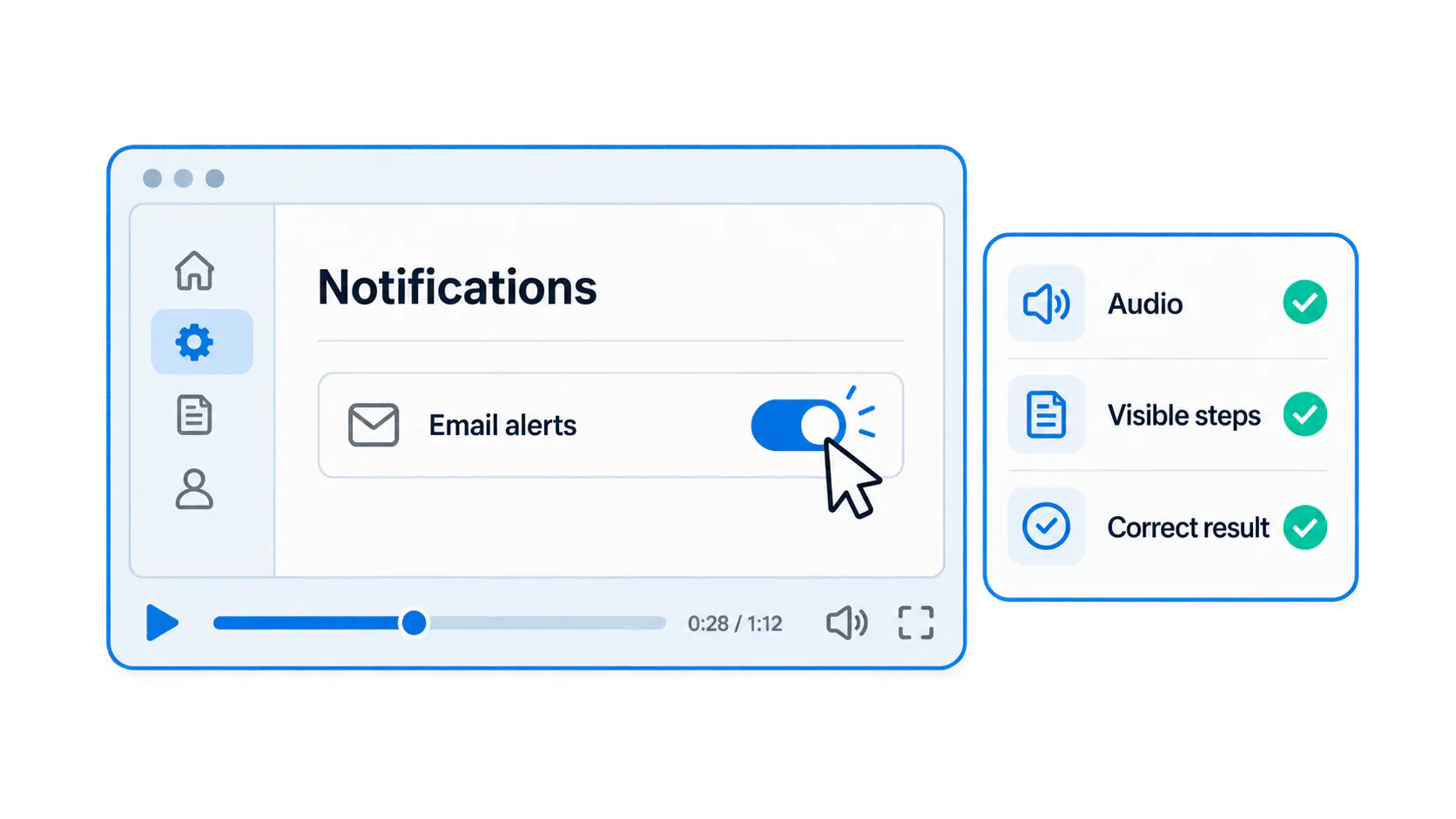
Conceptual troubleshooting recording with a visible email-alert setting and checks for audio, visible steps, and correct result.

The customer needs a usable answer

A customer cannot find a notification setting. Your support agent can send a clear screen recording now or delay it to add music, branding and animated transitions. The useful choice is the one that helps the customer complete the task.

This hypothetical example illustrates the priority: accuracy and clarity first, optional polish second. A rushed clip with unreadable controls creates more questions; professional editing cannot rescue a demonstration of the wrong workflow.

Separate essential clarity from production polish

Essential quality means a correct sequence, understandable speech, readable controls, visible actions and appropriate captions or supporting text. Branding and transitions are optional unless they make the explanation clearer.

Edit when a wrong instruction, confusing sequence or invisible action would mislead the viewer. In the notification example, show the applicable role, the setting and the expected result. A direct opening contributes more than a long logo animation.

Decide how much effort the situation requires

Match effort to urgency, complexity, expected reuse, audience and the consequences of misunderstanding. A one-off recording can still need careful review if it changes permissions or important data.

Urgency should reduce decorative work, not accuracy checks. Public or widely reused guidance may justify stronger editorial review. Use the matrix below to choose an appropriate production level; no level makes incorrect instructions acceptable.

Situation
Review needed
Editing priority
One-off customer reply
Verify recipient, task, privacy, and expected result.
Remove confusing errors; keep relevant context.
Recurring support answer
Check broader applicability and current workflow.
Improve framing, captions, and reusable explanation.
Public help-center video
Review audience, accessibility, terminology, and ownership.
Use consistent presentation; remove ticket-specific context.
Sensitive or consequential workflow
Qualified owner verifies permissions, warnings, and escalation.
Correct every ambiguity; re-record if necessary.
One-off customer reply
Review needed
Verify recipient, task, privacy, and expected result.
Editing priority
Remove confusing errors; keep relevant context.
Recurring support answer
Review needed
Check broader applicability and current workflow.
Editing priority
Improve framing, captions, and reusable explanation.
Public help-center video
Review needed
Review audience, accessibility, terminology, and ownership.
Editing priority
Use consistent presentation; remove ticket-specific context.
Sensitive or consequential workflow
Review needed
Qualified owner verifies permissions, warnings, and escalation.
Editing priority
Correct every ambiguity; re-record if necessary.

Make audio understandable before adding visual effects

Make a short test recording and listen to it. Use a reasonably quiet room, a stable microphone position and a consistent speaking volume. Check that product names, numbers and important conditions remain understandable.

Re-record clipped or obscured instructions. Minor background noise is a lower priority when it does not affect meaning. Improve the recording environment before buying equipment, and leave out music that competes with the explanation.

Make every important action visible

Check the recording at the size customers will actually watch. A full-desktop capture can make one important control unreadable. Frame the relevant area, retain enough navigation context and pause briefly after meaningful actions.

Show the starting state, the action and the expected result. For the notification example, make the applicable setting and its saved state visible. For physical equipment, show the relevant component and orientation clearly. Explain what a materially different screen or component means for the viewer's next step.

Remove confusion without editing away useful context

Trim unrelated navigation, false starts and dead time. Keep prerequisites, warnings, meaningful waiting states and the verification step: these explain when the procedure applies and how to judge it.

Replace an incorrect instruction rather than layering a contradictory correction over it. Explain any real processing delay that editing compresses. There is no universal ideal duration; a video is concise when it covers the complete task without unrelated material.

Make captions and supporting text useful

Review generated captions for product names, commands, numbers and negation. A plausible transcription error can reverse an instruction. Add a short written reference when viewers need scannable prerequisites, steps or exact values.

For the notification example, identify the required role and the result that confirms success. Captions cannot repair an inaccurate demonstration or unreadable controls. Plan accessible alternatives around the audience and the information conveyed, rather than treating automatic captions as proof of accessibility compliance.

Know when a one-off recording is ready for broader reuse

A ticket recording may depend on private account details, a temporary workaround or context from the conversation. A repeated question is a reason to review it for reuse, not permission to publish it unchanged.

Check wider applicability, remove customer information and verify the current interface before promoting it. Use the checklist below and assign a reviewer. The privacy-safe visual support guide explains how to review frames, narration, transcripts and supporting files together. When extensive repair would remain confusing, make a clean demonstration.

Before promoting a ticket recording

  • Remove customer identifiers, confidential information, and irrelevant account details.
  • Confirm that the workflow applies beyond the original customer.
  • Check the current interface, permissions, and prerequisites.
  • Correct unclear steps and captions.
  • Add a task-based title, description, owner, and review context.
  • Obtain any required approvals.

Organize the answer so customers can find it again

Name the recording after the task or symptom rather than a ticket number. State the audience, prerequisites and limits, then publish it with the related written reference. Start with a useful collection of existing material instead of waiting to produce an entire new library.

In Cincopa, VideoGPT can answer from available video and document sources and point users back to supporting content. Clear titles and current source material still matter. Review recurring questions and weak answers to decide which clip, explanation or reference to improve next.

Explore Cincopa’s support and troubleshooting approach when planning how to organize and deliver related recordings and documents.

Review the video by testing the task

Ask someone unfamiliar with the recording to follow it without coaching. Can they recognize the starting conditions, see the actions, understand the explanation and verify the result? Their hesitation often exposes a missing prerequisite.

Test the failure path too: if the setting is absent, can they identify a role or version difference and reach the right support route? Judge usefulness through task completion and recurring clarification needs. Views and watch time show consumption, not verified resolution.

Frequently asked questions

Not always. They need accurate, understandable guidance. Professional editing can help with complex explanations or broadly reused resources, but it does not replace task verification.

Yes, when it is correct, readable, audible, appropriate for the recipient, and free of sensitive information. Correct confusing mistakes before sending, even if the recording serves only one customer.

Long enough to show the complete task, necessary context, and expected result. Trim unrelated material rather than aiming for a universal duration.

Usually not. A direct explanation is often more useful when a customer is blocked. Any branding should be brief, and music should never make instructions harder to hear.

Plan captions or another suitable text alternative around the audience and delivery context. Reviewed captions are particularly useful when viewers cannot use audio, but they do not replace readable visuals or complete supporting instructions.

When the answer recurs and the workflow applies more broadly, review it for privacy, accuracy, captions, context, ownership, and approvals before adding it to a shared library.

Re-record when incorrect instructions, unreadable actions, poor audio, or outdated workflow details require so many corrections that the result would remain confusing.

A practical takeaway

Invest first in a correct, readable demonstration. Publish it with the reference viewers need, make the collection searchable, and use real questions to guide the next improvement. Add production polish when it helps the task or the recording's expected reuse.

NEXT STEP

Make useful support videos easy to find

Bring one recurring support question and the videos or documents you already have. See how VideoGPT can make that knowledge easier to use.