SUPPORT KNOWLEDGE

The Troubleshooting Video Checklist: Symptom, Prerequisites, Safe Steps, and Verification

Show the symptom, confirm applicability, demonstrate one appropriate procedure and verify the result. Pair the recording with a written reference so the answer can be found and reused.

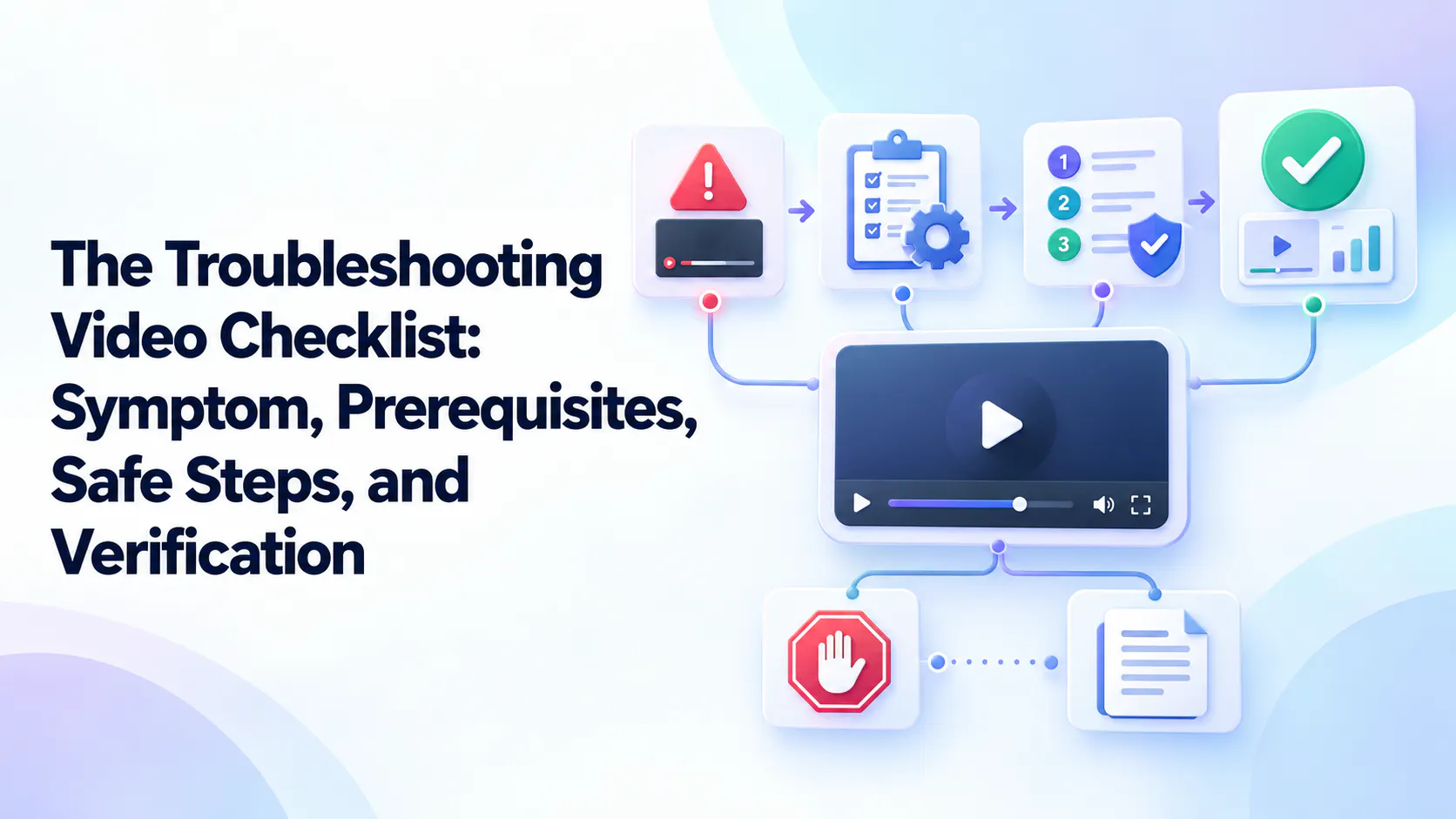
The troubleshooting video checklist: symptom, prerequisites, safe steps, verification, stop conditions, and written reference.

A recording of the fix is not always a complete troubleshooting guide

A hypothetical video shows a notification setting being changed and saved. It never identifies the symptom, the required role or the check that confirms the original problem is gone. A viewer can copy the action without knowing whether it applies.

A complete troubleshooting explanation supplies that missing context. The software example here illustrates authoring structure, not a procedure for a real product. Use verified product instructions when adapting the checklist to your own task.

  • Identify the symptom or failure state.
  • Confirm product and configuration.
  • List prerequisites and warnings.
  • Show one procedure.
  • Show success criteria.
  • State the escalation condition.
  • Attach the written reference.

Identify the symptom and visible failure state

Start with the observable problem: an error message, unexpected behavior or failed outcome. State what the recording addresses and which similar-looking situations fall outside its scope.

Separate observation from diagnosis. “The notification did not arrive” is a symptom; “the setting is disabled” is a possible cause that needs checking. Naming an assumed cause too early can send the viewer toward an irrelevant procedure.

Confirm the product, version, and configuration

Identify the product or model, relevant version, role, environment and configuration when they change the task. Omit incidental recording details that do not affect applicability.

Put important conditions near the beginning and repeat them at a decision point when useful. Label different task paths clearly. A viewer with a different interface should be able to tell whether the control moved, their permissions differ or they need another resource.

State prerequisites and warnings before the affected step

List the access, preparation, dependencies and tools the real procedure requires. Place warnings before the action that creates the risk, with a stopping point and an authorized route when a prerequisite is missing.

Use approved instructions and qualified review for physical equipment or consequential changes. Do not invent generic backup, reset or recovery steps. The low-risk notification illustration is a content template, not a substitute for product-specific safety guidance.

Demonstrate one clearly bounded procedure

Show the starting state, each necessary action and meaningful intermediate results. Keep the relevant pointer, component or control visible, explain a selection and retain waits that affect expectations.

Split alternatives into clear branches or separate recordings when conditions differ. Installation, inspection, reset and repair are different tasks. Keep the explanation focused rather than adding progressively more invasive actions if the first check does not explain the symptom.

Show what success looks like

Define an observable result before calling the issue resolved. A saved setting confirms a change was accepted; it does not establish that the original symptom disappeared.

In the fictional example, distinguish the selected state from observing the expected notification during a product-approved test. Show the verification and explain any dependency or delay. The responsible product owner must define the real check and what counts as success.

Tell viewers when to stop and escalate

State what to do when the environment differs, a prerequisite is missing, a warning condition appears or verification fails. Give a usable escalation route instead of an unexplained “contact support.”

Useful context includes the error, relevant version, observed state and steps already tried. Request only necessary information through the appropriate channel. An unsuccessful check should not prompt repeated resets or unrelated account changes without an approved basis.

Attach a written reference that supports the video

A written companion makes prerequisites, steps, warnings, exact values and failure paths easy to scan. Keep it consistent with the recording, with ownership and review triggers for both. Captions support spoken content but do not replace a maintained procedure when one is needed.

Cincopa can publish supporting documents beside a walkthrough and make the available collection answerable with VideoGPT. Begin with useful existing resources and improve them from recurring questions. Publishing or attaching a file does not validate its instructions.

Explore Cincopa’s technical troubleshooting video approach when planning how to present approved recordings alongside their supporting references.

Use a reusable troubleshooting video template

Complete the template below before recording. Use the missing fields to identify unresolved authoring work instead of filling them by assumption.

The fictional completed example shows how symptom, applicability, action, verification and escalation connect. Replace its placeholders with product-approved instructions and a named owner before using the template for a real customer task.

Copyable authoring template

Task-based title: [The task the viewer will complete]

Symptom or failure state: [Observed problem]

Scope and exclusions: [Covered and excluded situations]

Product, version, role, and configuration: [Material conditions]

Prerequisites: [Required access, preparation, and dependencies]

Warnings and stop conditions: [Approved cautions before affected actions]

Starting state: [What the viewer should see]

Procedure: [Verified actions and intermediate checks]

Expected result and verification method: [Observable outcome and approved check]

Escalation condition and route: [When, where, and relevant context]

Written reference: [Descriptive link to maintained procedure]

Content owner and last verified date: [Accountable person and verification context]

Illustrative completed example—not product instructions

Title: Check the relevant setting for a missing notification. Symptom: an expected notification did not arrive. Scope: one approved settings scenario; other delivery causes are excluded. Applicability: the product version and authorized role confirmed by its owner.

Prerequisites and starting state: approved access and the relevant settings view. Procedure: demonstrate the owner-verified check and change, if applicable. Verification: use the approved test to observe the expected notification, not only a saved setting. Escalation: stop if applicability differs or verification fails. Reference: the maintained notification guide. Owner and verification date: record before release.

Review the guide before sharing it

Ask an intended reader to follow the guide without coaching. Can they recognize the symptom, confirm applicability, see the actions and verify the result? Use a qualified reviewer where the task requires one.

Assign an owner and last verified date, then recheck when product behavior, permissions or procedures change. Include the written reference and incoming links. Prioritize revisions using failed tasks and repeated questions, rather than treating the number of published videos as the measure of success.

Checkpoint
Reviewer confirms
Common omission
Symptom
Viewer recognizes the addressed failure.
Assumed cause replaces observed symptom.
Applicability
Product, role, and material configuration match.
Unstated version or permission.
Prerequisites
Required preparation is available.
Missing dependency.
Warnings
Relevant caution precedes its action.
Warning appears only at the end.
Steps
One complete, visible procedure.
Hidden transition or waiting state.
Verification
Outcome is tested against defined criteria.
Saved action treated as resolution.
Escalation
Stop condition and route are clear.
Unapproved repeated attempts.
Written reference
Sources agree and have an owner.
Outdated companion instructions.
Symptom
Reviewer confirms
Viewer recognizes the addressed failure.
Common omission
Assumed cause replaces observed symptom.
Applicability
Reviewer confirms
Product, role, and material configuration match.
Common omission
Unstated version or permission.
Prerequisites
Reviewer confirms
Required preparation is available.
Common omission
Missing dependency.
Warnings
Reviewer confirms
Relevant caution precedes its action.
Common omission
Warning appears only at the end.
Steps
Reviewer confirms
One complete, visible procedure.
Common omission
Hidden transition or waiting state.
Verification
Reviewer confirms
Outcome is tested against defined criteria.
Common omission
Saved action treated as resolution.
Escalation
Reviewer confirms
Stop condition and route are clear.
Common omission
Unapproved repeated attempts.
Written reference
Reviewer confirms
Sources agree and have an owner.
Common omission
Outdated companion instructions.

Frequently asked questions

A recognizable symptom, applicability conditions, prerequisites and warnings, one bounded procedure, observable verification, a stopping or escalation route, and supporting written information where needed.

Start by identifying the symptom and scope so viewers can confirm that the procedure applies. Then move promptly to the appropriate action rather than giving a long general introduction.

Include details that change applicability, such as model, relevant version, role, or configuration. Omit incidental environment information that does not affect the procedure.

Before the action that creates the risk, with clear stop conditions where appropriate. Supporting descriptions and written guidance can repeat important warnings but should not be their only location.

Completing a step confirms an action occurred. Verification checks whether the intended outcome happened and whether the original symptom is resolved under the defined conditions.

When prerequisites are missing, the environment differs materially, an approved stop condition appears, or verification fails. Give the relevant route and specify useful, non-sensitive diagnostic context.

The appropriate companion depends on the task and audience. Provide written guidance when viewers need scannable prerequisites, warnings, precise values, branching logic, accessibility alternatives, or an ongoing procedural reference.

A practical takeaway

A troubleshooting video is useful when viewers can identify the problem, follow the applicable procedure, verify the outcome and reach help when needed. Publish it with its written reference, then make the collection easy to search and improve from real questions.

NEXT STEP

Turn one verified fix into reusable guidance

Bring an existing walkthrough and its supporting document. Explore how Cincopa and VideoGPT can make that knowledge easier for customers and agents to use.