What’s New
You can now define predefined responses that VideoGPT will use when viewers ask out-of-scope questions.
These prompts allow you to anticipate learner needs and guide VideoGPT’s responses without relying on video content alone.
When we released VideoGPT a few months ago, it allowed viewers to ask questions while watching a video and receive answers based on the video’s transcript and on-screen content. This made it easier for audiences to stay engaged and get clarification without leaving the video.
Soon after launch, many of you shared feedback asking for more control—especially for handling questions that are related to the topic but not directly explained in the video itself. These could include general clarifications, references to other content, or guidance on what to explore next.
Based on this feedback, we introduced VideoGPT Custom Prompts, giving you the ability to define how VideoGPT should respond to these questions in a clear, consistent, and controlled way.
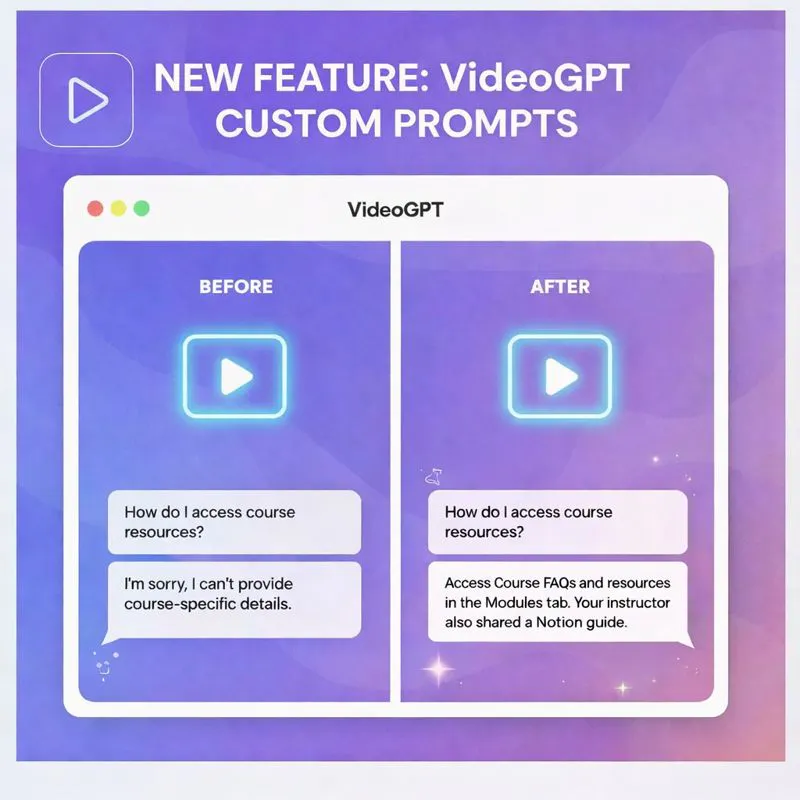
You can now define predefined responses that VideoGPT will use when viewers ask out-of-scope questions.
These prompts allow you to anticipate learner needs and guide VideoGPT’s responses without relying on video content alone.
Learn more about this: VideoGPT Custom Prompts
For guidance before the first question, see welcome messages and suggested questions. After rollout, review VideoGPT History and VideoGPT Insights to spot response patterns that may need clearer source content or better custom guidance.
Published January 22, 2026
Start with one product area, one documentation surface, one support library, one internal portal, or one embedded training flow. Get that collection working well, help viewers understand what is inside, then reuse the same gallery across adjacent destinations without duplicating the library.