June 30, 2026 · CincopaUI · Video

📣 Update: VideoGPT Now Guides Users with Welcome Messages and Suggested Questions

When we first launched VideoGPT Assistance, the goal was simple: make videos easier to use.

Instead of watching an entire video, scrubbing through the timeline, or guessing where the answer might be, viewers could ask a question and get an AI-powered answer based on the video transcript. VideoGPT could summarize a video, answer specific questions, and guide users to the exact moment that explained the answer.

Then VideoGPT expanded to support galleries.

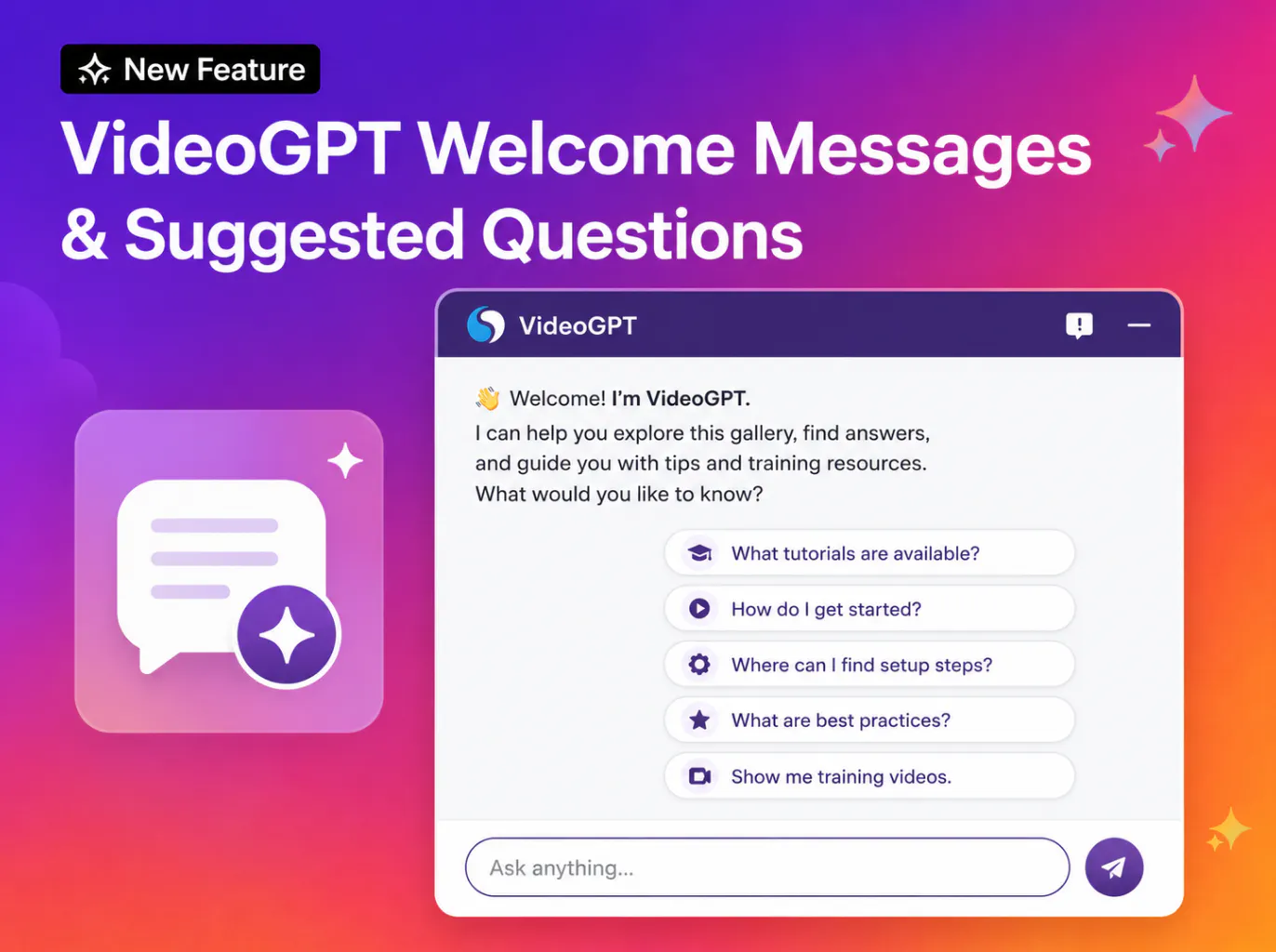
VideoGPT welcome message and suggested starting questions

That changed the experience from single-video Q&A to library-wide discovery. Users could ask across a full gallery of training videos, support walkthroughs, product tutorials, webinars, or internal knowledge content and find the right answer across the collection.

Now, we are improving what happens before the first question.

What’s New

VideoGPT can now show a custom welcome message and suggested questions when a user opens the chat.

Instead of starting with a blank input box, viewers see a short introduction that explains what the gallery contains and gives them a quick overview of the general subject or theme of the available videos, such as tutorials, walkthroughs, training content, or feature updates.

Along with this introduction, VideoGPT can present suggested questions related to the gallery content. For example, in a training gallery, admins can add questions such as:

  • What tutorials are available?
  • How do I create a contact record?
  • What are some best practices for using this system?

This gives viewers an immediate starting point, helps them understand what they can ask, and makes it easier to discover relevant information without having to think of a question from scratch.

Why This Matters

AI chat is powerful, but many users do not always know what to ask first.

A blank chat box can create friction, especially for new users, trainees, customers, partners, or support teams opening a video library for the first time.

With welcome messages and suggested questions, admins can guide the experience from the beginning.

Users can quickly understand:

  • what content is available
  • what questions they can ask
  • how VideoGPT can help
  • where to begin inside a large video gallery

This makes VideoGPT feel less like an empty search box and more like a guided assistant built into the video experience.

Key Capabilities

Custom welcome message

Admins can introduce the gallery, explain the purpose of the content, and set the right context for users.

Suggested starting questions

Admins can provide example questions that help users begin faster without needing to think of the perfect prompt.

Better onboarding for viewers

New users can immediately see how VideoGPT works and what kind of answers they can expect.

Contextual guidance for galleries

Suggested questions can be customized based on the gallery type, such as training, product education, support, onboarding, internal knowledge, or partner enablement.

Faster path to answers

Users can start with a suggested question, get an answer, and move directly to the relevant video or moment.

Use Cases

Training Portals

Help learners start with common questions about tutorials, workflows, lessons, or certification content.

Product Education

Guide customers toward feature walkthroughs, setup steps, product updates, and best-practice videos.

Support & Troubleshooting

Help users ask about known issues, installation steps, troubleshooting flows, or technical procedures.

Internal Knowledge Hubs

Give employees suggested questions for recorded meetings, process walkthroughs, internal updates, or team training.

Partner Enablement

Help distributors, installers, lenders, contractors, or channel partners quickly understand what they can ask inside a partner training library.

A Better First Step into Video Knowledge

VideoGPT already helps users ask questions across video content and get direct answers.

This update improves the first moment of that experience.

By adding a welcome message and suggested questions, admins can guide users before they even type. Viewers get a clearer starting point, understand what the gallery contains, and move faster from curiosity to answer.

It helps turn video galleries into guided, searchable knowledge experiences where users do not just watch content, they know what to ask and where to begin.

For response rules beyond the video's content, see VideoGPT Custom Prompts. After launch, review VideoGPT History and VideoGPT Insights to understand what users ask. The VideoGPT Bubble brings this guided experience to Cincopa Pages.


Schedule a demo with our team to learn more about VideoGPT welcome messages and suggested questions, and how they help viewers get started in a video knowledge library.

Published June 30, 2026

NEXT STEP

Continue Exploring

Start with one product area, one documentation surface, one support library, one internal portal, or one embedded training flow. Get that collection working well, help viewers understand what is inside, then reuse the same gallery across adjacent destinations without duplicating the library.