October 10, 2025 · Integrations · Video

📣 New Feature: VideoGPT Assistance

We’re excited to introduce VideoGPT, a new way to interact with your videos using AI.

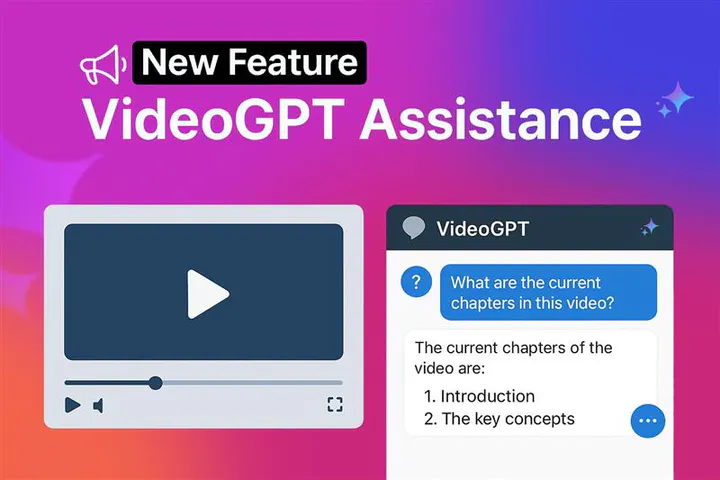
With VideoGPT, you can ask natural questions about a video and get instant answers based on its transcript. You can also request a quick summary to capture the main points without watching the entire video. For example, you can ask for the current chapters in a video or even generate new chapters to use later in your workflow.

VideoGPT Assistance answering a question about video chapters

✅ Key Capabilities of VideoGPT

  • AI-powered Q&A on video content using transcripts
  • Automatic video summarization for quick insights
  • Seamless integration with your existing video library
  • Deep linking to the exact moment in a video that answers the question
  • Automatic understanding of entire galleries, not just single videos
  • Ability to incorporate associated PDFs such as manuals, specs, and troubleshooting guides

Your videos become a structured, searchable knowledge base – without additional content work.

Explore VideoGPT Custom Prompts for predefined responses, welcome messages and suggested questions for the first interaction, and the VideoGPT Bubble for an assistant on Cincopa Pages.

Use Cases

● Support Deflection Layer

When embedded on support pages, VideoGPT can answer real-world troubleshooting questions, guide users step-by-step, reduce repetitive calls by surfacing the correct solution immediately. This transforms your video library from passive content into an active support assistant.

This feature makes your videos more interactive and accessible, helping you find the information you need faster.

Designed for High-Volume Support Environments

VideoGPT, an AI layer designed to turn your existing video library into an interactive support engine.

Instead of forcing customers to search through long troubleshooting videos or call your contact center, VideoGPT allows users to ask natural questions and instantly receive precise answers – with direct deep links to the exact video and exact timestamp that solves their issue.

VideoGPT is particularly effective for:

  • Industrial manufacturers with complex product installations
  • Technical troubleshooting scenarios
  • Reducing repetitive contact center inquiries
  • Supporting distributors and field technicians with instant answers

Instead of “watch this 15-minute video,” users are guided directly to the 30 seconds that matter.

● Product Communication

When rolling out updates across large organizations, VideoGPT helps teams:

  • Navigate long internal briefings
  • Extract relevant changes by department
  • Find policy updates quickly

Business value:

  • Faster internal rollout
  • Reduced confusion during change management
  • Better executive communication impact

● Webinars

Quickly summarize key points from long sessions and allow viewers to ask questions directly about the content.

Business Value:

  • Increase post-webinar engagement
  • Improve lead qualification by answering follow-up questions instantly
  • Reduce sales team time spent re-explaining webinar content

Example:
A SaaS company runs a 60-minute product webinar. Instead of prospects emailing sales with basic questions, they ask VideoGPT and jump directly to the relevant product demo moment.

● Zoom Meetings

Extract highlights, decisions, and chapters from recorded meetings.

Business Value:

  • Faster executive alignment
  • Reduced time spent reviewing long recordings
  • Better knowledge retention across distributed teams

Example:
A product team records a 90-minute roadmap meeting. Instead of watching the full replay, stakeholders ask, “What was decided about pricing?” and jump directly to that segment.

● Corporate Training & Internal Enablement

Generate summaries, structured chapters, and interactive Q&A for internal training videos.

Business Value:

  • Accelerate employee onboarding
  • Reduce repetitive questions to trainers and managers
  • Improve knowledge retention across distributed teams
  • Shorten time-to-productivity for new hires

Example:
A manufacturing company rolls out new product training across multiple regions. Instead of re-running sessions or answering the same questions repeatedly, employees ask VideoGPT and jump directly to the exact moment that explains the installation step or workflow change.

● Partner & Channel Enablement

Enable distributors, installers, and field partners to find answers instantly within your product and installation videos.

Business Value:

  • Reduce internal escalations from partners
  • Improve first-time installation accuracy
  • Accelerate partner onboarding
  • Strengthen channel performance without expanding support teams

Example:
An installer on-site asks, “What wiring configuration applies to this model?” and jumps directly to the relevant 20-second segment in the installation video instead of emailing or calling headquarters.

👉 Try it yourself: interact with the video below to ask questions, get summaries, and experience VideoGPT in real time. Click play and click on the VideoGPT button to open the chat.

VIDEO PLACEHOLDER - insert the original Cincopa video here when Learn video support is available.
Video title: Home Page Video
FID: A4HAcLOLOO68
RID: AcEDQoI4gGxV
Combined embed FID: A4HAcLOLOO68!AcEDQoI4gGxV
Player URL: https://rtcdn.cincopa.com/iframe.aspx?fid=A4HAcLOLOO68!AcEDQoI4gGxV
Video file: Home Page Video_final.mp4
Media ID: 210411607
Duration: 00:02:05.22
Original file size: 62,781,807 bytes (62.78 MB)
Aspect ratio: 1.78 (approximately 16:9)
Available video renditions: 1080p and 720p.
Player layout: responsive, width 100%, aspect ratio 16:9; previous Prismic embed metadata: 1280 × 720.

Learn more at https://www.cincopa.com/ scroll down to the video and play it to see VideoGPT in action.

Published September 30, 2025

NEXT STEP

Continue Exploring

Start with one product area, one documentation surface, one support library, one internal portal, or one embedded training flow. Get that collection working well, help viewers understand what is inside, then reuse the same gallery across adjacent destinations without duplicating the library.