May 11, 2026 · CincopaUI · Player · Galleries · Video

📣New Feature: VideoGPT History

We launched VideoGPT as an AI-powered assistant that helps people interact with videos naturally. Instead of manually searching through long recordings, users can ask questions, get summaries, and find exact moments inside videos using both transcript intelligence and visual understanding.

It changed how teams use video for learning, training, and support.

Then VideoGPT grew beyond single videos.

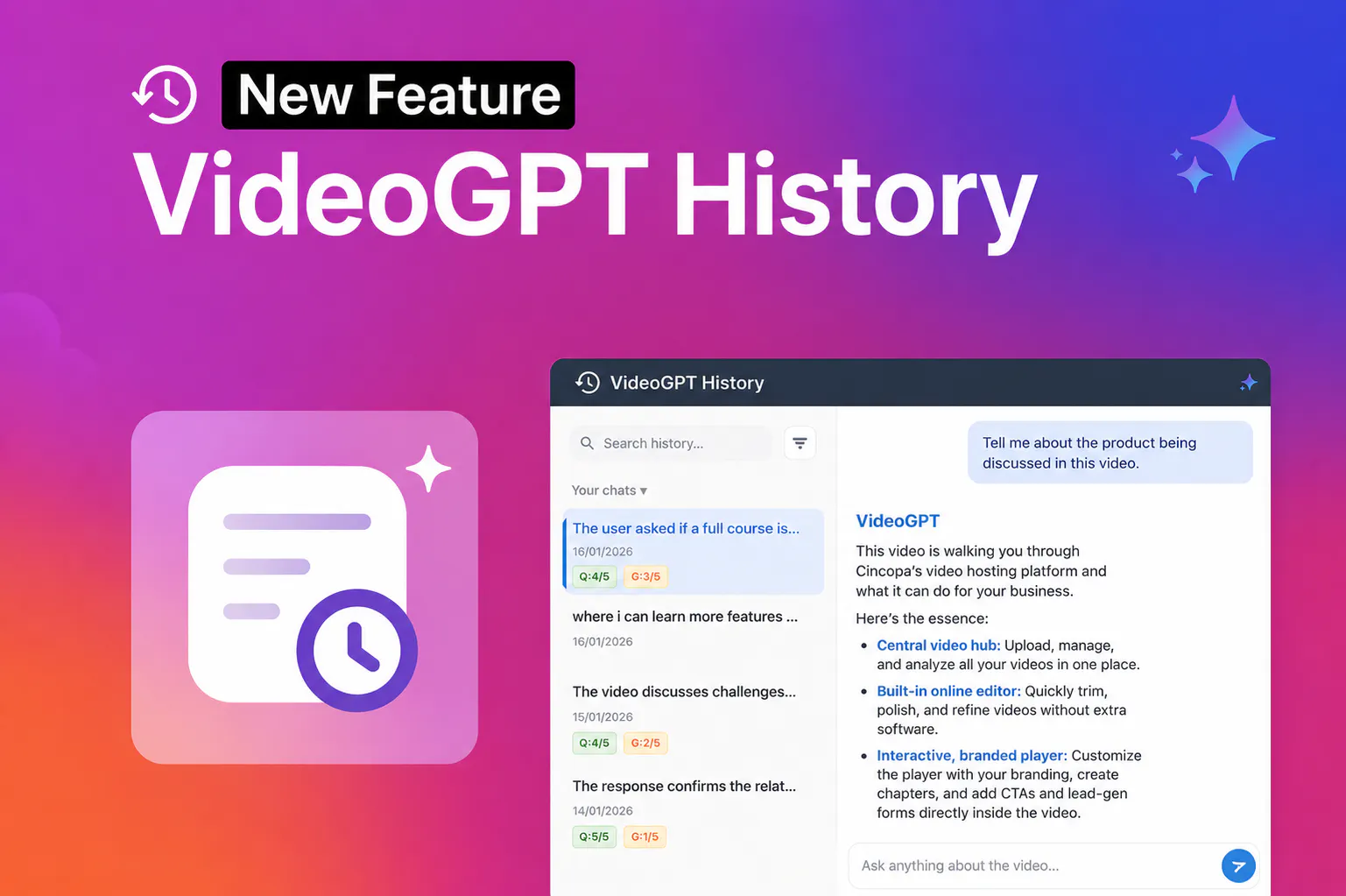
VideoGPT History conversation review interface

We expanded it to support galleries, allowing users to search across multiple videos at once. Entire training libraries, webinar collections, onboarding hubs, and internal knowledge centers became searchable video knowledge hubs, not just isolated video experiences.

Now VideoGPT continues to evolve by making those conversations just as valuable as the videos themselves.

VideoGPT History is the first step in a broader VideoGPT Insights direction. It gives teams a way to look back at what users asked, how VideoGPT responded, and where the video knowledge library may need improvement.

What’s New

Introducing VideoGPT History.

As VideoGPT became part of training, onboarding, webinars, support, and internal knowledge workflows, video interactions became more than simple one-time questions.

Teams use VideoGPT to understand what people are asking, identify repeated questions, review how AI responds, and improve how video knowledge is delivered across their content libraries.

These conversations hold valuable insights. They reveal repeated needs, unclear explanations, missing content, and opportunities to improve training, support, and communication.

Until now, once a VideoGPT conversation ended, it was difficult to go back and review those interactions.

With VideoGPT History, past VideoGPT conversations are now available in one place, making it easier to revisit previous queries, review responses, identify recurring questions, and better understand how people are using VideoGPT across their video libraries.

This helps transform VideoGPT from a one-time video assistant into part of a more active knowledge improvement workflow.

Key Features

Review Past VideoGPT Conversations

Access previous VideoGPT interactions in one place, making it easier to revisit important questions, answers, and user needs from past sessions.

Spot Repeated Questions

See which questions come up again and again across training, onboarding, webinars, and support content. Repeated questions can point to topics that need clearer explanation or better placement in the library.

Review How VideoGPT Responds

Look back at how VideoGPT answered user questions and use that context to understand whether the available video and document content is helping users get what they need.

Identify Knowledge Gaps

Use the history panel to spot questions that reveal missing, unclear, or hard-to-find information. This gives teams a practical starting point for improving existing content or deciding what to create next.

Improve Content Quality

Review how VideoGPT responds to users and use those insights to improve video content, training materials, and internal knowledge delivery.

Turn real user questions into useful feedback for improving video content, training materials, support resources, and internal knowledge delivery.

Support Better Knowledge Management

Turn VideoGPT interactions into useful feedback for building stronger video knowledge hubs, reducing repeated support requests, and improving internal communication.

Use welcome messages and suggested questions to guide the first interaction, and VideoGPT Custom Prompts to define responses for questions outside the source content. For a practical review workflow, see how repeated product questions reveal education gaps.

Schedule a demo with our team to learn more about VideoGPT History and how it helps turn video libraries into searchable, answerable knowledge systems.

Published May 11, 2026

NEXT STEP

Continue Exploring

Start with one product area, one documentation surface, one support library, one internal portal, or one embedded training flow. Get that collection working well, help viewers understand what is inside, then reuse the same gallery across adjacent destinations without duplicating the library.