July 14, 2026 · CincopaUI · Pages

📣New Feature: VideoGPT Bubble for Cincopa Pages

VideoGPT is now directly accessible across Cincopa Pages.

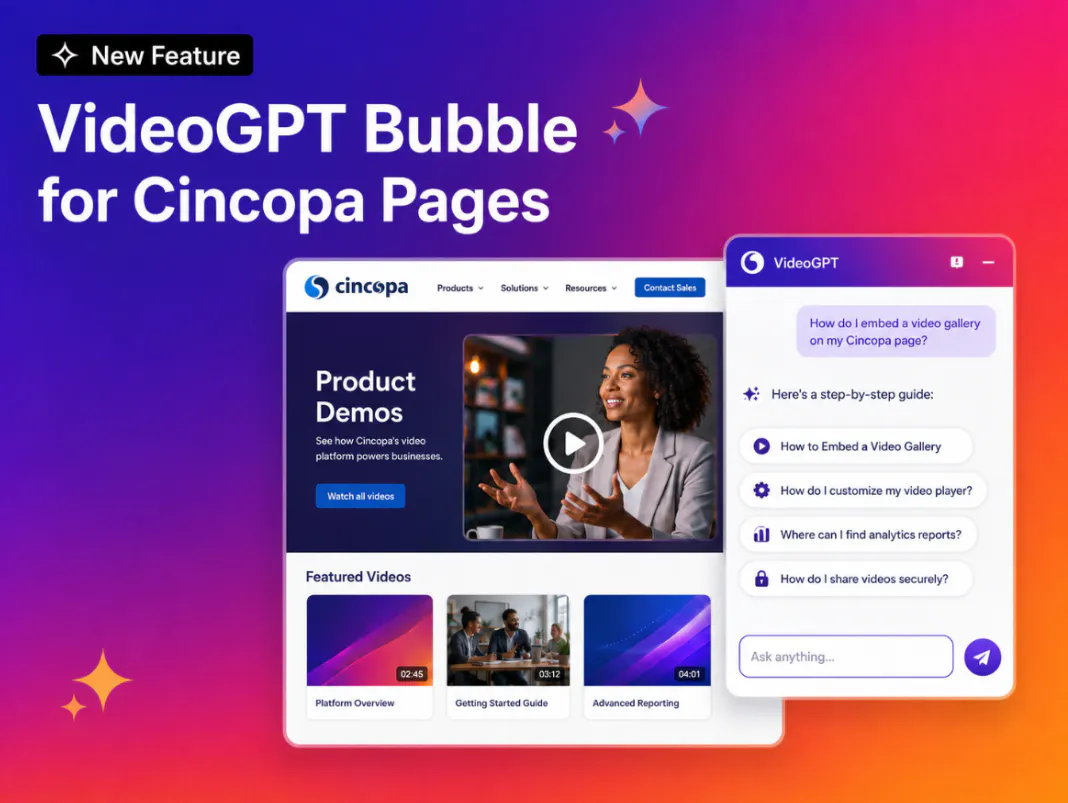
The VideoGPT Bubble is an AI assistant embedded in a Cincopa Page. It allows visitors to ask questions across the Page’s videos and supporting knowledge, receive direct answers, and view the relevant video without leaving the conversation.

This transforms a structured content Page into a more interactive, searchable video knowledge experience.

📣New Feature: VideoGPT Bubble for Cincopa Pages

What’s New

VideoGPT Bubble on Pages

Admins can add a floating VideoGPT Bubble to a Cincopa Page.

The assistant remains available while visitors browse the Page, giving them a consistent place to ask questions without opening a separate search interface or manually reviewing every video.

Questions Across Page Content

Visitors can ask questions based on the videos and knowledge available within the Page environment.

VideoGPT searches the relevant content and generates an answer grounded in that material.

Note: Player-level VideoGPT answers questions in the embedded player. The VideoGPT Bubble described here operates at the Cincopa Page level, across the content configured for that Page. A standalone video embedded on an external website uses the player-level assistant.

Relevant Videos Inside Answers (Preview Mode)

When a response is supported by a particular video, VideoGPT uses Preview Mode to display that video directly inside the conversation.

Visitors can move from a question to the supporting content without searching through galleries, opening several videos, or leaving the Page.

Welcome Message and Suggested Questions

When a visitor opens the VideoGPT Bubble, they are greeted with a short welcome message that introduces the Page's content, summarizing the general subject or theme of the videos available (for example, tutorials, walkthroughs, or feature updates).

Along with this introduction, VideoGPT presents a set of suggested questions related to the Page's content. This gives visitors a quick starting point, especially if they are unsure what to ask, and helps them discover relevant information right away instead of typing a question from scratch.

Questions Visitors Can Ask

Depending on the content published on the Page, visitors could ask:

  • “Which video demonstrates the exact process?”
  • “Show me the approved troubleshooting steps for this issue.”
  • “Where does the expert explain this procedure?”
  • “Summarize the training content available on this Page.”
  • “Which procedure applies to this product or version?”
  • “What should I watch next?”

These questions help visitors search inside videos using natural language, even when they do not know the correct video title or where an answer appears.

Why This Matters

A Cincopa Page may contain videos, galleries, documents, training materials, and other learning resources.

As more content is added, finding a specific answer becomes more difficult. Visitors may know that the information exists but not know which video to open or where the relevant explanation appears.

The VideoGPT Bubble provides a clear starting point. Instead of browsing first and asking later, visitors can ask a question immediately and let VideoGPT guide them to the most relevant content.

This reduces the need to:

  • browse multiple galleries
  • open videos individually
  • watch long recordings from beginning to end
  • search using exact titles or keywords
  • leave the Page to locate supporting content

VideoGPT can also search within a broader range of content types, including PDFs, audio files, and images, as well as metadata such as titles, long descriptions, and chapters, giving visitors a single point of search across the entire knowledge base, not just video transcripts.

Where It Can Be Used

Learners can ask about a process, lesson, policy, or workflow and receive an answer supported by the relevant training video.

Customers and technicians can describe an issue and find the video demonstrating the appropriate troubleshooting procedure.

Users can ask how a feature works and access the corresponding product walkthrough.

Employees can find answers across process training, recorded meetings, company updates, and subject-matter expert videos.

Partners, installers, distributors, and contractors can access setup instructions and process guidance without manually browsing every available resource.

From a Content Page to an Interactive Knowledge Experience

Cincopa Pages help organizations publish structured video and document experiences.

The VideoGPT Bubble adds a conversational knowledge layer to those Pages. Visitors can ask questions, receive direct answers, and view the supporting video inside the conversation.

This helps turn Cincopa Pages into guided, searchable, and answerable video knowledge environments.

For questions across a video collection, see VideoGPT gallery support. Review the global and individual transcription controls when preparing the spoken content visitors will search.

Frequently Asked Questions

The VideoGPT Bubble is a floating AI assistant that allows visitors to ask questions about the videos and supporting knowledge available through a Cincopa Page.

VideoGPT can answer questions using the relevant videos and knowledge available within the configured Page environment.

Yes. When an answer is connected to a relevant video, VideoGPT can display that video directly inside the conversation.

No. VideoGPT can search across multiple content types, including PDFs, audio files, and images, as well as metadata such as titles, long descriptions, and chapters. This gives visitors a single point of search across the broader knowledge available on the Page, rather than limiting them to video transcripts alone.

NEXT STEP

Continue Exploring

Start with one product area, one documentation surface, one support library, one internal portal, or one embedded training flow. Get that collection working well, help viewers understand what is inside, then reuse the same gallery across adjacent destinations without duplicating the library.