SUPPORT KNOWLEDGE

Screenshots, Screen Recordings, or Live Video? Choosing Visual Evidence for Remote Troubleshooting

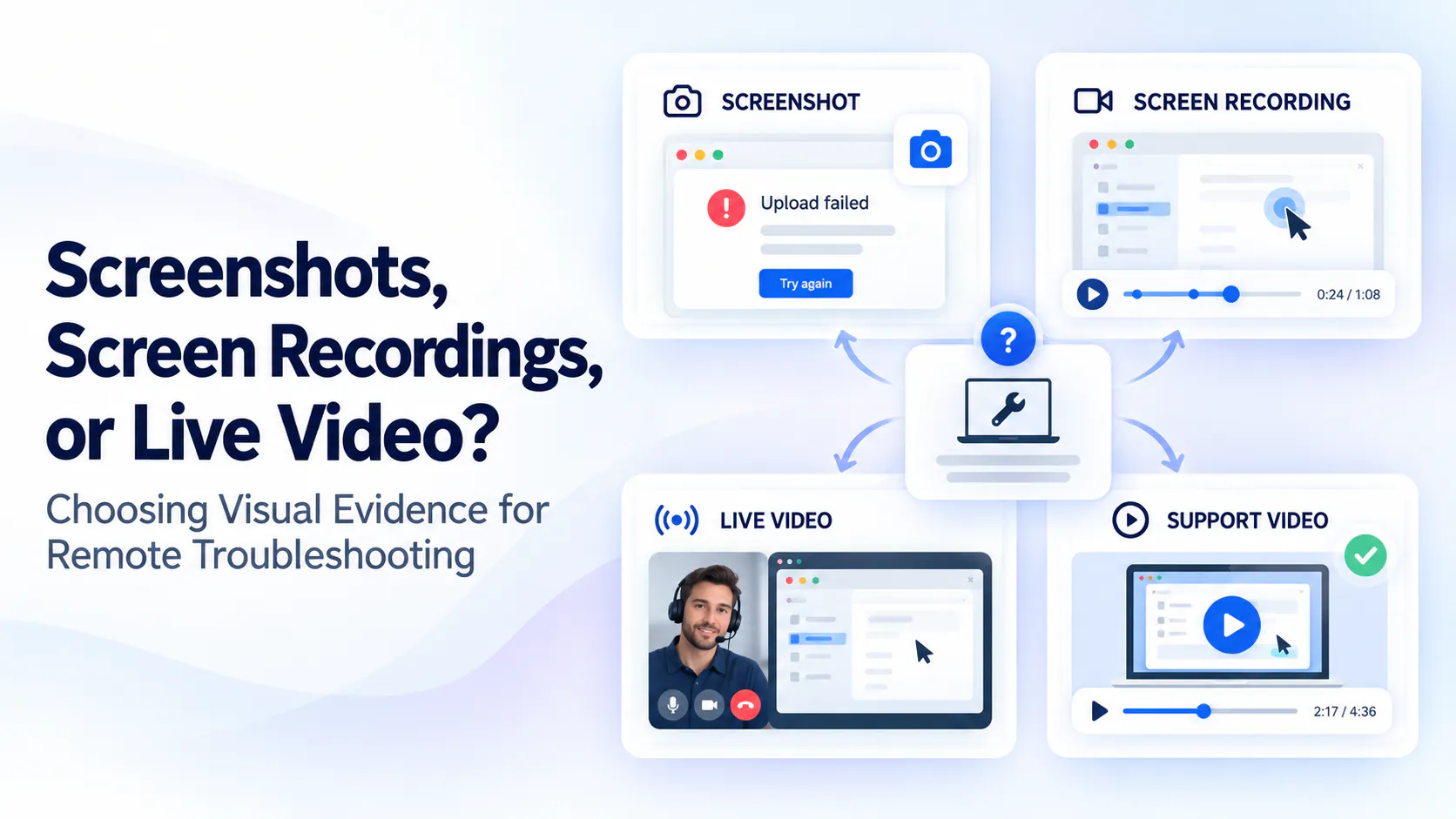
A screenshot shows a state, a recording shows a sequence and a live session supports interaction. Choose the evidence that answers the missing question, then preserve verified fixes as reusable knowledge.

Screenshots, Screen Recordings, or Live Video? Conceptual comparison of visual evidence and reusable support videos for remote troubleshooting.

Start with the missing information

“The upload is broken” leaves several possibilities. An error screenshot may reveal a rejected file type. A recording may show when progress pauses. A physical connection problem may need a view of equipment and its surroundings.

Before requesting more media or a call, identify what remains unknown: the expected result, observed behavior and useful context. The next request should test that uncertainty, not simply collect a larger pile of recordings.

For the initial format decision, compare visual support with text-only answers and request a visual only when it resolves uncertainty that the written description cannot.

Use a screenshot when the problem is a visible state

Use a screenshot for an exact error, disabled control, unexpected setting or visible layout problem. Include enough surrounding interface to recognize the task while excluding unrelated private information.

A tightly cropped message can hide which screen produced it; a full desktop can reveal too much. A still image shows a state, not necessarily the preceding actions or cause. In the hypothetical upload case, it establishes what appeared on screen, not why.

Use a screen recording when the sequence matters

Use a focused recording when reproduction steps, changing states, timing or an intermittent failure matter. Begin shortly before the relevant action and continue through the outcome. A brief written explanation can replace narration when that is easier for the customer.

Reuse occurrence times, environment details and approved logs already supplied. Do not ask someone to repeat a destructive or consequential failure just to obtain a cleaner recording. Existing evidence and specialist review may be the better next step.

Use a live visual session when observation needs interaction

A live camera view can help when an agent needs another angle on equipment or installation context. A short asynchronous clip may still answer the question with less effort.

For software, screen sharing lets an agent observe; remote control lets another person operate the system. Treat those as distinct permissions. Consider scheduling, accessibility and connectivity, provide alternatives, and summarize findings. Visual observation alone does not prove root cause or authorize changes.

Use a reusable support video when the fix is already known

A customer recording documents an unresolved event. A reusable support video explains a verified procedure for future users, with scope, prerequisites, steps, expected results and escalation.

Use video when motion, sequence or recognizing a product state materially improves the explanation. A screenshot or short written answer may be enough for a simple value or setting. Keep the written reference alongside important visual guidance, and avoid creating another video simply because the original evidence arrived as video.

Choose the format with a decision matrix

Choose the least demanding format likely to answer the remaining question. Change formats when the evidence leaves a specific uncertainty, not as a mandatory progression through screenshot, recording and call. The decision matrix distinguishes diagnostic evidence from reusable instructions.

What needs observing
Starting format
What to request
Limit or next step
Static error message
Screenshot
Exact message and relevant window.
Missing sequence may need a recording.
Setting or permission state
Screenshot
Relevant control, role context, product version.
Visible state does not prove account authority or cause.
Reproducible sequence
Screen recording
Just before the action through the result.
Use approved logs if the cause remains unclear.
Intermittent on-screen behavior
Screen recording
Existing occurrence, time, frequency.
Do not repeatedly trigger consequential failures.
Physical or environmental issue
Camera image or short video; live if interaction is needed
Relevant equipment and safe surrounding view.
Escalate unsafe inspection to a qualified person.
Interactive clarification needed
Live camera or screen-sharing session
Explain which unresolved question needs another view.
Sharing is not remote-control authorization.
Verified fix for multiple users
Reusable support video or article
Approved procedure, scope, verification.
Instructional content, not customer diagnostic evidence.
Static error message
Starting format
Screenshot
What to request
Exact message and relevant window.
Limit or next step
Missing sequence may need a recording.
Setting or permission state
Starting format
Screenshot
What to request
Relevant control, role context, product version.
Limit or next step
Visible state does not prove account authority or cause.
Reproducible sequence
Starting format
Screen recording
What to request
Just before the action through the result.
Limit or next step
Use approved logs if the cause remains unclear.
Intermittent on-screen behavior
Starting format
Screen recording
What to request
Existing occurrence, time, frequency.
Limit or next step
Do not repeatedly trigger consequential failures.
Physical or environmental issue
Starting format
Camera image or short video; live if interaction is needed
What to request
Relevant equipment and safe surrounding view.
Limit or next step
Escalate unsafe inspection to a qualified person.
Interactive clarification needed
Starting format
Live camera or screen-sharing session
What to request
Explain which unresolved question needs another view.
Limit or next step
Sharing is not remote-control authorization.
Verified fix for multiple users
Starting format
Reusable support video or article
What to request
Approved procedure, scope, verification.
Limit or next step
Instructional content, not customer diagnostic evidence.

Ask for context alongside the visual

Request only useful missing context: expected and actual result, relevant product or version, occurrence time and timezone, frequency and steps already attempted. Explain why the next view will help.

Adapt the example requests below to approved capture methods and the customer's tools. Reuse what they have supplied instead of sending a long intake form for every case.

Screenshot request

“Could you share the affected upload window, including the full error and nearby control labels? Please hide private file names and unrelated details. This will help us identify the screen state.”

Screen-recording request

“If it is safe to repeat, could you capture the upload from just before the action until it pauses? A brief written note about the expected result is enough; narration is optional.”

Live-session invitation

“The recording leaves us unsure which workspace is active when the upload pauses. Would a short screen-sharing session work so we can clarify that view? You can navigate; remote control is not needed.”

Collect only what is relevant

Help customers avoid capturing passwords, tokens, payment details, customer records, unrelated tabs, notifications or confidential surroundings. Prefer non-sensitive examples when they still show the problem accurately.

Redact unnecessary information without losing the relevant error or labels, and share through the appropriate restricted channel. Permission to join a live session is separate from permission to record it. The privacy-safe visual support guide covers reviewing the full asset and its derived text before broader reuse.

Combine evidence without turning support into a production task

In a hypothetical case, a screenshot shows “Connection interrupted.” Support records that observation without treating a network fault as a confirmed cause. The customer has already supplied the browser version and time.

A short recording reveals that progress pauses after a workspace change. That gives technical investigation a sequence to examine, not proof of causation. Offer live observation only if a specific uncertainty remains. Summarize observed facts, hypotheses and the next question separately instead of automatically escalating every upload issue into a call.

Turn a verified resolution into reusable knowledge

Once a resolution is verified and applies beyond the original customer, improve the maintained explanation. Prefer a clean demonstration to publishing raw customer evidence. Include its scope, reference, owner and review condition.

Cincopa's VideoGPT can make an available video-and-document collection answerable and point people to supporting sources. Publish useful existing guidance first, then use repeated questions and weak answers to choose the next improvement. Embedded troubleshooting guidance can bring that explanation back to the task; it remains distinct from live assistance, telemetry or automatic diagnosis.

Frequently asked questions

When the unresolved question concerns a visible state, such as an exact error, disabled control, or setting. Include enough surrounding context to identify the screen. If the preceding actions or timing matter, the image may need a written explanation or a focused recording.

When sequence, changing states, or intermittent behavior cannot be explained adequately by a still image. Ask for a short relevant capture, not a full work session. Avoid requesting reproduction when the action could cause loss or another consequential outcome.

It can help when an agent needs another angle or immediate clarification about equipment and surroundings. A still image or asynchronous camera clip may be sufficient. Consider safe observation, connectivity, accessibility, and effort before scheduling a call.

Screen sharing allows another person to observe the displayed screen. Remote control permits them to operate it through a supported tool. Treat control and any proposed changes as separate permissions; agreeing to a visual session does not authorize either automatically.

Provide the expected and actual result, relevant product or version, approximate occurrence time with timezone, frequency, and useful steps already attempted. Request only missing details that help investigate the case. Protect private information while preserving relevant diagnostic context.

Only when recording has a clear purpose and meets organizational consent, access, and retention requirements. Many sessions can be documented with a concise written summary instead. Permission to participate should not be treated as permission to record or publish.

When the verified solution applies beyond the original customer and a visual demonstration materially helps. Confirm scope and remove customer-specific information. Update an existing article or screenshot instead when that answers the need more clearly or is easier to maintain.

Request the evidence that answers the question

Request the evidence that resolves the uncertainty, not the most elaborate format. Preserve useful context and keep observation separate from diagnosis. Once a fix is verified, turn it into maintained knowledge that the next customer can find and use.

NEXT STEP

Turn verified fixes into reusable answers

See how existing support videos and documents can become a focused knowledge collection that customers and agents can ask with VideoGPT.